Improve Your Accounts Payable Payment Processing

A 6-step guide to optimizing Microsoft Dynamics 365
Improve Your Accounts Payable Payment Processing

Optimize AP Payment Processing in Microsoft Dynamics 365

Payment processing often suffers from approval delays and manual errors that increase costs. Our solution provides clear visibility into these friction points, helping you pinpoint exactly where workflows stall. By addressing these hidden bottlenecks, you can improve processing speed and maintain better control over your financial obligations.

Download our pre-configured data template and address common challenges to reach your efficiency goals. Follow our six-step improvement plan and consult the Data Template Guide to transform your operations.

Show detailed description

The Strategic Importance of Refining Accounts Payable

The Accounts Payable Payment Processing cycle is often viewed as a purely administrative function, yet it serves as a critical lever for managing organizational liquidity and maintaining vendor trust. When this process becomes sluggish or opaque, the consequences extend far beyond the finance department. Late payments can damage your reputation with key suppliers, leading to less favorable credit terms or even supply chain disruptions. Furthermore, inefficient processing increases the cost per invoice, eroding the margins of the entire business. By focusing on process optimization within Microsoft Dynamics 365, you can transform AP from a cost center into a strategic function that protects cash flow and captures every available early payment discount.

Uncovering the Hidden Reality Through Process Mining

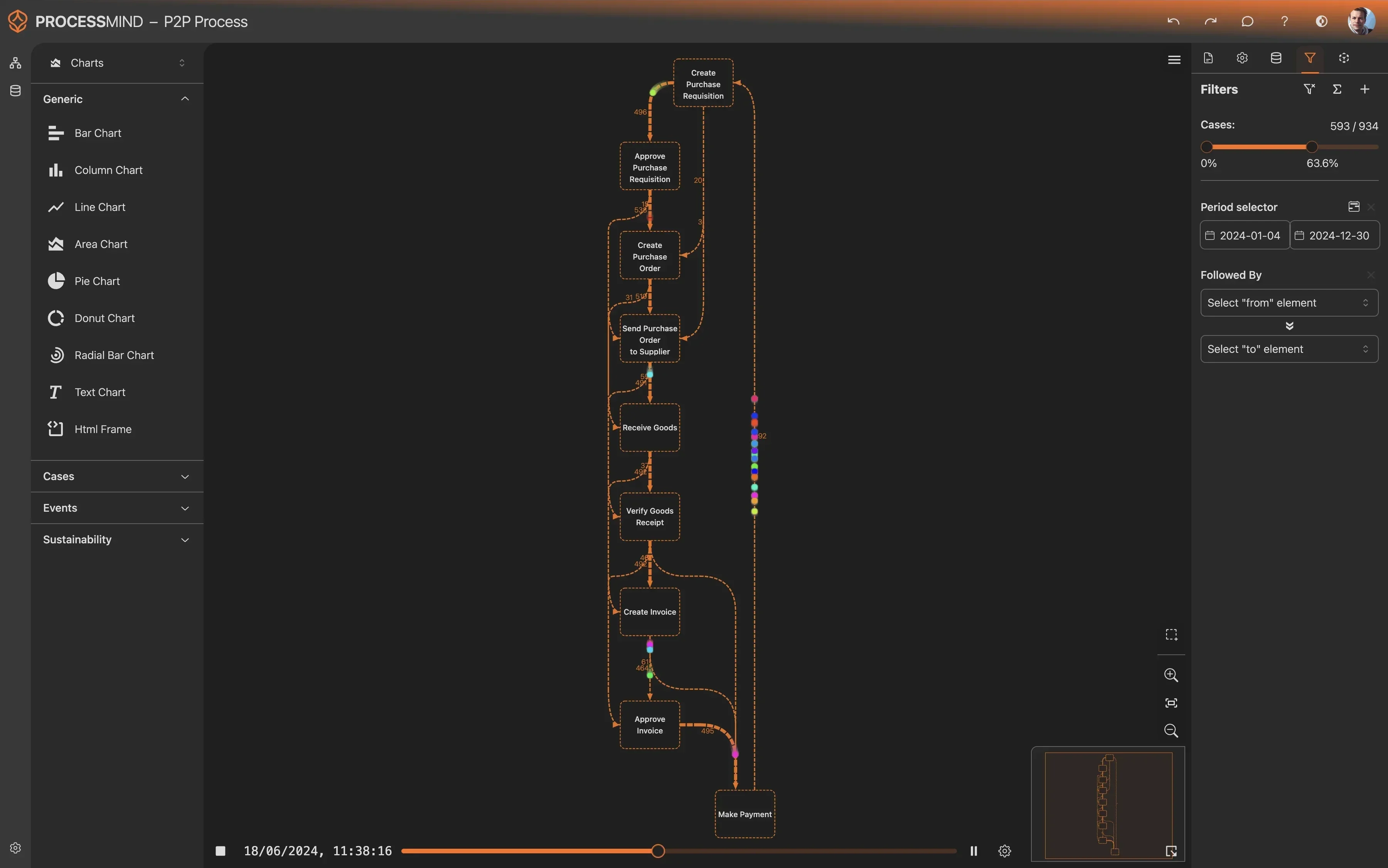
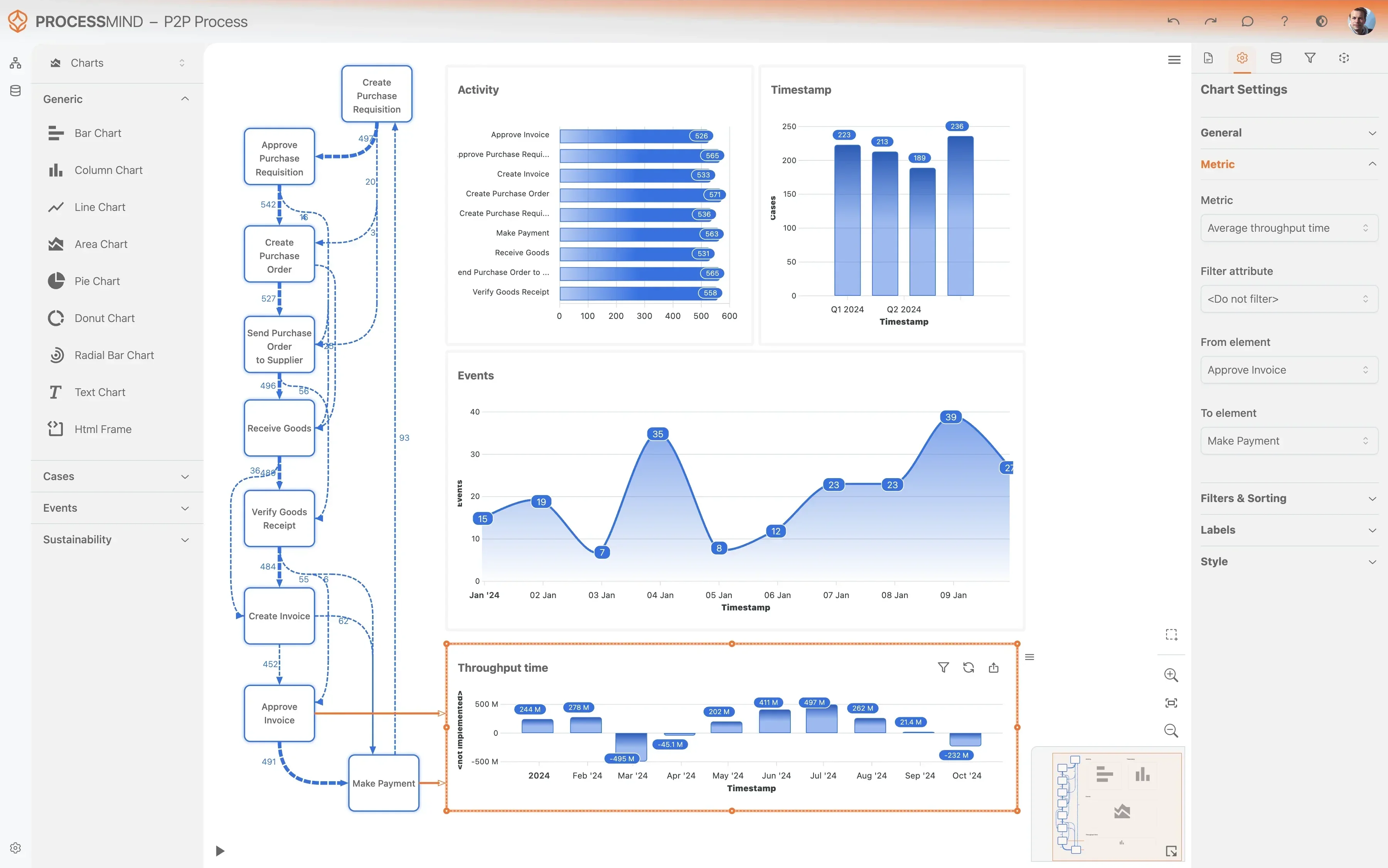
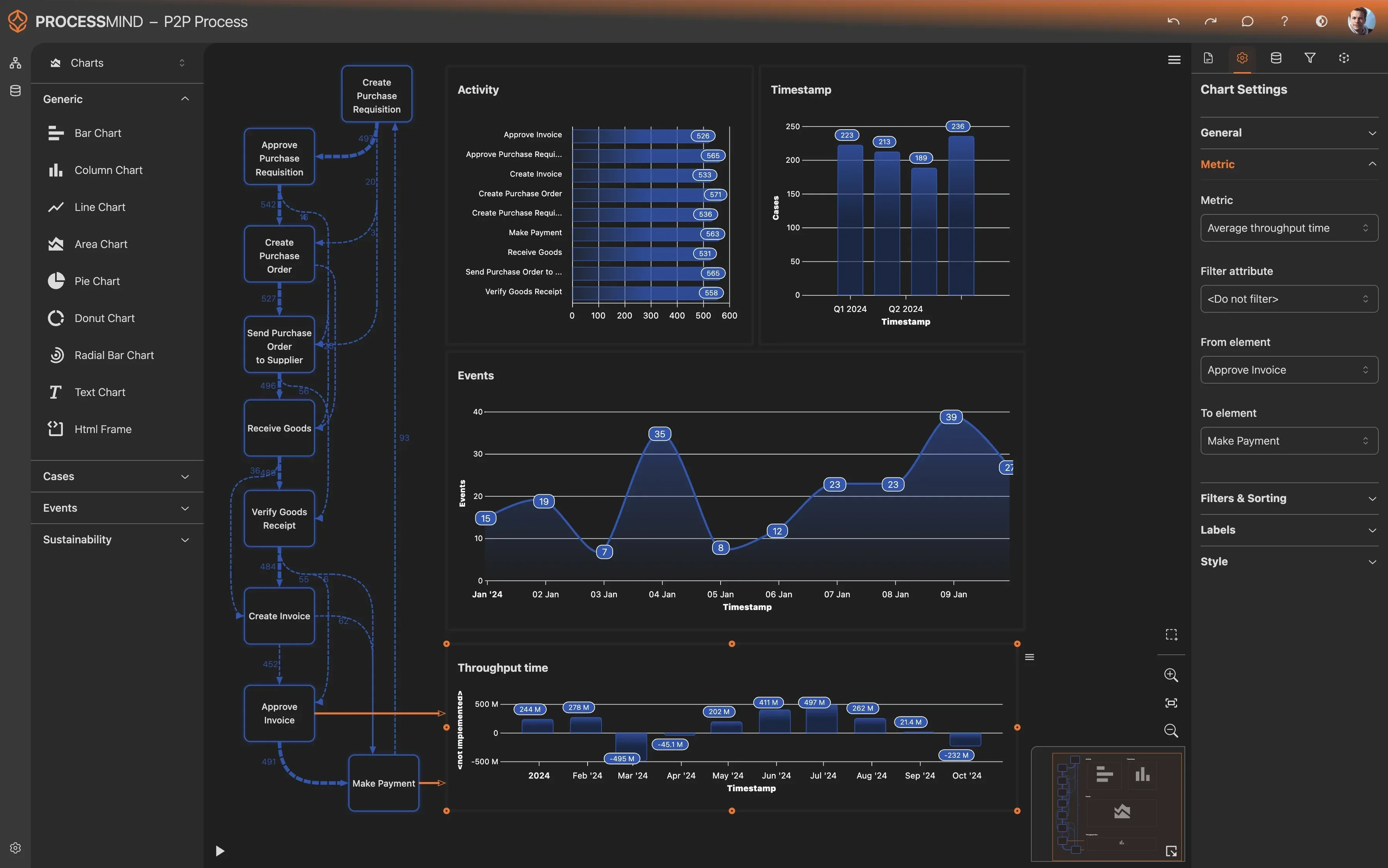
While Microsoft Dynamics 365 provides a robust framework for financial management, the way users interact with the system in daily practice often deviates from the standard operating procedure. Process mining acts as a digital X-ray for your Accounts Payable Payment Processing, extracting event logs from entities like GeneralJournal and LedgerEntry to map the actual journey of every invoice. Instead of relying on anecdotal evidence about why payments are delayed, you can see the precise point where a bottleneck occurs. This data-driven approach allows you to identify circular approval loops, where an invoice bounces between departments, or instances where manual intervention is required because of data entry errors. Visualizing these paths helps you move from reactive troubleshooting to proactive management, ensuring that your digital footprint reflects your intended business logic.

Targeting Core Inefficiencies in Microsoft Dynamics 365

Optimizing your AP workflow requires a deep dive into the specific activities that consume the most time. A primary area for improvement is the matching process. Discrepancies between invoices, purchase orders, and goods receipts often trigger manual investigations that can stall a payment for days. Through process mining, you can identify which vendors or product categories frequently cause these mismatches, allowing you to address root causes such as master data inaccuracies or inconsistent receiving practices. Another common area of friction is the approval workflow. By analyzing cycle times for different approval levels, you can determine if certain thresholds are set too low, causing high-volume, low-risk invoices to wait unnecessarily for executive sign-off. Eliminating these structural delays ensures that the payment schedule remains predictable and aligned with your cash management strategy.

Measuring Success through Enhanced Compliance and Speed

The ultimate goal of process optimization is to achieve a lean, transparent, and highly compliant payment cycle. Reducing the overall cycle time is the most immediate indicator of success. A shorter window between invoice receipt and payment execution provides the flexibility to choose exactly when to release funds. This allows your treasury team to optimize working capital more effectively, deciding whether to pay early for a discount or hold onto cash until the due date. Beyond speed, process mining significantly enhances your compliance posture. You can easily detect deviations from standard protocols, such as payments made without a corresponding purchase order or instances where a payment block was manually overridden without sufficient documentation. These insights are invaluable for internal audits and for ensuring that your financial controls are being followed consistently across all company codes and business units.

Sustaining Long-Term Operational Excellence

Improving Accounts Payable Payment Processing is not a one-time project but a journey of continuous refinement. As your business grows and vendor relationships evolve, your processes must adapt to handle increased complexity and volume. By utilizing the insights gained from Microsoft Dynamics 365 data, you can establish a baseline for performance and set realistic targets for improvement. Whether you are aiming to increase the percentage of touchless invoices or trying to eliminate the risk of duplicate payments, the clarity provided by process mining ensures that your efforts are focused where they will have the greatest impact. We encourage you to start by examining your current flow, identifying the most significant hurdles, and using the data to drive meaningful change that supports your organization's broader financial health.

Accounts Payable Payment Processing Invoice workflow Vendor payments Invoice approval Cash flow optimization Payment compliance AP department Invoice management

Common Problems & Challenges

Identify which challenges are impacting you

Lengthy approval cycles for invoices are a primary cause of late payments and strained vendor relationships. When invoices sit in a queue awaiting sign-off from busy managers, the department loses its ability to manage cash flow predictably and risks incurring late fees that directly impact the bottom line. This friction often results in a reactive environment where staff must prioritize urgent requests over standard workflows.

ProcessMind analyzes the end-to-end Accounts Payable Payment Processing workflow in Microsoft Dynamics 365 to pinpoint exactly where these delays occur. By visualizing the time spent at each approval level, you can identify specific departments or individual roles that act as bottlenecks. This data-driven approach allows you to refine approval limits or automate standard sign-offs to accelerate the entire payment cycle.

Manual intervention in the invoice matching process indicates a lack of synchronization between procurement and finance. When the automated matching in the system fails due to price variances or quantity discrepancies, staff must manually resolve these issues, which consumes significant time and increases the likelihood of human error. These manual touches often hide deeper systemic problems with vendor data or purchasing behavior.

Using process mining on your Microsoft Dynamics 365 data reveals the frequency and root causes of manual overrides. ProcessMind identifies which vendors or product categories consistently require manual matching efforts. By understanding these patterns, you can address the source of the discrepancies and move toward a more efficient, touchless Accounts Payable Payment Processing model.

Missing out on early payment discounts is a missed opportunity for significant cost savings. Inefficient processing often means that by the time an invoice is validated and approved, the discount window has already closed. This is essentially leaving money on the table and increases the total cost of goods and services purchased by the organization.

ProcessMind tracks the velocity of your Accounts Payable Payment Processing against the discount terms stored in Microsoft Dynamics 365. It highlights specific stages in the process where time is lost, preventing invoices from reaching the payment stage in time. With these insights, you can prioritize high-value discount invoices and streamline the path from receipt to payment initiation.

When an invoice does not match the purchase order or goods receipt, the resolution process can become a black hole for productivity. Invoices often bounce between departments without clear ownership, leading to long periods of inactivity. This stall in the Accounts Payable Payment Processing flow delays vendor payments and creates a backlog that is difficult to manage during month-end closing.

By mapping the flow of disputed invoices, ProcessMind provides visibility into the resolution lifecycle within Microsoft Dynamics 365. You can see how long invoices remain in a discrepancy state and which activities contribute most to the delay. This allows for the implementation of clearer escalation paths and faster resolution of price or quantity mismatches.

Payment blocks are often applied as a safety measure, but when they are not removed promptly after issues are resolved, they cause unnecessary payment delays. These blocks can accumulate in the system, leading to a fragmented payment run where many cleared invoices are held back without a clear reason. This lack of transparency makes it difficult for AP teams to provide accurate status updates to vendors.

ProcessMind analyzes the application and removal of payment blocks within Microsoft Dynamics 365. It identifies cases where blocks remain active long after the triggering issue has been cleared. By optimizing this part of the Accounts Payable Payment Processing workflow, you can ensure that payments move smoothly to the execution stage once all compliance requirements are met.

Duplicate invoice entries pose a serious financial risk and lead to time-consuming recovery projects. These duplicates often enter the system through different channels or are keyed in with minor variations, making them difficult to catch with standard system validation. Processing and paying the same invoice twice directly impacts cash reserves and requires significant manual effort to rectify with the vendor.

ProcessMind scans your Microsoft Dynamics 365 event logs to detect patterns indicative of duplicate processing in the Accounts Payable Payment Processing cycle. By identifying invoices with similar attributes that follow identical process paths, the system flags potential duplicates before the final payment is executed. This proactive analysis protects your working capital and reduces the need for post-payment audits.

Incorrect financial coding at the start of the process leads to significant rework later in the cycle. When an invoice is coded to the wrong ledger account or financial dimension, it must be reversed and re-entered, which doubles the workload for the AP team. This inefficiency delays the final posting and can lead to inaccuracies in departmental financial reporting.

ProcessMind identifies the frequency of coding changes and re-postings in Microsoft Dynamics 365. By analyzing which vendors or invoice types require the most corrections, you can target the root causes of coding errors. Improving the accuracy of initial data entry streamlines the Accounts Payable Payment Processing flow and ensures more reliable financial data for the organization.

The timing and frequency of payment runs can often be sub-optimal, leading to cash flow volatility or missed deadlines. If payment execution is only performed weekly, invoices that are approved just after a run may sit idle for several days. This rigid scheduling can result in late payments even for invoices that were approved well in advance of their due dates.

ProcessMind examines the gap between payment approval and actual execution in Microsoft Dynamics 365. It helps you understand if your current payment run frequency is aligned with your average processing speed. Optimizing these schedules within the Accounts Payable Payment Processing framework ensures a more consistent use of cash and improved compliance with vendor terms.

In an effort to speed up payments, staff may sometimes bypass standard approval workflows, creating significant compliance and audit risks. These maverick processes often lack the necessary oversight and can lead to unauthorized expenditures. Without a clear view of how approvals are actually happening, management cannot guarantee that internal controls are being followed.

ProcessMind visualizes the actual paths taken by invoices in Microsoft Dynamics 365 and compares them to your established internal policies. It highlights any deviations from the standard Accounts Payable Payment Processing route, such as skipped approval steps or unauthorized sign-offs. This transparency helps you enforce compliance and prepare for audits with confidence.

The time it takes to move an invoice from receipt to data entry is often the most neglected part of the process. If invoices sit in an inbox or on a desk for several days before being entered into the system, the entire payment cycle is immediately at a disadvantage. This lack of early visibility makes it impossible for finance leadership to accurately forecast upcoming cash requirements.

By tracking the time between the initial receipt activity and the extraction of data into Microsoft Dynamics 365, ProcessMind exposes these hidden delays. Reducing the lag at the front end of the Accounts Payable Payment Processing workflow provides more lead time for approvals and matching, significantly reducing the pressure on the rest of the team.

Even after an invoice is fully approved and cleared for payment, there is often a surprising delay before the funds are actually transferred. This lag can be caused by manual payment initiation steps, technical issues with banking interfaces, or administrative bottlenecks. For a vendor, the payment is only considered on time when the funds are received, not when the internal approval is granted.

ProcessMind monitors the final stages of the Accounts Payable Payment Processing cycle in Microsoft Dynamics 365 to measure the time from final approval to payment execution. Identifying this specific lag helps you streamline the communication between your finance system and your banking partners. Minimizing this delay ensures that you meet your contractual obligations and maintain a high credit standing with your suppliers.

Processing payments in multiple currencies introduces complexity that often leads to errors and delays. Discrepancies in exchange rates or manual adjustments required for foreign currency invoices can slow down the payment flow significantly. These issues often require specialized knowledge, and when that knowledge is a bottleneck, international payments can stall for days.

ProcessMind categorizes the Accounts Payable Payment Processing performance by currency and vendor location within Microsoft Dynamics 365. This allows you to see if foreign currency invoices follow a significantly slower or more error-prone path than local ones. With these insights, you can standardize the handling of currency variances and ensure that international vendor relationships are not jeopardized by process inefficiencies.

Typical Goals

Define what success looks like

Speeding up approvals is vital for maintaining vendor trust and avoiding late fees. Delays often stem from unclear ownership or multi-layered hierarchies that stall the workflow. Reducing these cycles ensures that liabilities are cleared promptly, which directly improves the organization credit standing and overall cash flow management.

ProcessMind identifies the specific stages where invoices sit idle within Microsoft Dynamics 365, highlighting the exact users or departments causing friction. By visualizing the path from Invoice Received to Invoice Approved for Payment, you can implement targeted training or workflow adjustments to cut approval times by up to 40 percent. This transparency makes it easy to track success against internal service level agreements.

Achieving a high rate of touchless matching means invoices move from receipt to payment without manual intervention. This reduces the administrative burden on the finance team and lowers the cost per invoice processed. Automation here ensures that the Accounts Payable Payment Processing remains scalable as transaction volumes grow, freeing up staff for more strategic tasks.

Using process mining, you can pinpoint why certain invoices fail the automated matching process in Microsoft Dynamics 365. Whether the issue is inconsistent unit prices or missing goods receipts, ProcessMind reveals the root causes, allowing you to refine your matching rules and achieve a significantly higher percentage of automated completions, often exceeding 85 percent of total volume.

Capturing every available discount is a direct way to contribute to the bottom line and improve vendor relationships. Many organizations lose thousands of dollars monthly simply because their internal processes are too slow to meet vendor deadlines. Streamlining this allows the business to turn its accounts payable department into a profit center rather than just a cost center.

ProcessMind tracks the time remaining until discount expiration for every invoice processed. By analyzing historical data within Microsoft Dynamics 365, the platform identifies which vendors offer the best terms and where the process usually fails to meet those deadlines, helping you prioritize high-value invoices to ensure no discount is missed and maximizing your return on working capital.

Discrepancies between invoices and purchase orders can halt the entire payment flow and create backlogs. Efficiently resolving these issues is crucial to prevent administrative friction and ensure that vendor relationships are not strained by long-standing disputes. Faster resolution cycles lead to more predictable cash outflows and better data integrity across the organization.

Through detailed path analysis, ProcessMind uncovers the loops where invoices circle back and forth between procurement and accounts payable. By identifying the most common reasons for these discrepancies in Microsoft Dynamics 365, such as price or quantity mismatches, you can establish clearer protocols to resolve these issues in half the time and reduce the need for manual overrides.

Payment blocks are often applied as a safety measure, but when they become the default or are applied incorrectly, they create significant bottlenecks. Removing unjustified blocks ensures that the payment schedule remains fluid and that valid invoices are not delayed by bureaucratic hurdles. This improvement reduces manual intervention and prevents vendor frustration.

ProcessMind provides a transparent view of every Payment Block Applied activity within Microsoft Dynamics 365. By analyzing the attributes associated with these blocks, you can distinguish between necessary risk mitigation and inefficient manual overrides, allowing you to automate the removal of blocks once specific criteria are met and speeding up the final payment execution.

Paying the same invoice twice is a major financial risk and an administrative nightmare to recover. Ensuring a single, clean path for every invoice number is essential for maintaining financial control and compliance. Elimination of duplicates preserves working capital and prevents unnecessary vendor communications while improving the overall audit trail.

ProcessMind detects patterns where multiple case identifiers or similar invoice amounts are processed for the same vendor within Microsoft Dynamics 365. By highlighting these anomalies through historical audits, you can identify process gaps, such as multiple entry points, that allow duplicates to slip through, effectively reducing this financial risk and improving departmental accountability.

Correct financial coding ensures that expenses are allocated to the right departments and projects for accurate reporting. High rework rates in coding not only waste time but also lead to incorrect financial statements that require adjustment at month-end. Improving accuracy at the start of the process prevents downstream corrections and simplifies the entire accounting workflow.

By analyzing the Invoice Coded activity, ProcessMind identifies which vendors or invoice types frequently require manual corrections in Microsoft Dynamics 365. You can use these insights to create better default coding rules or provide targeted training to staff, significantly lowering the rework rate and improving data reliability in GeneralJournal and LedgerEntry records.

Managing when and how often payment runs occur is key to balancing cash flow and operational efficiency. Inconsistent or overly frequent payment runs can lead to higher transaction costs and fragmented treasury management. A standardized schedule allows for better liquidity planning and ensures that the finance team can manage its workload more effectively.

ProcessMind analyzes the batching behavior of Payment Processed activities within Microsoft Dynamics 365. It helps you understand if your current payment runs are aligned with vendor due dates and internal resource availability. This visibility enables you to consolidate payments into more efficient cycles, reducing the manual effort required for payment execution and lowering banking fees.

Inconsistent approval paths across different regions or departments lead to compliance risks and unpredictable cycle times. Establishing a standardized workflow ensures that every invoice follows a pre-defined, compliant path, which simplifies auditing and improves governance. This uniformity makes it easier to manage the Accounts Payable Payment Processing at scale.

Through conformance checking, ProcessMind compares the actual paths taken by invoices in Microsoft Dynamics 365 against your intended process model. It highlights non-standard approval paths that bypass controls, enabling you to enforce a uniform process that meets regulatory requirements while maintaining the speed necessary for modern business operations.

The time an invoice spends waiting to be entered into the system is a dark period where the organization lacks visibility into its liabilities. Shortening this interval is critical for accurate financial forecasting and ensuring that the approval process starts as soon as possible. Better visibility here helps management understand true cash commitments in real-time.

ProcessMind measures the lag between Invoice Received and Invoice Data Extracted by tracking the timeline of the invoice number identifier. By identifying bottlenecks in the early stages of Accounts Payable Payment Processing within Microsoft Dynamics 365, you can pinpoint whether the delay is caused by mailroom backlogs or manual entry queues and take corrective action to bridge the gap.

Once an invoice is fully approved, any delay in final payment execution is purely administrative waste that can lead to late payments. Ensuring that the transition from approval to payment clearing is seamless is vital for maintaining high performance. This stage is the final hurdle in the process and should be as fast as possible to optimize the vendor experience.

ProcessMind monitors the duration between Invoice Approved for Payment and Payment Executed in Microsoft Dynamics 365. It reveals if invoices are getting stuck in a final queue or if the transfer process is overly manual. Streamlining this final step can reduce the total lead time by several days, ensuring that your financial obligations are met precisely when they are scheduled.

For global organizations, inconsistent handling of currency fluctuations can lead to discrepancies in the general ledger and delayed payments. Standardizing how these variances are calculated and approved ensures financial accuracy and reduces the manual effort involved in reconciliations. This harmonization is essential for maintaining clean financial records across multiple entities.

By examining the FinancialDimension and LedgerEntry data associated with foreign currency invoices, ProcessMind identifies where variances cause process deviations. You can use these insights to automate the handling of minor variances in Microsoft Dynamics 365, ensuring that only significant discrepancies require manual review and speeding up the overall global payment flow.

The 6-Step Improvement Path for Accounts Payable

1

Download the Template

What to do

Access the Excel template specifically designed for Microsoft Dynamics 365 Finance ledger and journal entities.

Why it matters

Using a pre-mapped structure ensures your financial data is formatted correctly for instant process discovery.

Expected outcome

A standardized data template ready for your invoice records.

YOUR INSIGHTS

Unlock Complete Clarity in Your AP Workflows

ProcessMind exposes the real performance of your Accounts Payable activities, showing you every step from invoice entry to final settlement. You will discover the root causes of payment delays and find clear ways to optimize your cash flow.
  • Visualize end to end payment lifecycles
  • Identify specific approval bottlenecks
  • Spot opportunities for early payment discounts
  • Ensure regulatory compliance for all payments
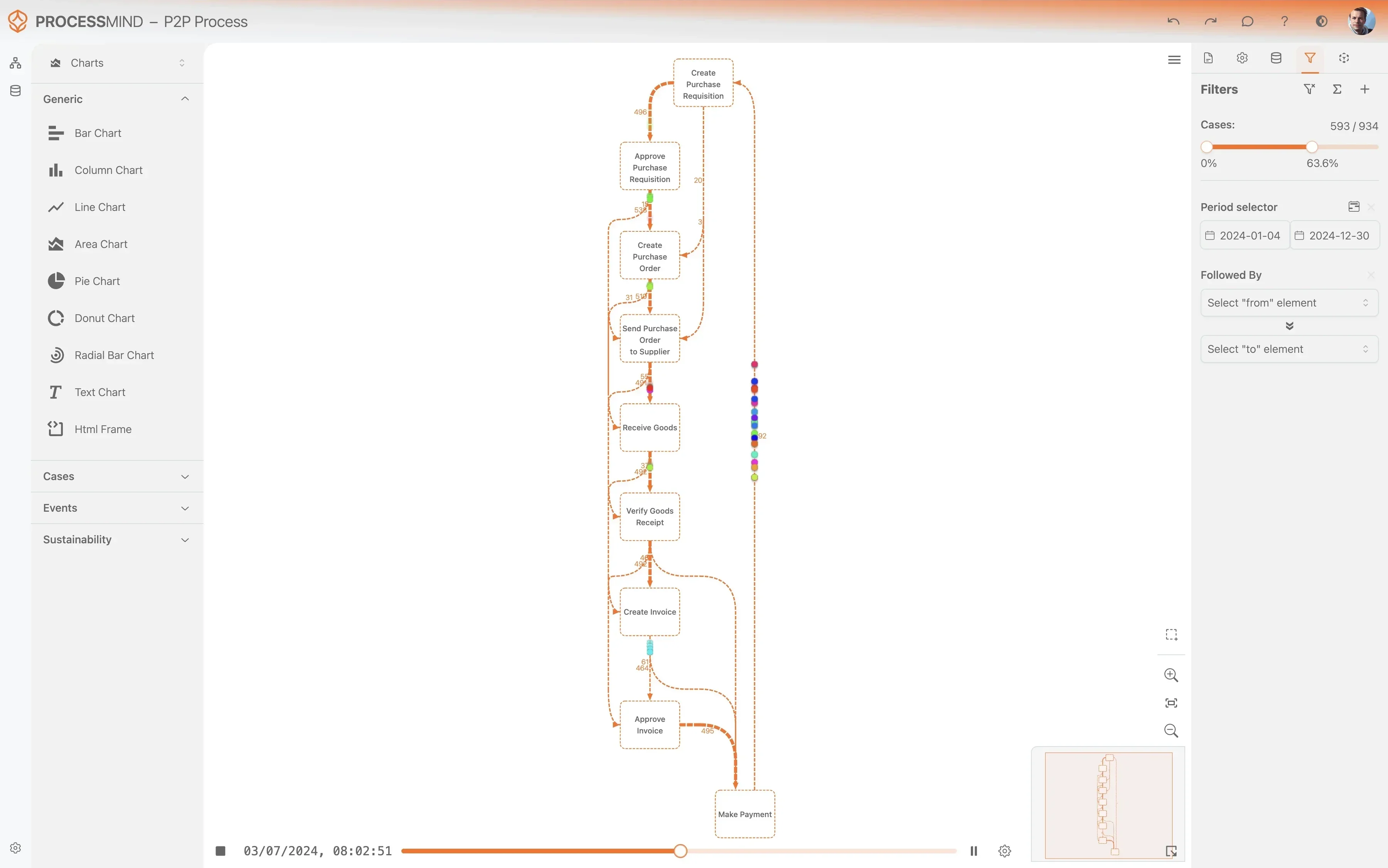
Discover your actual process flow
Identify bottlenecks and delays
Analyze process variants
Design your optimized process

PROVEN OUTCOMES

Efficiency Gains in Accounts Payable

By applying process mining to your Microsoft Dynamics 365 environment, organizations identify bottlenecks in invoice approval cycles and payment execution. These metrics reflect the transformation of manual AP workflows into streamlined, data-driven operations.

~ 0 %
Faster Cycle Times

Reduction in end to end time

Optimizing approval workflows and automating data entry shortens the duration from invoice receipt to final payment clearing.

~ 0 %
More Early Discounts

Capture rate improvement

Identifying delays in the approval chain allows treasury teams to capture more early payment discounts, which provides direct financial benefits.

0 %
Eliminate Duplicates

Reduction in payment errors

Detecting duplicate invoice numbers and vendor references before payment execution prevents financial loss, which safeguards the accounts payable process.

0 % increase
Touchless Processing

First pass matching rate

Refining the purchase order synchronization process increases the number of invoices processed without any manual intervention.

0 %
Better Vendor Relations

On time payment rate

Meeting payment deadlines consistently helps avoid late fees and credit holds, which improves overall satisfaction for procurement partners.

Individual results vary based on process complexity and data quality. These figures represent typical improvements observed across diverse implementations of process mining for invoice processing.

FAQs

Frequently asked questions

Process mining provides a transparent view of the entire payment lifecycle, from invoice receipt to final settlement. It identifies specific bottlenecks such as approval delays or frequent manual overrides that slow down the cycle. By visualizing these inefficiencies, teams can implement targeted fixes to improve overall productivity.

Data extraction typically involves connecting to the underlying SQL database or using OData services to pull event logs. You will need to export tables related to vendor transactions, purchase orders, and ledger journals using the Invoice Number as the primary case identifier. Most modern process mining tools offer pre-built connectors for Dynamics 365 to simplify this integration.

Yes, the technology highlights exactly where invoices are getting stuck in the approval chain before they miss discount deadlines. You can analyze the lead time between invoice entry and final approval to ensure your payment runs are timed optimally. This visibility allows management to prioritize high-value invoices that offer the best financial returns.

Most organizations can see their first process maps within two to four weeks after the initial data extraction is complete. Once the data from Dynamics 365 is mapped to the event log format, the software automatically generates visualizations. This rapid turnaround allows teams to begin addressing bottlenecks and compliance issues almost immediately.

Process mining excels at uncovering maverick processes where approvals bypass standard organizational controls. By comparing your actual process flow against the intended design, you can identify every instance where a manual override occurred. This audit-ready visibility is crucial for ensuring regulatory compliance and reducing the risk of fraud.

No, process mining is a diagnostic tool that works alongside your existing automation and ERP systems. While your automation software handles the execution of tasks, process mining evaluates how well those tasks are being performed. It helps you identify which parts of your automation are failing or where new automation could be most effective.

To create an accurate process map, you need the Invoice Number as a case ID, activity names like Invoice Received or Payment Executed, and precise timestamps for each event. Supplemental data such as vendor names, invoice amounts, and department codes can also be included. This additional context allows for deeper filtering and more granular root-cause analysis.

Process mining allows you to track the history of every invoice number and flag sequences that appear more than once. By analyzing the data entry and validation steps in Dynamics 365, you can pinpoint whether duplicates are caused by system errors or manual entry mistakes. This insight helps you refine your validation rules to prevent financial leakage in the future.

Optimize Accounts Payable Payment Processing Right Now

Reduce cycle times by 30 percent and eliminate D365 delays.

Start Your Free Trial

No credit card required. Setup in five minutes.