Improve Your Accounts Payable Invoice Processing
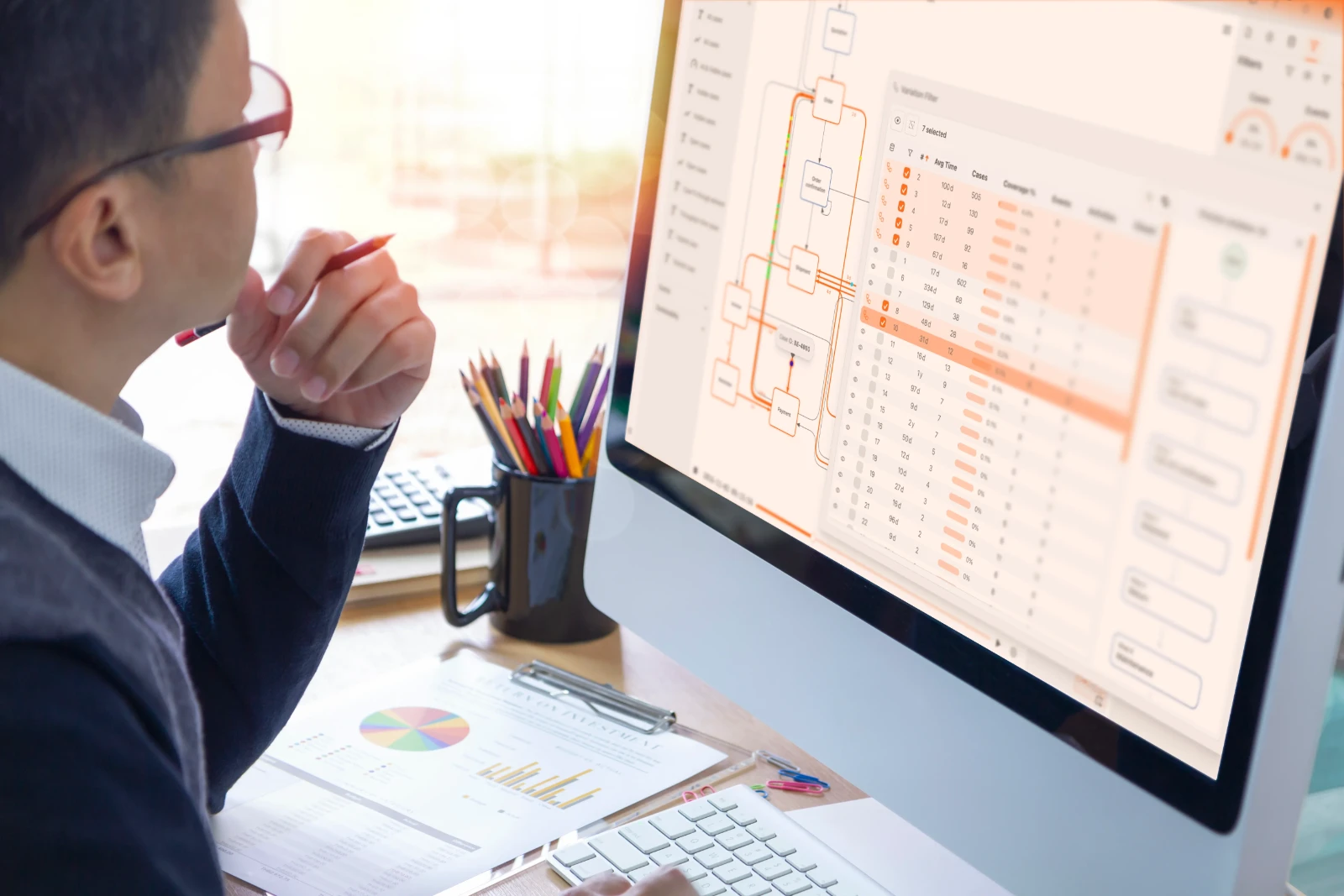
Optimize Accounts Payable Invoice Processing in Dynamics 365
Automating accounts payable processes can significantly boost efficiency, but hidden bottlenecks often hinder progress. Our platform helps you uncover exactly where delays occur, from invoice receipt to final payment. By identifying these inefficiencies, you can implement targeted improvements, streamlining your operations and improving cash flow.
Download our pre-configured data template and address common challenges to reach your efficiency goals. Follow our six-step improvement plan and consult the Data Template Guide to transform your operations.
Show detailed description
Why Optimize Accounts Payable Invoice Processing?
Accounts Payable Invoice Processing is a critical yet often complex and resource-intensive function within any organization, especially for those managing vast transactional volumes within sophisticated ERP systems like Microsoft Dynamics 365. Inefficient AP processes can lead to significant financial leakage, including lost early payment discounts, late payment penalties, and increased operational costs due to manual interventions and error resolution. Beyond direct financial impacts, a sluggish or error-prone invoice processing workflow can strain supplier relationships, damage your company's reputation, and even expose you to compliance risks. Understanding the true end-to-end cycle time and identifying where delays occur is paramount to achieving robust financial health and operational excellence. Without clear visibility into the entire lifecycle of an invoice from receipt to payment within Dynamics 365, organizations struggle to pinpoint the root causes of these inefficiencies, making it challenging to effectively improve Accounts Payable Invoice Processing.
How Process Mining Helps Your AP Workflow
Process mining offers a powerful, data-driven approach to demystifying your Accounts Payable Invoice Processing workflow. By extracting event logs directly from your Microsoft Dynamics 365 Finance GL module – leveraging entities like GeneralJournal, LedgerEntry, and FinancialDimension – it reconstructs the actual journey of every single invoice. Instead of relying on assumed processes or manual observations, process mining visually maps all existing process variants, revealing deviations from the standard path and highlighting where inefficiencies truly lie. You can identify critical bottlenecks, such as specific approval steps that consistently cause delays, or activities requiring excessive manual rework. For instance, you might discover that invoices requiring a specific type of Purchase Order (PO) match frequently get stuck, or that certain approvers have significantly longer approval cycle times. This analytic capability is key to understanding the how to improve Accounts Payable Invoice Processing question, providing objective insights into what's happening on the ground. The tool allows you to drill down into specific invoice instances, understanding why some invoices are processed within minutes while others take weeks, giving you actionable data to address these discrepancies.
Key Improvement Areas for AP in Dynamics 365
With the insights gained from process optimization through process mining, you can target specific areas for improvement within your Microsoft Dynamics 365 environment. Common improvement areas include:
- Reducing Invoice Cycle Time: Pinpoint stages with the longest dwell times, whether it's initial data capture, validation, or specific approval steps. By understanding where invoices stall, you can implement changes to significantly reduce Accounts Payable Invoice Processing cycle time.
- Enhancing Compliance and Control: Monitor adherence to payment terms, internal approval hierarchies, and regulatory requirements. Identify instances where payments are made without proper approvals or where payment terms are consistently violated, often leading to unnecessary penalties or missed discounts.
- Automating Manual Tasks: Discover repetitive manual activities that are ripe for automation within Dynamics 365, such as automated matching of invoices to POs and goods receipts, or intelligent routing for approvals based on specific criteria.
- Optimizing Resource Allocation: Identify where resources are over-utilized or under-utilized. If a particular team or individual is consistently a bottleneck, it might indicate a need for training, redistribution of workload, or process simplification.
- Improving Vendor Relationships: Timely and accurate payments directly impact vendor satisfaction. By streamlining your AP process, you ensure vendors are paid on time, fostering stronger, more reliable business partnerships.
Expected Outcomes and Measurable Benefits
By applying process optimization strategies identified through process mining to your Accounts Payable Invoice Processing in Microsoft Dynamics 365, your organization can expect tangible and measurable benefits:
- Significant Cost Reductions: Minimize late payment fees, capture more early payment discounts, and reduce the labor cost associated with manual processing, error correction, and dispute resolution.
- Faster Invoice Cycle Times: Drastically shorten the time from invoice receipt to final payment, improving cash flow predictability and operational agility.
- Enhanced Compliance & Reduced Risk: Ensure consistent adherence to payment policies, internal controls, and regulatory mandates, mitigating financial and reputational risks.
- Increased Operational Efficiency: Streamline workflows, reduce rework, and free up your AP team to focus on more strategic activities rather than transactional firefighting.
- Improved Supplier Relationships: Build trust and foster stronger partnerships through consistent, on-time payments, which can also lead to better negotiation leverage.
Ultimately, these improvements translate into a more robust, efficient, and compliant financial operation, directly impacting your bottom line and strategic capabilities.
Getting Started with AP Process Mining
Embarking on the journey to optimize your Accounts Payable Invoice Processing doesn't require prior process mining expertise. This solution is designed to guide you through leveraging your Microsoft Dynamics 365 data to uncover inefficiencies and drive meaningful change. By utilizing a structured approach, you can swiftly move from data extraction to actionable insights, transforming your AP operations into a lean, efficient, and compliant powerhouse. Discover the hidden potential within your Dynamics 365 data and start your process optimization journey today.
The 6-Step Improvement Path for Accounts Payable Invoice Processing
Download the Template
What to do
Obtain the pre-defined Excel template structured for Accounts Payable Invoice Processing, ensuring compatibility with Microsoft Dynamics 365 data exports.
Why it matters
Using a standardized template ensures that your data is correctly formatted for analysis, preventing errors and accelerating the initial setup process.
Expected outcome
A ready-to-fill Excel template tailored for your Accounts Payable process in Microsoft Dynamics 365.
Export Your Data
What to do
Extract 3-6 months of historical Accounts Payable data from Microsoft Dynamics 365 Finance, focusing on GeneralJournal and LedgerEntry entities. Populate the downloaded template.
Why it matters
Comprehensive historical data provides a solid foundation for process mining, revealing recurring patterns, inefficiencies, and compliance gaps.
Expected outcome
A populated Excel template containing relevant Accounts Payable data from Microsoft Dynamics 365, ready for analysis.
Upload Your Dataset
What to do
Securely upload your completed Accounts Payable data template to the ProcessMind platform. The system will automatically initiate analysis upon successful upload.
Why it matters
Effortless data ingestion means you can quickly move from data collection to insight generation, leveraging automated analysis without complex setup.
Expected outcome
Your Accounts Payable dataset is securely uploaded and undergoing automatic analysis, preparing for discovery.
Analyze Your Process
What to do
Explore the auto-generated dashboards and visual process maps for your Accounts Payable flow. Leverage AI-driven recommendations to pinpoint bottlenecks and deviations.
Why it matters
Visualizing the actual process flow uncovers hidden inefficiencies, identifies compliance risks, and provides actionable insights for targeted improvements.
Expected outcome
A clear understanding of your Accounts Payable process performance, including critical bottlenecks and data-driven improvement recommendations.
Implement Improvements
What to do
Prioritize the identified opportunities from the analysis and implement targeted changes within your Accounts Payable procedures and Microsoft Dynamics 365 configuration.
Why it matters
Acting on data-backed insights ensures that improvements are effective and directly address root causes, leading to tangible operational gains and cost reductions.
Expected outcome
Concrete actions taken to optimize specific areas of your Accounts Payable process, moving towards a more efficient operation.
Monitor Your Process
What to do
Periodically export fresh Accounts Payable data from Microsoft Dynamics 365 and re-upload it to ProcessMind to track the impact of your implemented changes.
Why it matters
Continuous monitoring validates improvement efforts and allows for adaptive adjustments, ensuring sustained efficiency and compliance in your Accounts Payable process.
Expected outcome
Measurable improvements in Accounts Payable KPIs, demonstrating the positive impact of your optimization efforts over time.
WHAT YOU WILL GET
Unlock Dynamics 365 AP Efficiency with Insights
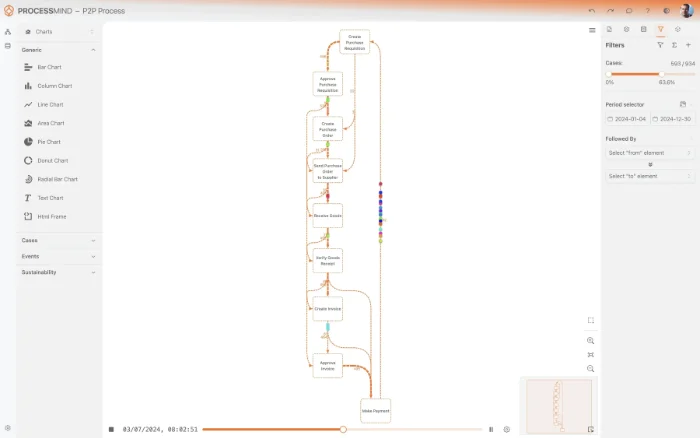
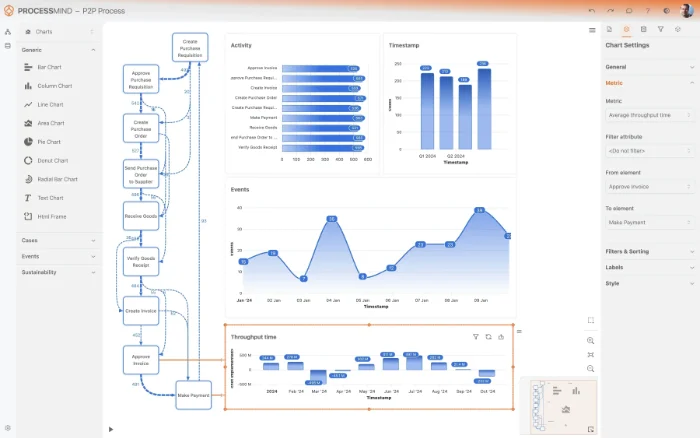
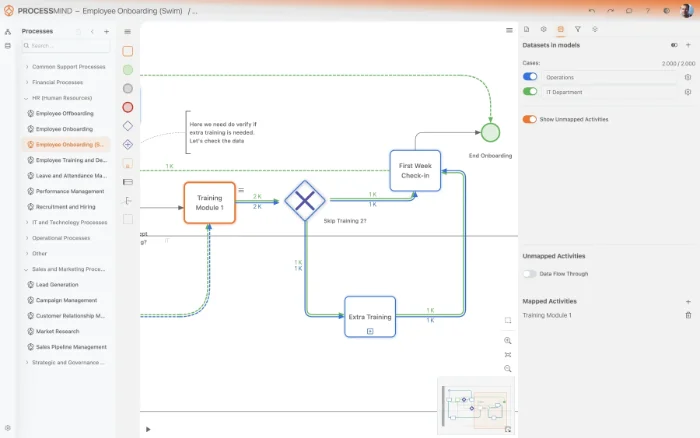
- Visualize end-to-end AP invoice workflow
- Identify process bottlenecks and rework loops
- Track invoice cycle times and late payments
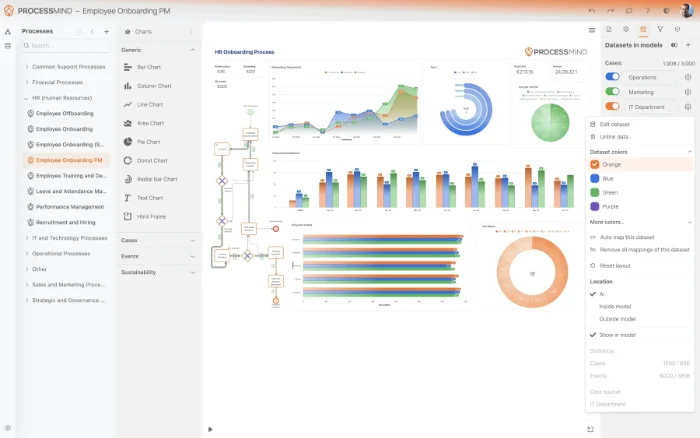
- Compare process variants for best practices
TYPICAL OUTCOMES
Realizing Tangible Value in Accounts Payable
These outcomes illustrate the measurable improvements achieved by organizations that leverage process mining to optimize their Accounts Payable invoice processing within systems like Microsoft Dynamics 365. By identifying bottlenecks and inefficiencies, businesses can drive significant operational enhancements and cost savings.
Reduce bottlenecks in approval stages
Identify and eliminate delays in the invoice approval workflow, significantly speeding up the time it takes for invoices to get approved and ready for payment. This leads to better supplier relationships and avoids late payment penalties.
Maximize early payment savings
Pinpoint opportunities to process invoices more quickly, allowing your organization to capture a greater percentage of available early payment discounts and realize significant cost savings.
Automate invoice processing
Improve the accuracy of automated matching by identifying root causes of discrepancies, leading to a higher percentage of invoices processed without manual intervention or rework. This boosts efficiency and reduces operational costs.
Adherence to payment terms
Ensure a higher percentage of invoices are paid on or before their due dates according to payment terms. This minimizes late payment penalties, strengthens supplier trust, and reduces financial risk.
From receipt to payment
Streamline the entire invoice-to-payment process by uncovering and addressing end-to-end bottlenecks. This shortens the time from invoice receipt to final payment, improving cash flow and operational speed.
Results vary based on process complexity, data quality, and organizational specifics. These figures represent typical improvements observed across similar Accounts Payable process mining implementations.
Recommended Data
FAQs
Frequently asked questions
Process mining analyzes event logs from Dynamics 365 to reconstruct the actual flow of your AP invoices. It identifies bottlenecks, deviations from the standard process, and areas of high manual effort. This insight helps in streamlining workflows, reducing approval times, and improving compliance.
You typically need event logs containing a Case ID (e.g., Invoice Number), Activity (e.g., "Invoice Received", "Approval Initiated"), and a Timestamp for each event. Additional attributes like 'Approver', 'Invoice Amount', or 'Vendor' enhance the analysis. This data allows for reconstructing the complete invoice journey.
You can expect quantifiable improvements such as reduced invoice approval cycle times and higher early payment discount capture. Process mining reveals opportunities to automate matching, eliminate rework, and ensure better compliance with payment terms. It also provides enhanced real-time visibility into your AP operations.
The initial data extraction and model setup can typically take a few weeks, depending on data availability and complexity. Once the model is built, initial insights into bottlenecks and deviations can be generated rapidly, often within days. Continuous monitoring then provides ongoing optimization opportunities.
While basic SQL or Dynamics 365 reporting knowledge is helpful, many process mining tools offer connectors or templates for common ERP systems. You'll primarily need access to the underlying database or relevant data entities. Working with your IT team can ensure efficient and accurate data extraction.
Yes, by comparing the discovered process map to the expected standard process, process mining can highlight deviations that indicate manual workarounds or approvals happening outside of Dynamics 365. This helps bring hidden processes to light and improve data integrity. These untracked activities often introduce delays and compliance risks.
Process mining typically doesn't integrate directly with Dynamics 365 in a real-time transactional way. Instead, it ingests historical event data extracted from Dynamics 365. The insights gained from process mining are then used to inform and optimize configurations or process changes within your existing Dynamics 365 setup.
Common challenges include ensuring data quality, correctly mapping various system activities to process steps, and managing large datasets. Defining a clear scope and having access to business domain experts are crucial for successful implementation. Addressing these proactively can smooth the project's progress.
Stop Duplicate Payments. Optimize AP Invoice Processing.
Pinpoint inefficiencies, eliminate late fees, and cut processing costs by 60%.
Free 14-day trial, no credit card required.