Improve Your Returns & Refund Processing

Select a process
Choose a process to continue working in your connected workspace.
Optimize Returns and Refunds in Dynamics 365
Returns and refund processing can often suffer from delays and unclear steps, leading to frustrated customers and increased operational costs. Our platform helps you identify where these processes slow down, ensuring you can quickly resolve bottlenecks. By gaining clear insights into your current workflows, you can improve efficiency and enhance customer satisfaction.
Download our pre-configured data template and address common challenges to reach your efficiency goals. Follow our six-step improvement plan and consult the Data Template Guide to transform your operations.
Show detailed description
Understanding the Criticality of Efficient Returns & Refund Processing
Effective Returns & Refund Processing is more than just a customer service function, it is a critical driver of profitability and customer loyalty. Inefficient return processes can significantly impact your bottom line through increased operational costs, inventory write-offs, and lost sales due to poor customer experience. For organizations leveraging Microsoft Dynamics 365 for their supply chain and order management, the complexity can escalate, making it challenging to gain a clear, end-to-end view of every return case. Without deep insight, bottlenecks can remain hidden, leading to prolonged cycle times, unnecessary rework, and a breakdown in compliance with internal policies and service level agreements. Optimizing this process is essential not only for reducing direct costs associated with processing returns but also for safeguarding your brand reputation and fostering repeat business.
How Process Mining Illuminates Your Returns & Refund Process in Dynamics 365
Process mining offers an unparalleled capability to bring transparency to your Returns & Refund Processing within Microsoft Dynamics 365. By analyzing event logs directly from your system, it reconstructs the actual journey of every return case, from the moment a "Return Request Initiated" event occurs to the "Return Case Closed" resolution. This approach allows you to move beyond assumptions and documented procedures, revealing how returns are actually processed. You can visualize the complete flow, identify the most common paths, and, critically, pinpoint deviations, rework loops, and non-compliant activities.
For instance, process mining can highlight if there are significant delays between "Item Received at Warehouse" and "Item Inspected," or if multiple "Refund Approved" events are occurring for a single case, indicating rework or manual errors. It helps answer critical questions such as: "What is the average cycle time for returns requiring inspection?" or "Which disposition codes are consistently leading to longer processing times?" This data-driven perspective empowers you to identify root causes of inefficiency, understand the impact of different return types or channels, and uncover specific areas where the process deviates from your intended design within Dynamics 365. This granular understanding is the first step towards targeted and impactful process optimization.
Key Areas for Improvement Identified Through Process Mining
Leveraging process mining on your Microsoft Dynamics 365 Returns & Refund Processing data uncovers actionable insights across several critical dimensions:
- Cycle Time Reduction: Identify specific steps or handoffs that contribute most to extended processing times. For example, you might discover that approval steps or specific inspection workflows are causing significant delays, allowing you to focus efforts on streamlining these particular activities. This directly helps in how to reduce Returns & Refund Processing cycle time.
- Rework and Deviation Minimization: Visualize where cases deviate from the standard, intended path, such as repeated "Refund Amount Calculated" activities or unexpected re-inspections. Understanding these deviations is crucial for process optimization.
- Compliance and Policy Adherence: Monitor whether return policies and service level agreements (SLAs) are consistently met. Process mining can flag instances where refunds are processed outside the agreed timeframe or where specific disposition codes are misused.
- Resource Allocation Optimization: Gain insights into which departments or agents are handling specific types of returns and their corresponding efficiency levels. This can inform better workload distribution and training needs.
- Automation Opportunities: Pinpoint repetitive, manual tasks that are candidates for automation within your Dynamics 365 environment, freeing up resources and reducing human error.
Measurable Outcomes of Optimizing Your Returns & Refund Process
Implementing improvements based on process mining insights delivers tangible and measurable benefits for your organization:
- Reduced Operational Costs: By eliminating rework, streamlining steps, and improving efficiency, you can significantly lower the labor and administrative costs associated with processing returns.
- Faster Refund Times: Accelerating the overall process leads to quicker refunds for customers, enhancing their satisfaction and loyalty. This directly addresses how to reduce Returns & Refund Processing cycle time.
- Enhanced Customer Satisfaction: A smooth, transparent, and prompt returns experience is a significant differentiator, turning a potentially negative situation into a positive customer interaction.
- Improved Compliance and Reduced Risk: Consistently adhering to return policies and regulatory requirements minimizes compliance risks and potential financial penalties.
- Better Inventory Management: Faster processing of returned goods means quicker reintegration into inventory or appropriate disposition, reducing carrying costs and improving stock accuracy.
Getting Started with Process Optimization for Returns & Refunds
Unlocking these benefits for your Returns & Refund Processing in Microsoft Dynamics 365 begins with a clear, data-driven understanding of your current state. Our process mining solution provides the framework to analyze your Dynamics 365 data, visualize your true process, and identify exactly where to focus your improvement efforts. Begin your journey toward a more efficient, compliant, and customer-centric returns process today.
The 6-Step Improvement Path for Returns & Refund Processing
Download the Template
What to do
Get the Excel template designed for Returns & Refund Processing. This template provides the optimal data structure for capturing relevant information from Microsoft Dynamics 365.
Why it matters
A standardized template ensures you collect all necessary data points, making your analysis accurate and comprehensive from the start.
Expected outcome
An Excel template pre-configured for your Returns & Refund Processing data extraction.
Export Your Data
What to do
Extract 3-6 months of historical Returns & Refund Processing data from Microsoft Dynamics 365. Populate the downloaded Excel template with this real data.
Why it matters
Using substantial historical data provides a clear picture of past performance, revealing recurring issues and stable process patterns.
Expected outcome
A completed Excel template containing 3-6 months of your Microsoft Dynamics 365 Returns & Refund Processing data.
Upload Your Dataset
What to do
Securely upload your filled Excel template to the ProcessMind platform. The system will automatically ingest and prepare your Returns & Refund data for analysis.
Why it matters
Fast and secure data upload means quicker access to insights without manual data manipulation, allowing you to focus on process improvement.
Expected outcome
Your Returns & Refund Processing data securely loaded and ready for automated analysis within ProcessMind.
Analyze Your Process
What to do
Explore auto-generated dashboards and insights for your Returns & Refund process. Leverage AI-driven recommendations to identify bottlenecks and efficiency gaps.
Why it matters
Understanding the true flow and performance of your process helps pinpoint exact areas for improvement, enabling data-driven decision-making.
Expected outcome
A clear understanding of your Returns & Refund process performance, including identified bottlenecks and opportunities.
Implement Improvements
What to do
Prioritize identified opportunities, such as optimizing disposition codes or streamlining credit note generation in Microsoft Dynamics 365. Develop and execute action plans.
Why it matters
Taking targeted action on insights directly translates into tangible operational improvements, enhancing efficiency and customer satisfaction.
Expected outcome
Initiated changes within your Returns & Refund Processing, addressing inefficiencies and non-compliance.
Monitor Your Process
What to do
Periodically re-upload fresh Returns & Refund Processing data from Microsoft Dynamics 365 to ProcessMind. Track KPIs to measure the impact of your changes.
Why it matters
Continuous monitoring ensures improvements are sustained and allows for agile adjustments, fostering a culture of ongoing optimization.
Expected outcome
Ongoing visibility into your process performance and clear metrics demonstrating the positive impact of improvements.
WHAT YOU WILL GET
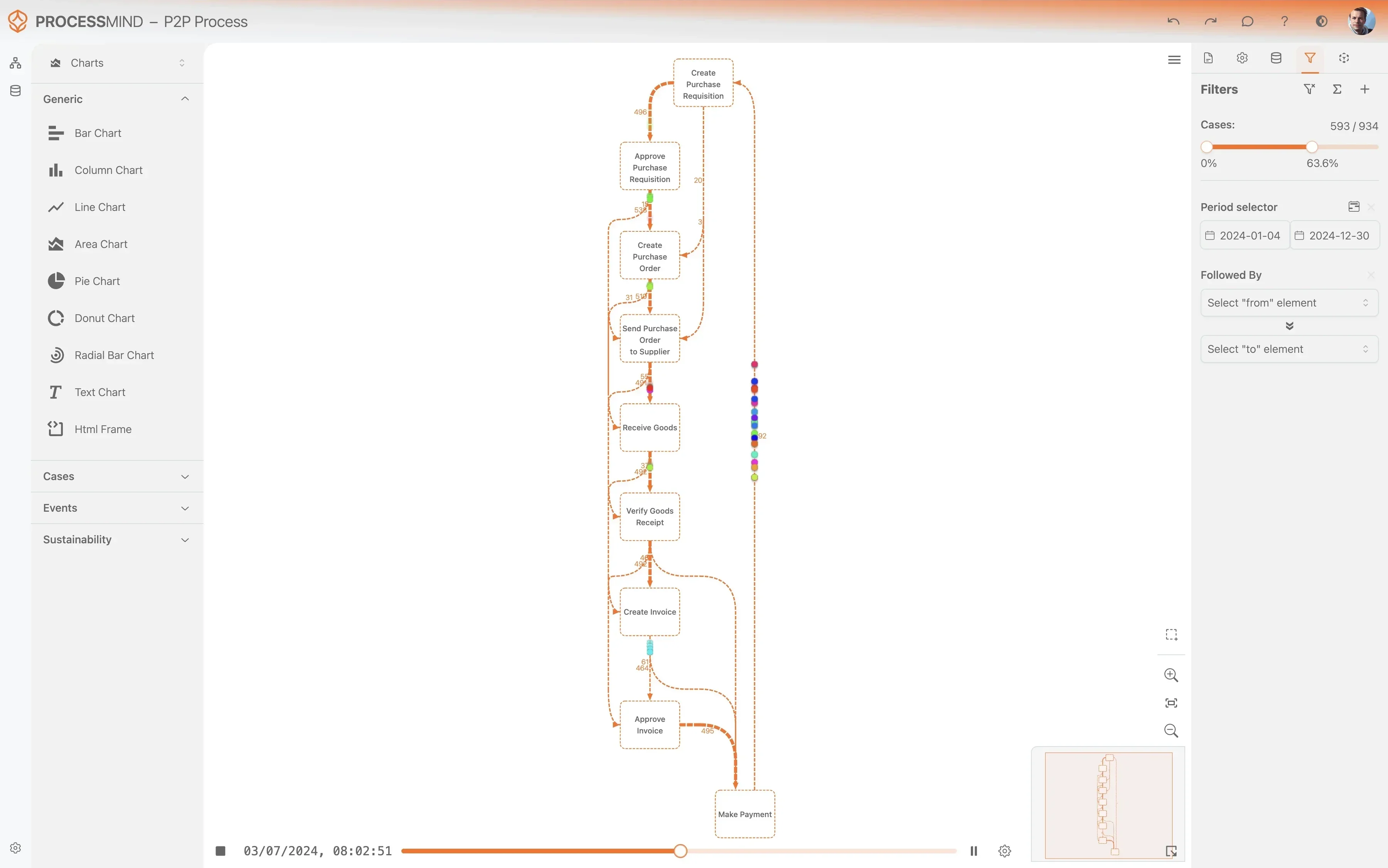
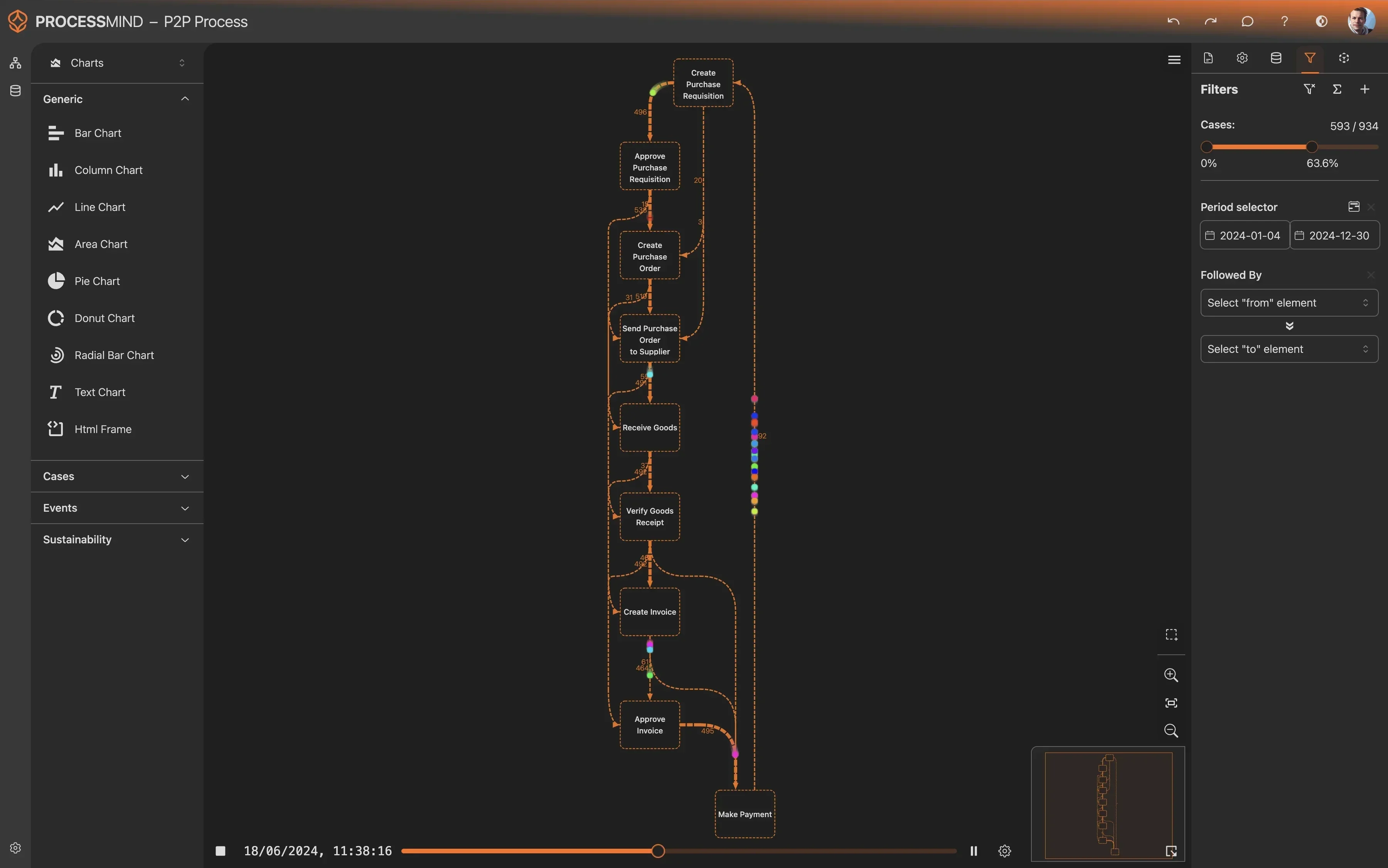
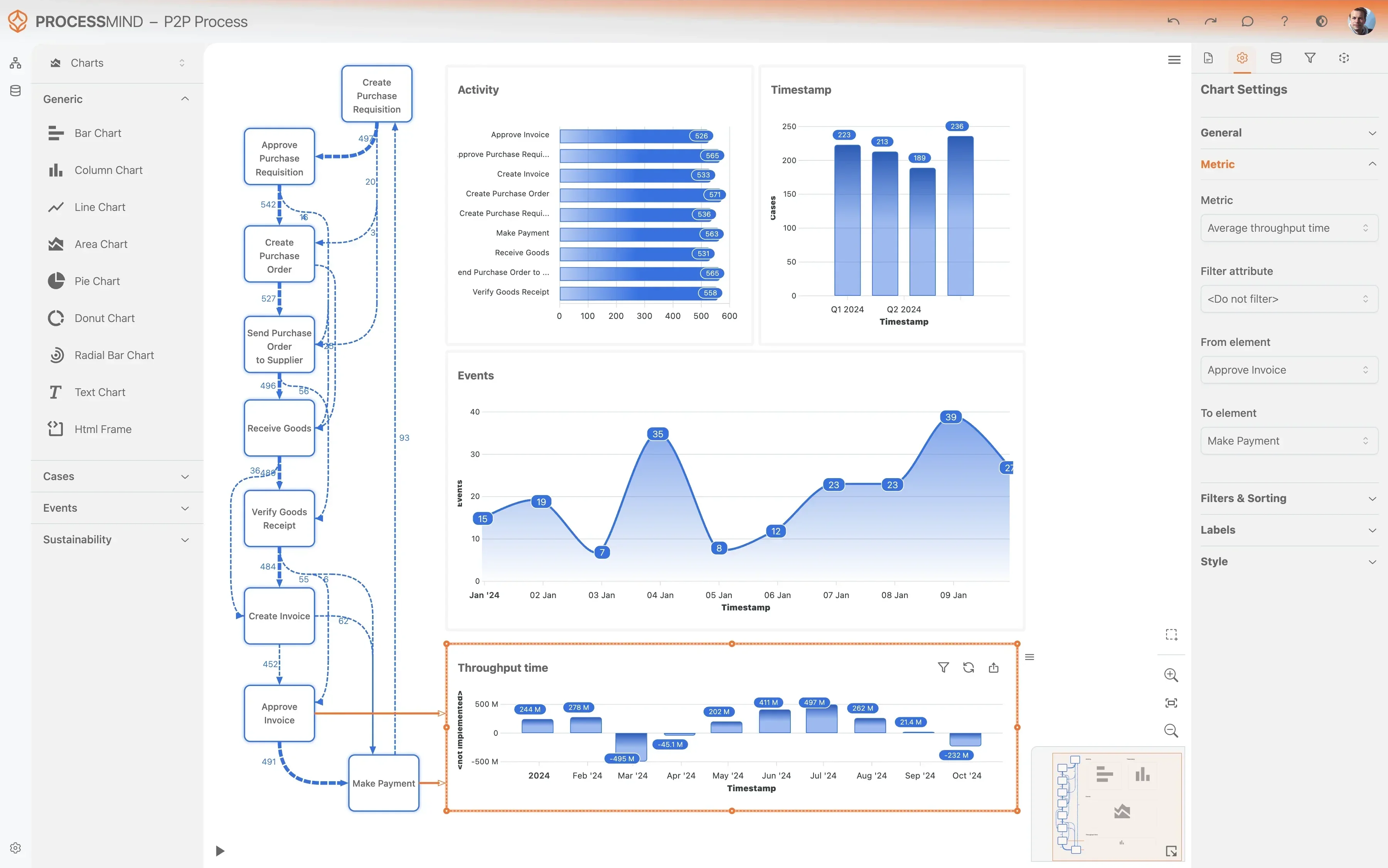
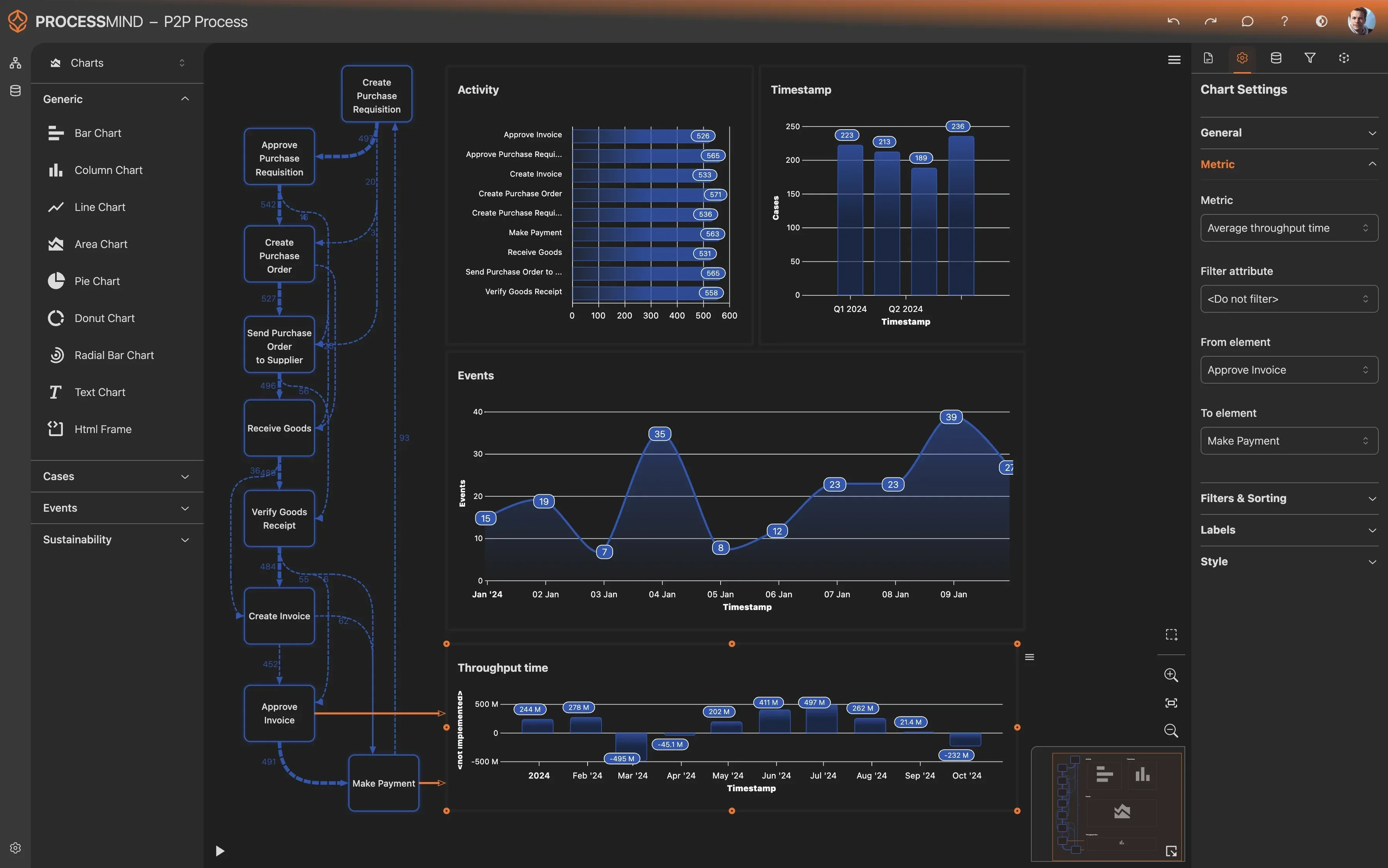
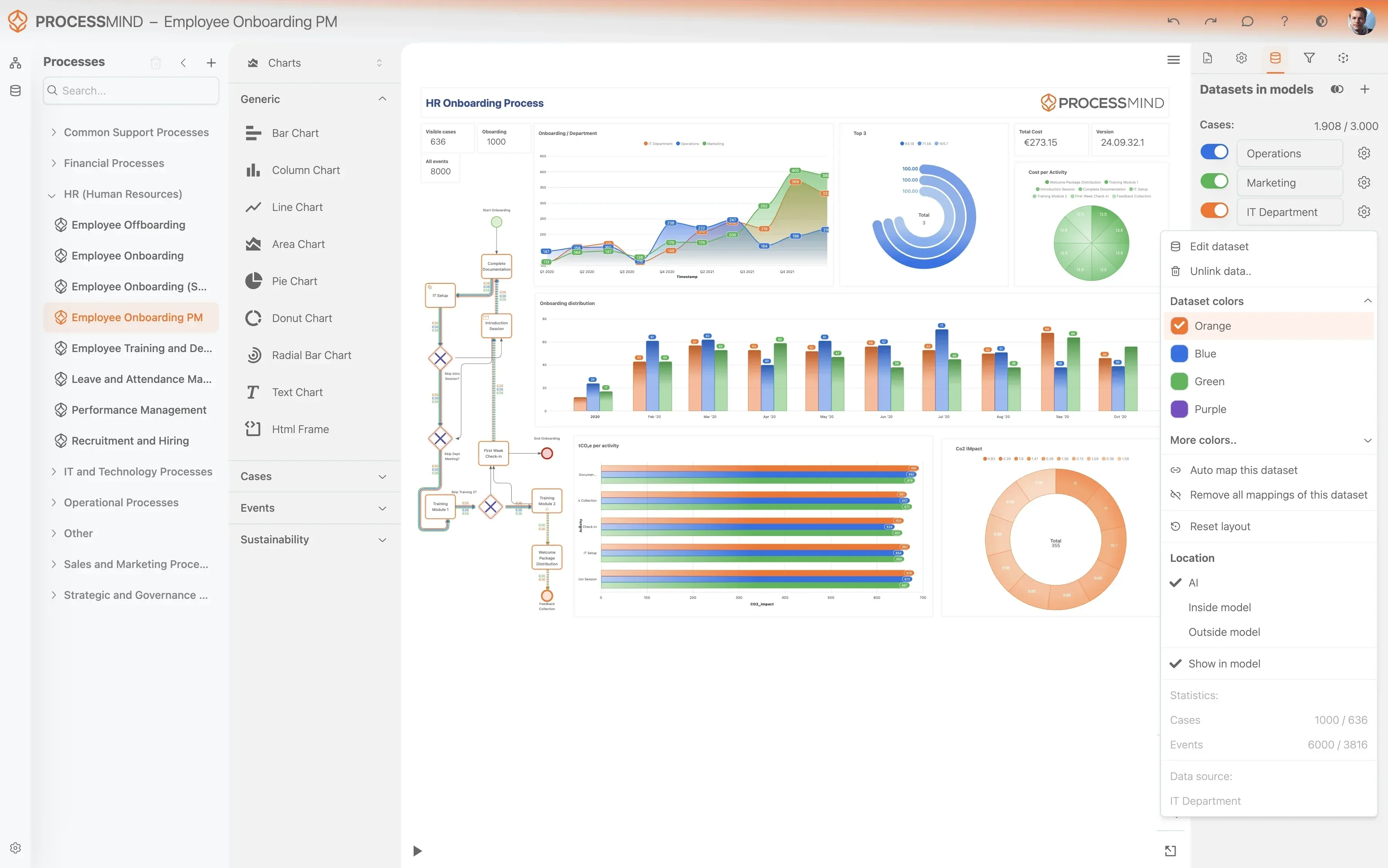
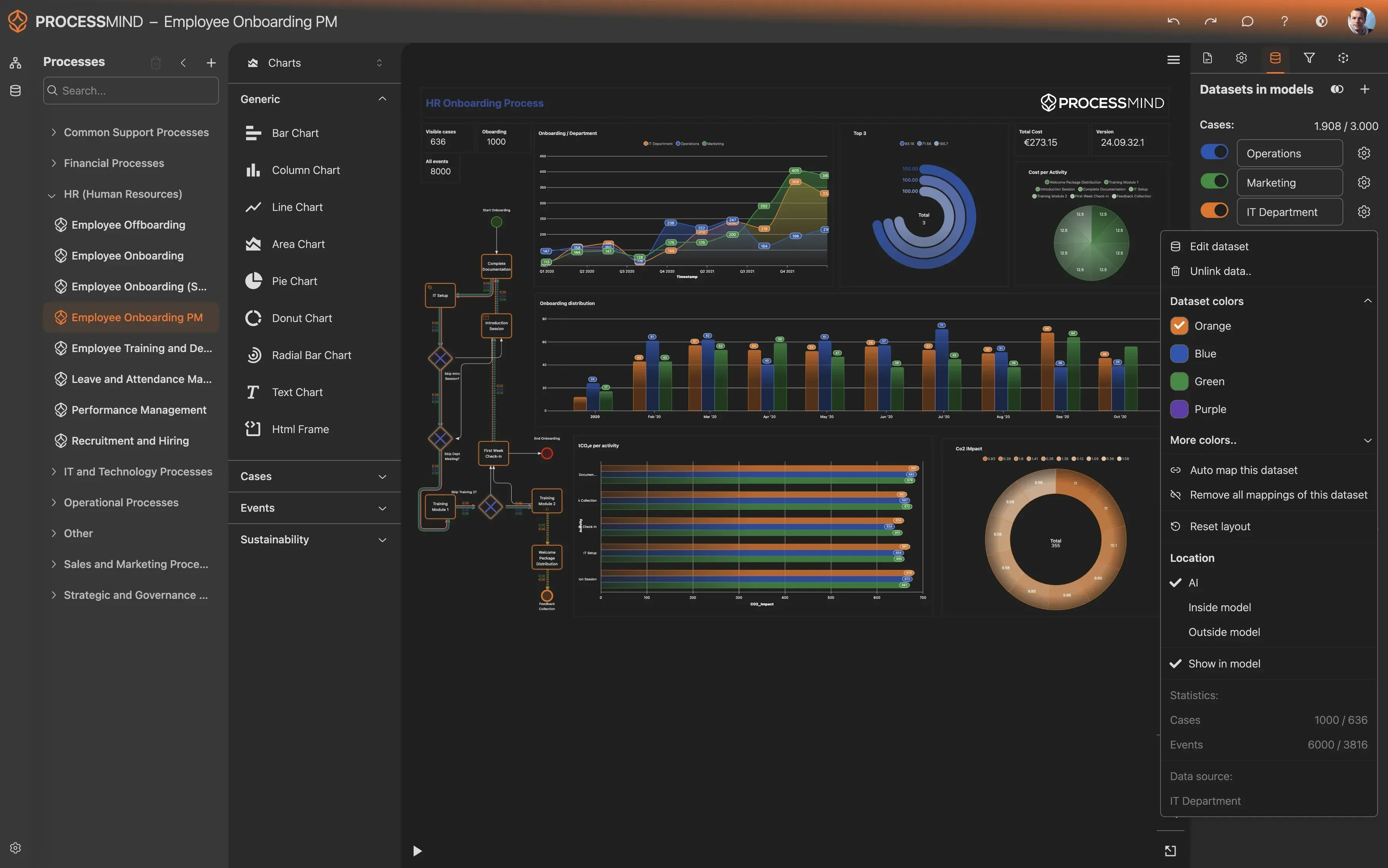
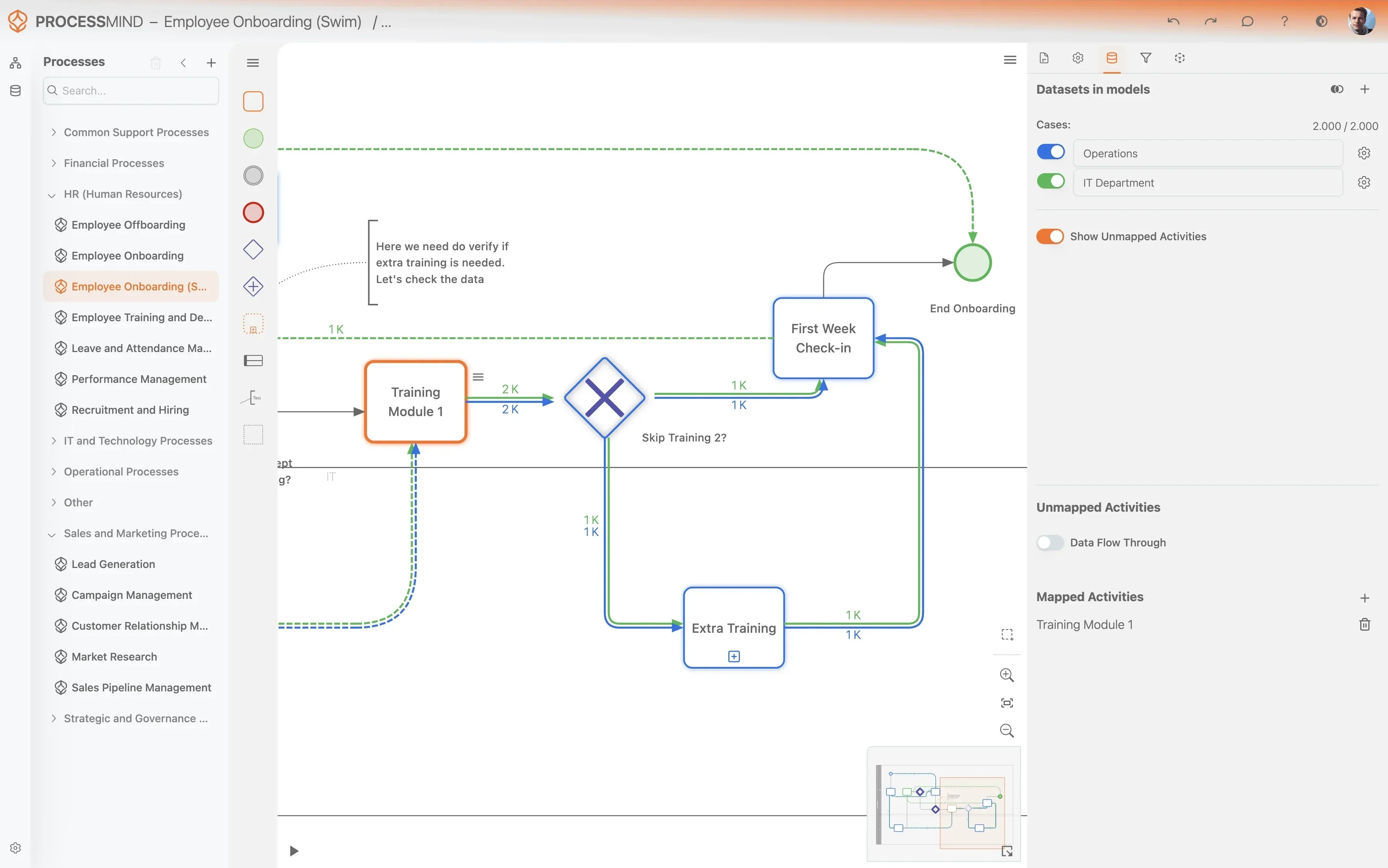
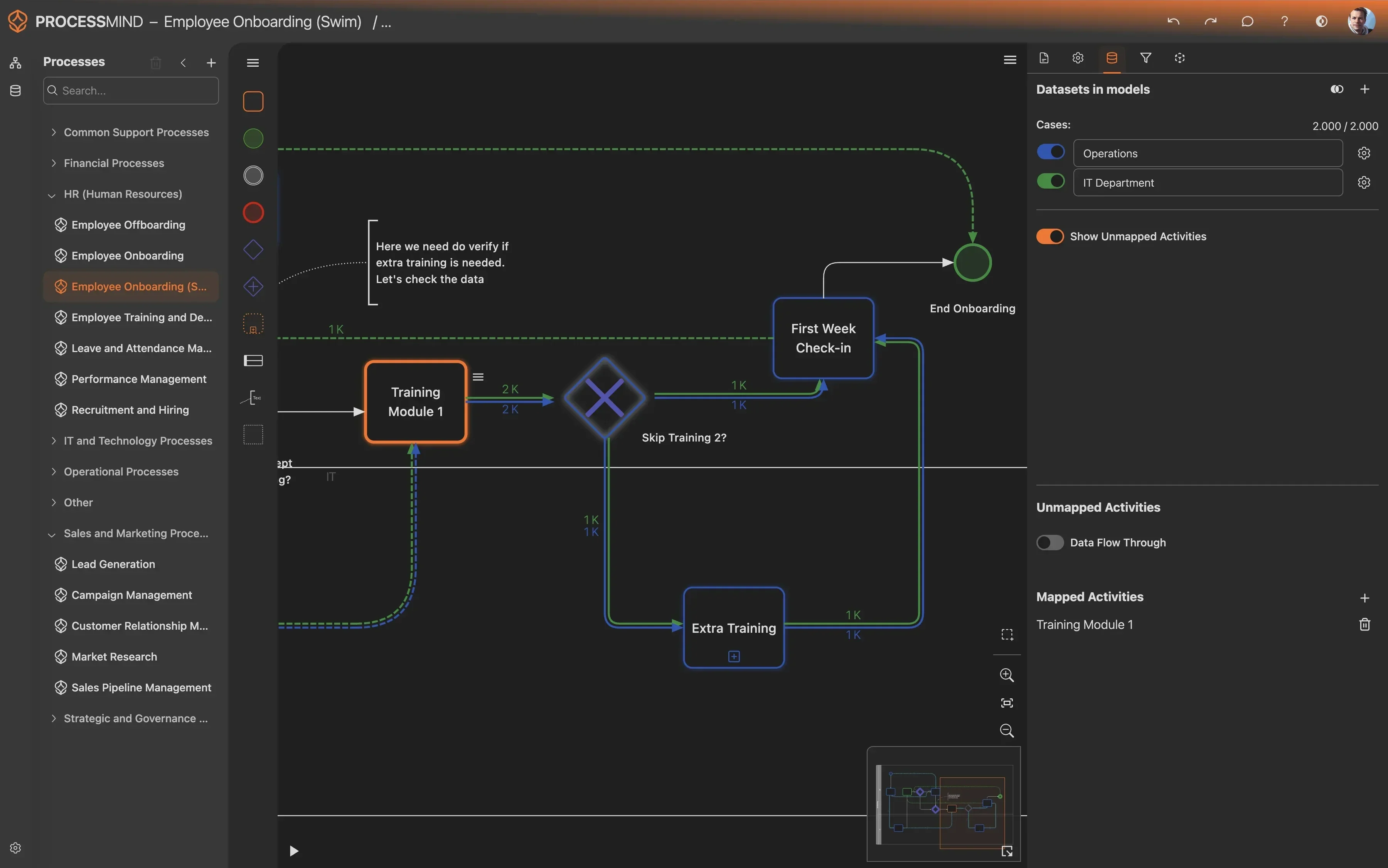
Discover the Real Journey of Your Returns & Refunds
- Visualize actual returns & refund process flows
- Identify bottlenecks causing delays and frustration
- Assess policy adherence and compliance risks
- Pinpoint areas for significant cost reduction
TYPICAL OUTCOMES
Measurable Improvements in Returns & Refunds
Our process mining solution identifies inefficiencies within your Microsoft Dynamics 365 Returns & Refund Processing, revealing opportunities for significant operational enhancements. These outcomes showcase the tangible benefits realized by organizations that optimize their returns workflow.
Average reduction in end-to-end time
Identify and remove bottlenecks in the refund process, drastically cutting down the time from request initiation to final refund, leading to happier customers and improved cash flow.
Cut in item inspection waiting time
Streamline the item inspection phase by uncovering unnecessary queues and delays, ensuring products are assessed faster and reducing overall return cycle time.
Decrease in rework due to repeated inspections
Pinpoint root causes of re-inspections and rework loops, eliminating wasteful activities and improving the quality and efficiency of item assessment.
Faster notification after resolution
Expedite the time it takes to notify customers of their return resolution, significantly improving customer satisfaction and trust.
Consistent meeting of resolution deadlines
Proactively identify and resolve bottlenecks causing SLA breaches, ensuring a high percentage of return cases are processed within targeted deadlines.
Results vary based on the complexity of your Returns & Refund process, the quality of your Microsoft Dynamics 365 data, and the scope of implementation. These figures represent typical improvements observed across various organizations.
Recommended Data
FAQs
Frequently asked questions
Process mining visualizes the actual flow of your returns process, identifying bottlenecks like slow item inspection or non-compliant approvals. It reveals rework loops and delays, helping you pinpoint areas for efficiency gains. This allows for data-driven decisions to streamline operations and reduce costs.
You primarily need data that includes a Return Case ID, an activity name for each step, and a timestamp for when each activity occurred. This event log data is crucial for reconstructing the precise sequence of events. Additional attributes like handler, amount, or reason can enrich the analysis.
Data extraction typically involves using Dynamics 365's built-in reporting tools, Power BI, or direct database queries, if permissible. The goal is to create an event log with the case ID, activity, and timestamp for each relevant action. Consulting your Dynamics 365 administrator or a data specialist is recommended for this step.
You can expect to reduce refund processing cycle times, accelerate item inspection throughput, and improve compliance in approvals. Many organizations also see a significant reduction in rework and delays in customer notifications. These improvements lead to better customer satisfaction and cost savings.
While both use data, process mining focuses on discovering the actual end-to-end process flow, including hidden paths and deviations. Unlike traditional BI, which shows what happened, process mining reveals how and why process steps unfold in a certain sequence. It provides a visual map of your process, enabling deep dive analysis into inefficiencies.
The initial setup and data extraction phase can take a few days to a couple of weeks, depending on data availability and complexity. Once the data is loaded, initial process discoveries and insights can often be generated within hours or a few days. Significant improvement initiatives based on these insights might take longer to implement and show full impact.
Yes, process mining is excellent for compliance checks. It can automatically detect instances where return approvals deviate from defined rules or where steps are missed. By visualizing these non-compliant paths, you can quickly identify the root causes and enforce stricter adherence to policies, reducing risks and errors.
While some basic understanding of data is helpful, modern process mining tools are designed to be user-friendly and often require minimal coding skills. The main effort lies in preparing and transforming your raw data into a suitable event log format. Many platforms also offer expert support and training to guide you through the process.
Process mining tools typically analyze extracted, historical data and do not directly interact with your live Dynamics 365 system during analysis. Data extraction usually occurs during off-peak hours or via dedicated connectors, minimizing any potential performance impact on your operational system. It is a read-only process from your Dynamics environment.
End Returns & Refund Delays: Optimize Your Process Today
Reduce cycle time by 30% and enhance customer satisfaction.
No credit card required. Setup takes minutes.