Improve Your Record to Report - Journal Entry

Select a process
Choose a process to continue working in your connected workspace.
Optimize Journal Entries in Microsoft Dynamics 365 for Faster Reporting
Delays in review and approval often impact financial closing cycles. This platform helps identify specific bottlenecks and compliance gaps within your processes. Gain clear steps to streamline operations, enhance accuracy, and accelerate reporting.
Download our pre-configured data template and address common challenges to reach your efficiency goals. Follow our six-step improvement plan and consult the Data Template Guide to transform your operations.
Show detailed description
Why Optimize Record to Report - Journal Entry in Microsoft Dynamics 365
Journal entries form the bedrock of financial reporting, directly influencing the accuracy and timeliness of your financial statements. In a complex system like Microsoft Dynamics 365, managing the Record to Report - Journal Entry process can introduce a myriad of challenges, from manual errors to protracted approval cycles. Inefficiencies in this critical process lead to delayed financial closes, increased audit scrutiny, and potential non-compliance, all of which incur significant costs and undermine confidence in financial data. Organizations often struggle with a lack of visibility into the true workflow, making it difficult to pinpoint where delays occur or why certain entries consistently require rework. Optimizing this process is not merely about speed; it is about ensuring precision, maintaining compliance, and empowering your finance team to deliver accurate, timely insights that drive strategic business decisions.
How Process Mining Helps Improve Journal Entry Workflows
Process mining offers an unparalleled perspective on your Record to Report - Journal Entry process within Microsoft Dynamics 365. Instead of relying on anecdotal evidence or manual observations, process mining automatically reconstructs the actual paths every journal entry takes, from its initial creation to final posting and reconciliation. By extracting event data directly from the General Ledger module, encompassing entities like GeneralJournal and LedgerEntry, you gain a data-driven understanding of the "as-is" process. This powerful analytical approach allows you to:
- Discover the Real Process: Uncover all variants of your journal entry workflow, including hidden deviations and unofficial shortcuts that impact efficiency and compliance.
- Identify Bottlenecks with Precision: Pinpoint exact stages or specific users responsible for delays, for instance, if the "Journal Entry Approved" activity consistently takes too long for certain entry types or departments.
- Analyze Performance: Measure key performance indicators like cycle time, throughput, and rework rates for each activity, providing concrete data on where your process stands.
- Conduct Root Cause Analysis: By correlating process data with attributes such as "Journal Entry Type", "Company Code", or "Created By User", you can understand the underlying reasons for inefficiencies, rejections, or deviations.
This holistic view is crucial for effective process optimization, enabling you to move beyond assumptions and focus on data-backed improvement initiatives.
Key Improvement Areas for Journal Entry Process Optimization
Leveraging process mining for your Record to Report - Journal Entry process in Microsoft Dynamics 365 uncovers specific opportunities for enhancement:
- Reduce Journal Entry Cycle Time: Identify and eliminate unnecessary delays in review and approval stages, leading to a faster overall completion time from entry creation to posting. This directly contributes to how to reduce Record to Report - Journal Entry cycle time.
- Enhance Compliance and Audit Readiness: Verify that all journal entries adhere to internal policies and regulatory requirements. Process mining provides a transparent audit trail, ensuring that critical steps like multi-level approvals for high-value entries are consistently followed, simplifying external audits.
- Minimize Rework and Errors: Analyze patterns in rejected or corrected journal entries to understand common causes. This insight allows you to implement targeted training, improve data entry controls, or refine approval criteria within Microsoft Dynamics 365 to reduce future errors.
- Optimize Resource Allocation: Understand where human resources are being overutilized or underutilized in the process. This can lead to better workload distribution or identification of tasks suitable for automation.
- Identify Automation Opportunities: Highlight repetitive, rule-based steps that could be automated, freeing up your finance professionals for more complex and strategic activities.
Expected Outcomes of Journal Entry Process Optimization
By strategically applying process mining to your Record to Report - Journal Entry process, you can expect significant, measurable benefits:
- Accelerated Financial Close: Achieve a markedly faster close cycle, providing stakeholders with timely financial insights.
- Enhanced Data Accuracy: Improve the integrity of your financial data by reducing errors and ensuring consistent adherence to accounting standards.
- Increased Operational Efficiency: Streamline workflows, reduce manual effort, and optimize resource utilization, leading to substantial productivity gains.
- Improved Compliance and Reduced Risk: Strengthen your governance framework, ensure regulatory adherence, and mitigate the risks associated with non-compliance.
- Significant Cost Savings: Reduce expenses tied to manual rework, audit findings, and inefficient processes.
These outcomes directly address how to improve Record to Report - Journal Entry, delivering tangible value to your organization.
Getting Started with Record to Report - Journal Entry Process Mining
To begin transforming your Record to Report - Journal Entry process in Microsoft Dynamics 365, the first step is to leverage your existing data. By extracting event logs from the General Ledger module, focusing on key transactional entities, you can quickly build a comprehensive picture of your current operations. This data-driven approach empowers you to visualize actual processes, identify critical areas for improvement, and implement targeted changes that yield tangible benefits. Embrace process mining to shift your financial operations from reactive problem-solving to proactive, continuous optimization, ensuring both efficiency and accuracy.
The 6-Step Improvement Path for Record to Report - Journal Entry
Download the Template
What to do
Obtain the specialized Excel template designed for Journal Entry data extraction from Microsoft Dynamics 365, ensuring the correct structure for process analysis.
Why it matters
This ensures your data is uniformly prepared, avoiding data mapping issues and accelerating the setup for accurate process mining.
Expected outcome
A ready-to-use Excel template with predefined columns for your Journal Entry data.
Export Your Data
What to do
Extract 3-6 months of historical Journal Entry data from your Microsoft Dynamics 365 Finance GL module and populate the downloaded template.
Why it matters
Having a robust historical dataset provides a realistic view of past performance, crucial for identifying recurring patterns and inefficiencies.
Expected outcome
A populated Excel template containing your historical Journal Entry process data.
Upload Your Dataset
What to do
Securely upload your completed Journal Entry data template to ProcessMind, initiating the automatic analysis and data ingestion process.
Why it matters
This step transforms raw data into an actionable process model, paving the way for immediate insights without manual data manipulation.
Expected outcome
Your Journal Entry process data successfully loaded and processed by ProcessMind, ready for analysis.
Analyze Your Process
What to do
Explore the auto-generated dashboards and visual process maps for your Journal Entry workflow, leveraging AI-driven recommendations.
Why it matters
Gain deep insights into bottlenecks, deviations, and compliance risks within your Record to Report cycle, revealing optimization opportunities.
Expected outcome
Clear understanding of current Journal Entry performance, identified pain points, and recommended improvements.
Implement Improvements
What to do
Prioritize the identified improvement opportunities, such as streamlining approvals in Dynamics 365, and put them into action.
Why it matters
This transforms insights into tangible process enhancements, directly addressing inefficiencies and reducing manual effort in Journal Entry processing.
Expected outcome
Specific process changes implemented, leading to a more streamlined and efficient Journal Entry workflow.
Monitor Your Process
What to do
Periodically re-upload updated Journal Entry data from Microsoft Dynamics 365 to track the impact of implemented changes and measure KPI improvements.
Why it matters
Continuous monitoring ensures sustained process health, allowing you to adapt to new challenges and maintain optimal financial reporting efficiency.
Expected outcome
Ongoing measurement of Journal Entry process improvements and sustained operational excellence in Record to Report.
YOUR DISCOVERIES
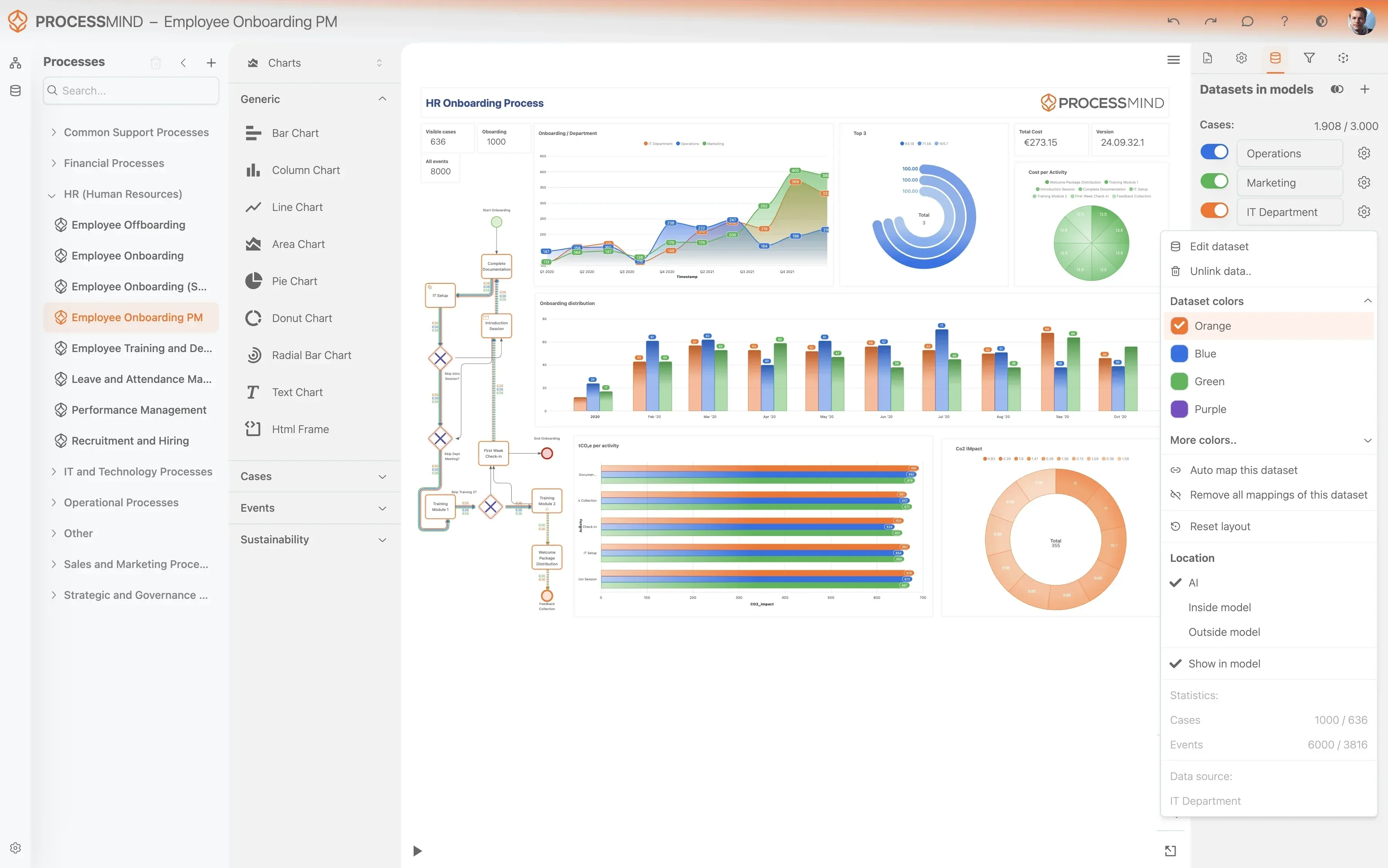
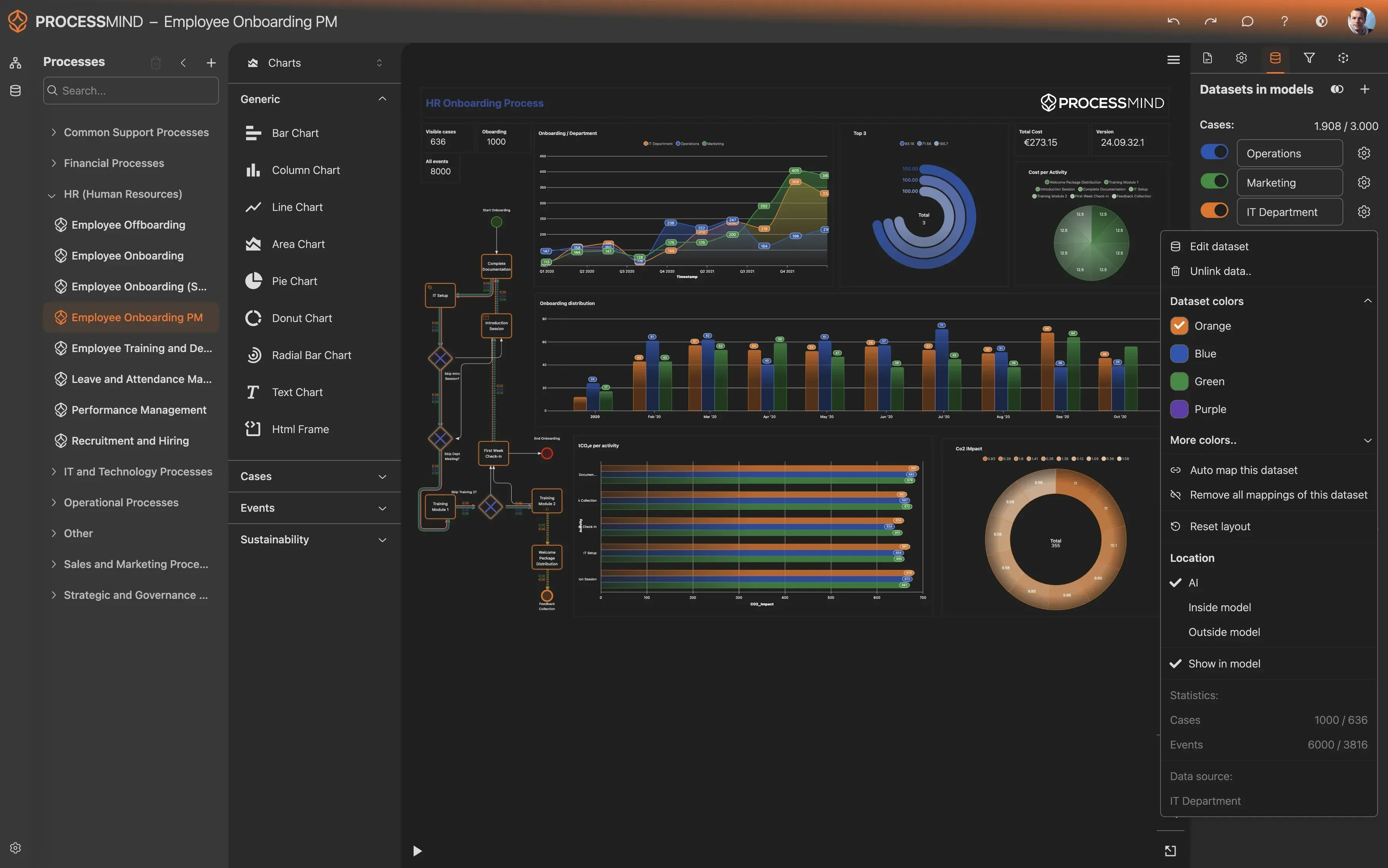
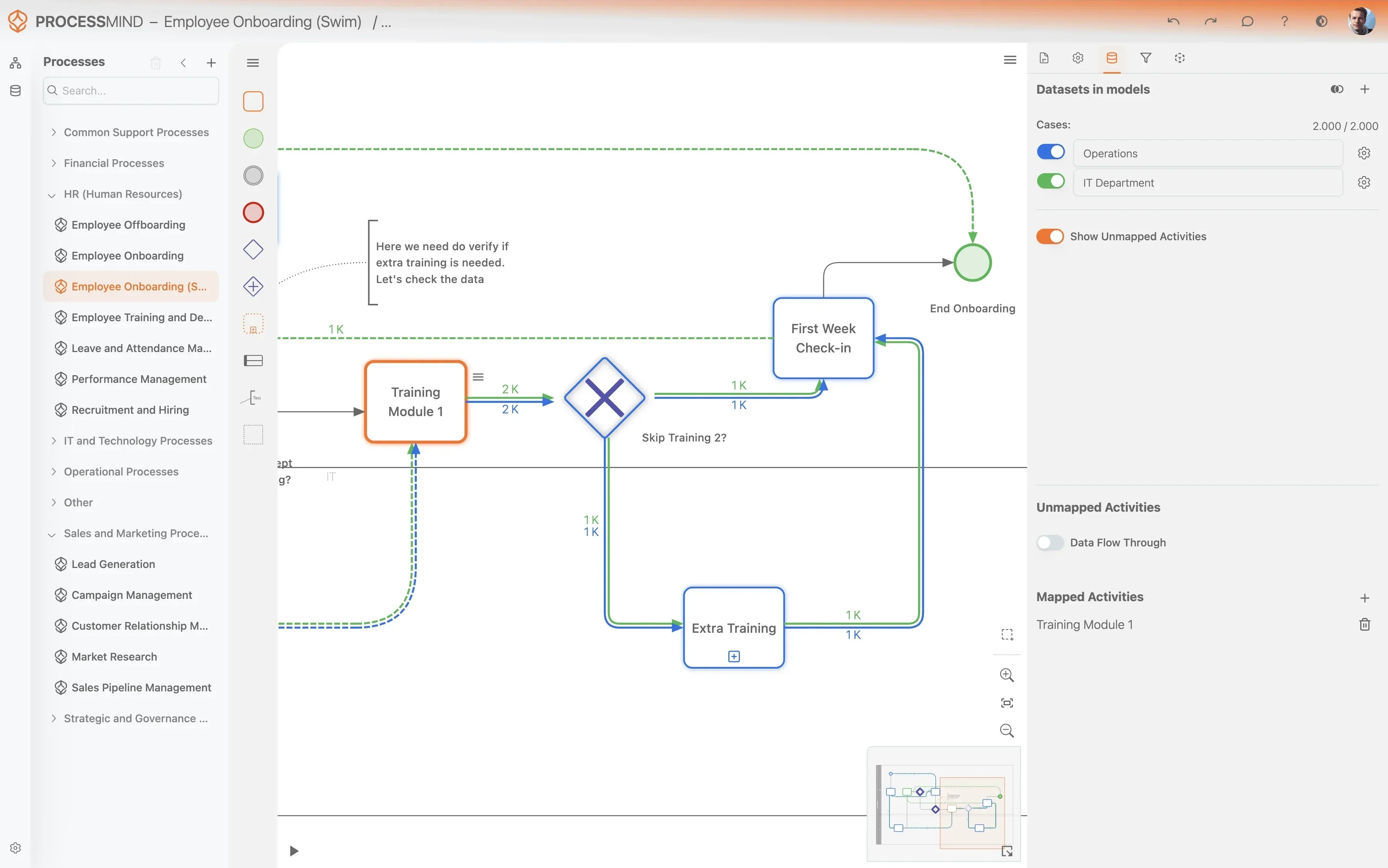
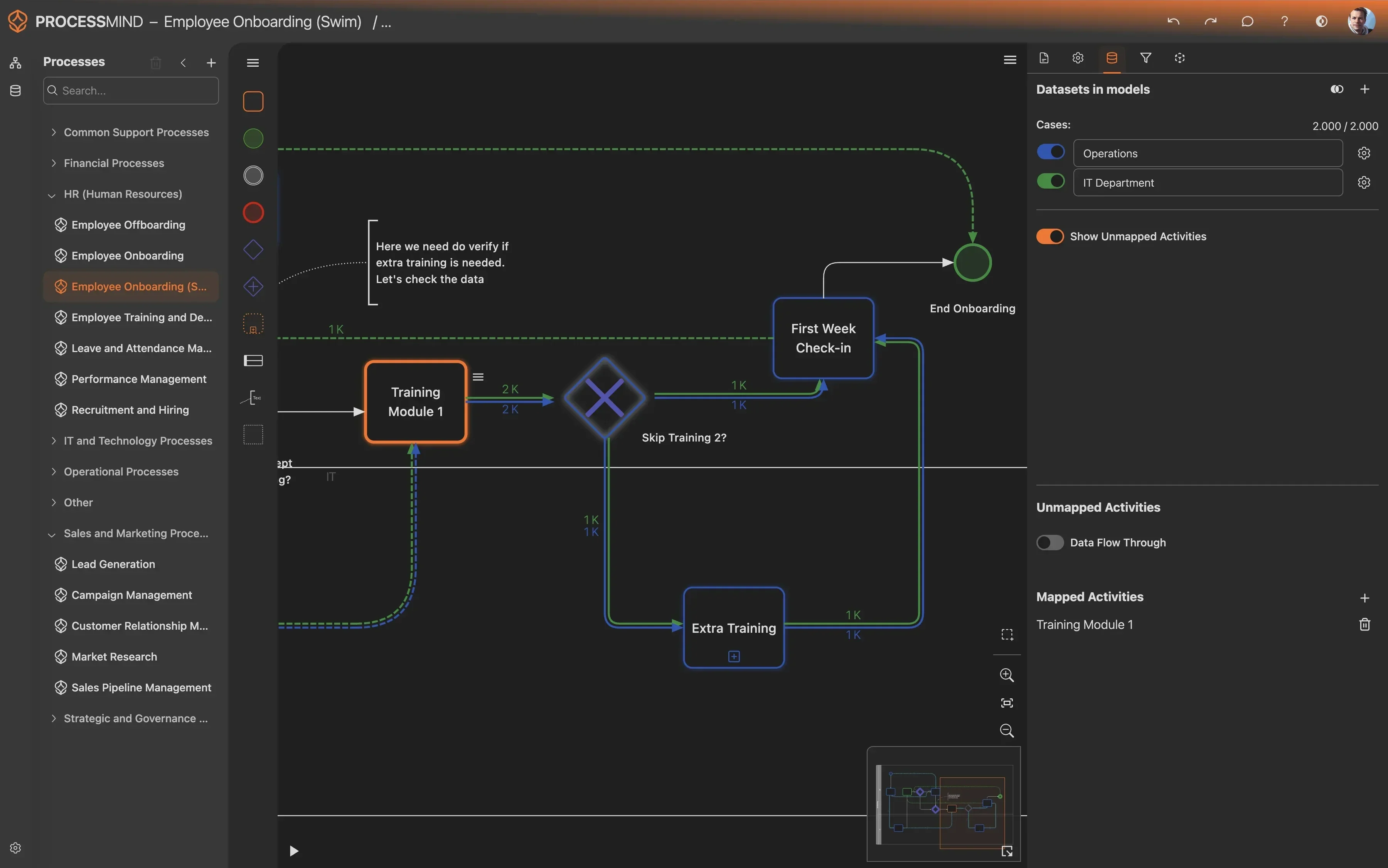
Unlock Faster Reporting with Journal Entry Insights
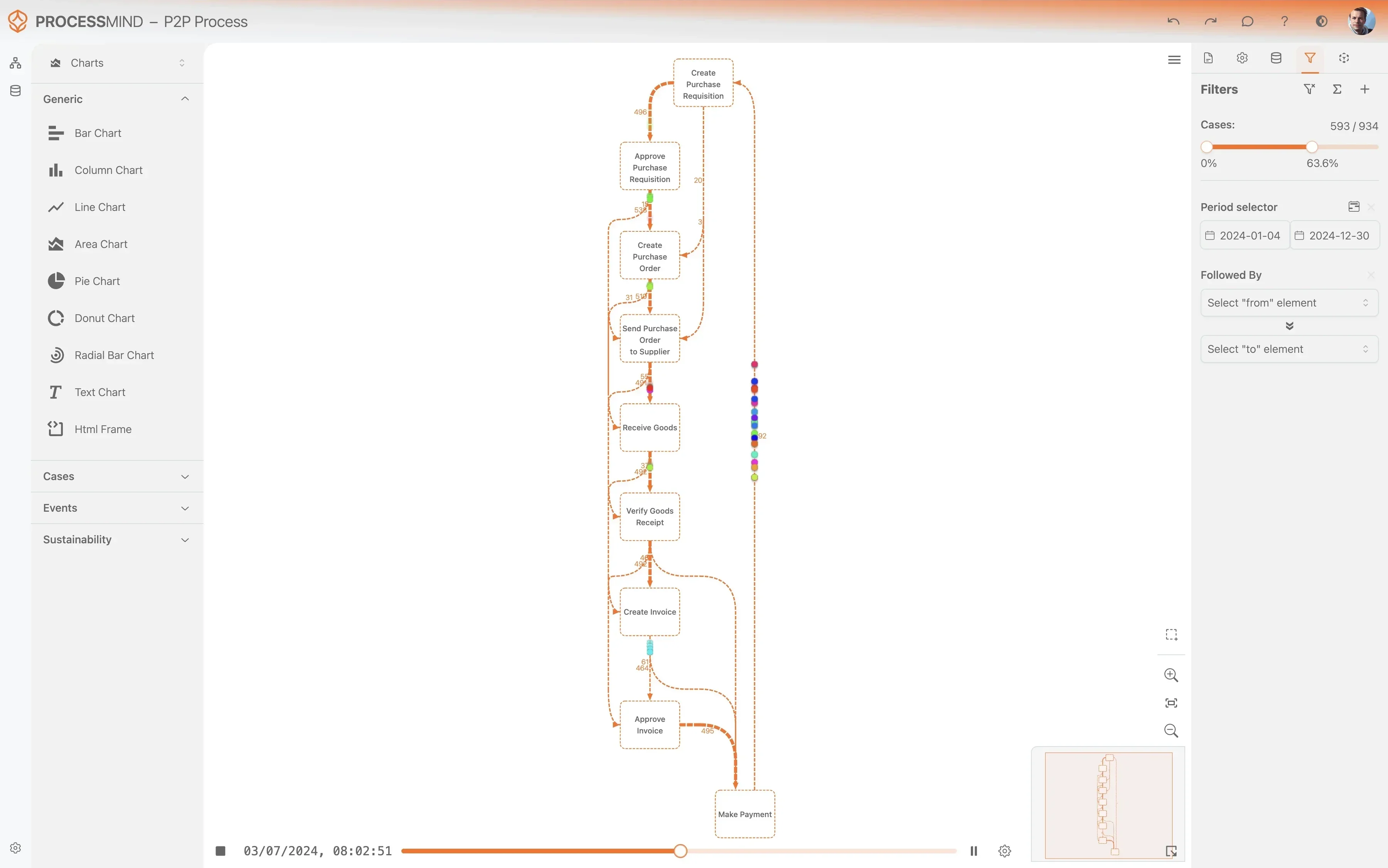
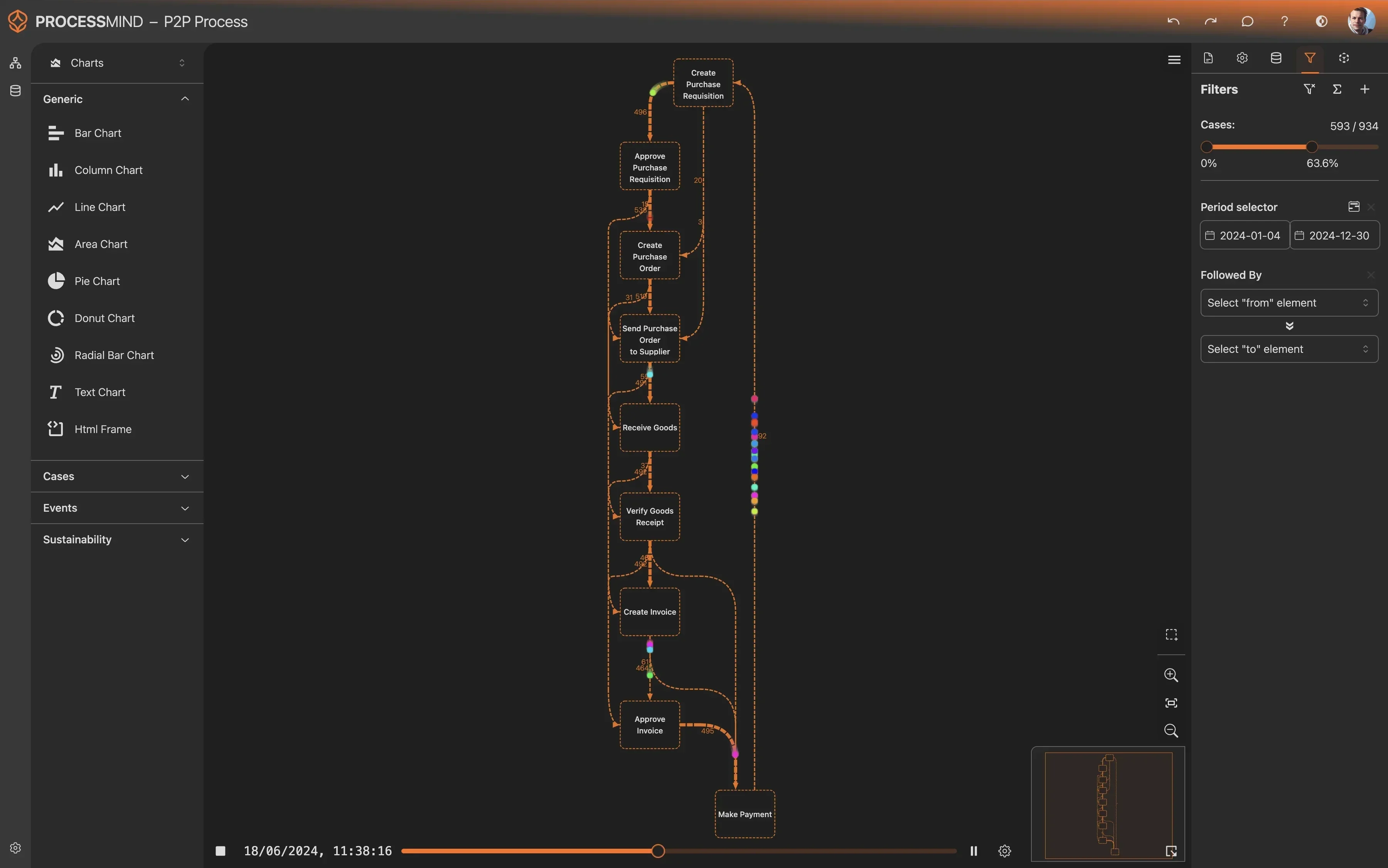
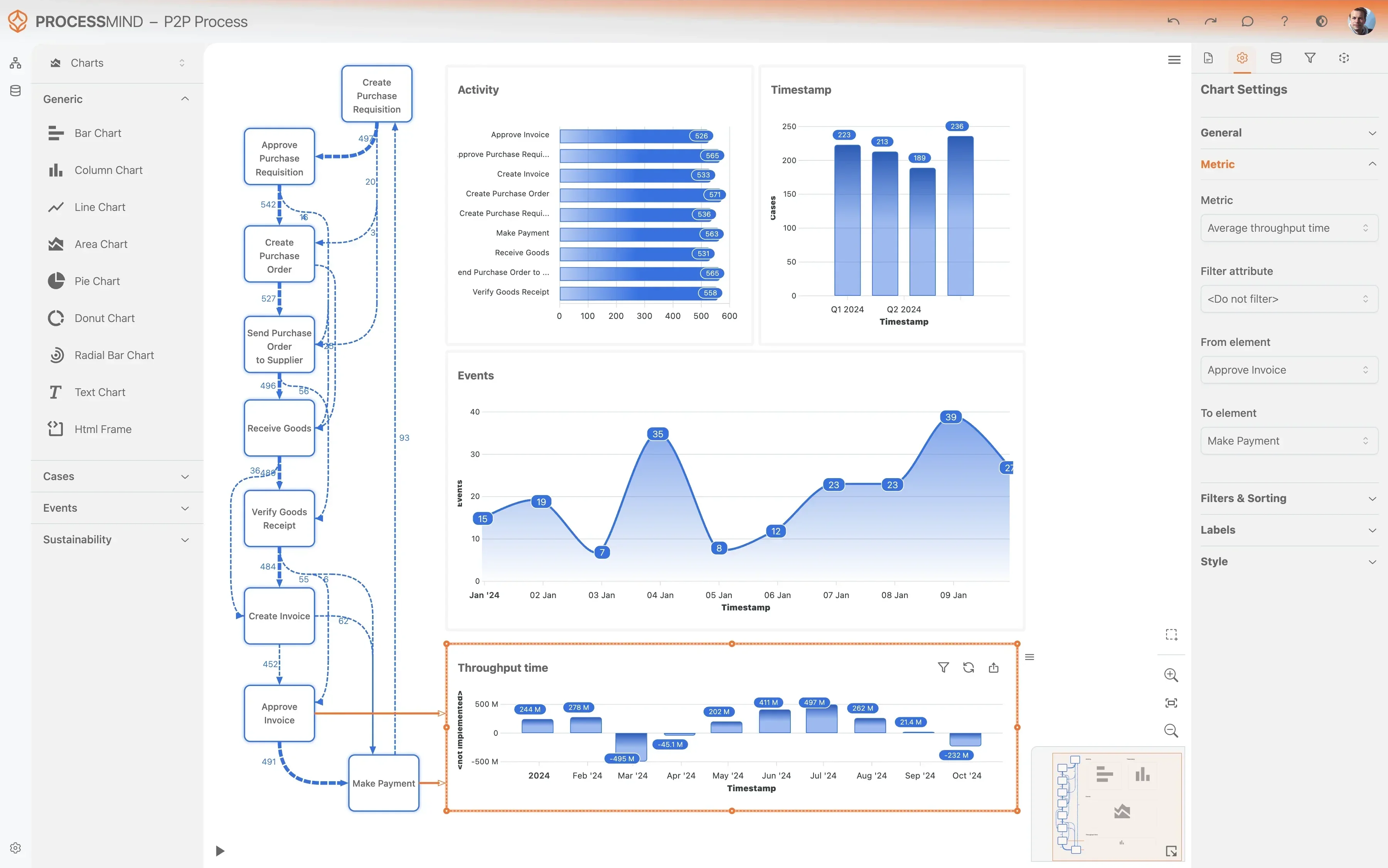
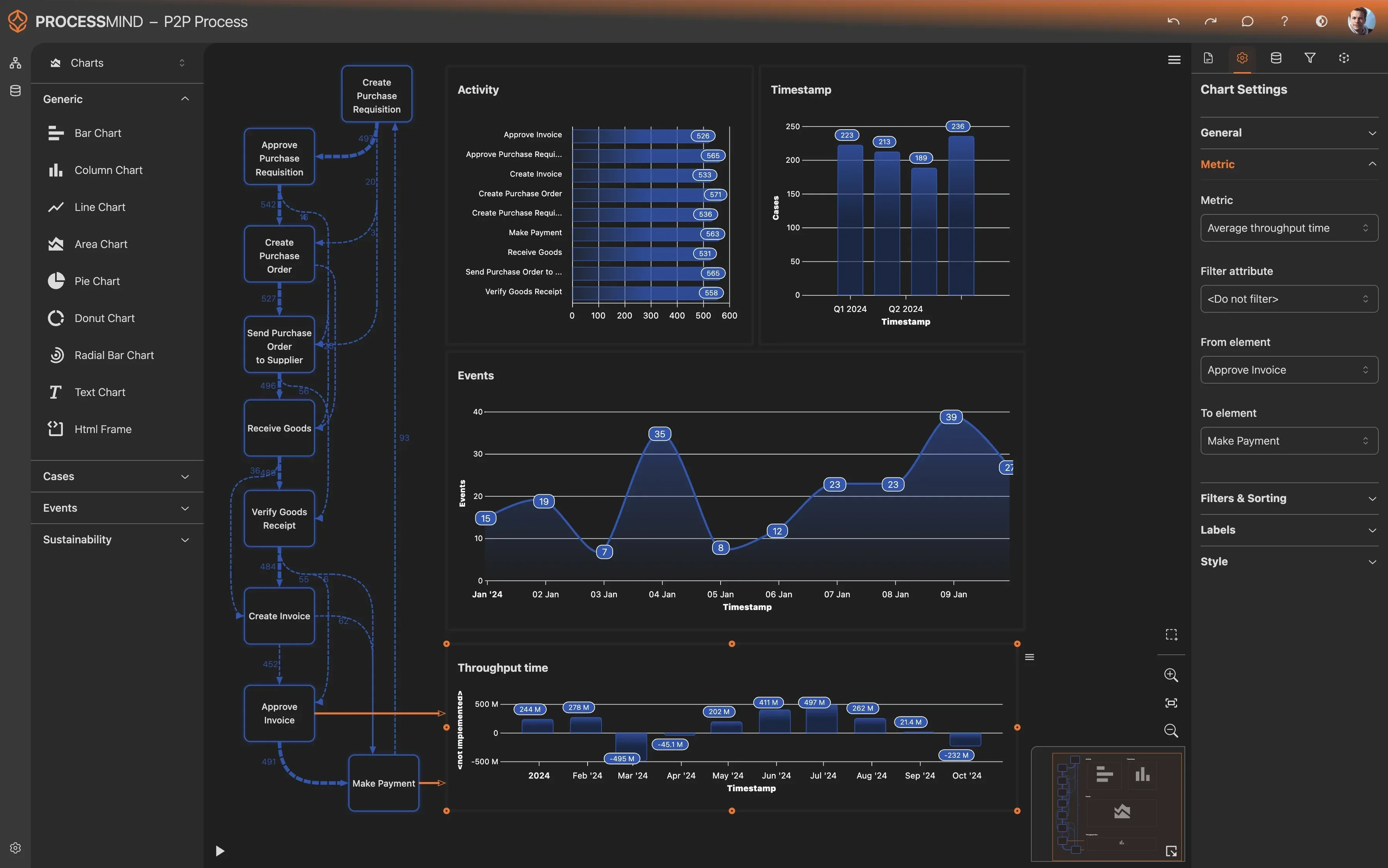
- Visualize Journal Entry flow in Dynamics 365
- Pinpoint approval delays and bottlenecks
- Uncover compliance gaps and rework loops
- Identify steps to boost reporting speed
TYPICAL OUTCOMES
Optimizing Your Journal Entry Process for Greater Efficiency
These outcomes highlight the measurable improvements organizations typically achieve by applying process mining to their Journal Entry workflow in Microsoft Dynamics 365. By identifying bottlenecks and deviations, businesses can streamline operations, reduce errors, and accelerate their Record to Report cycle.
Average reduction in approval time
Streamline the journal entry approval workflow, identifying and removing bottlenecks to accelerate financial reporting. This ensures approvals are completed more efficiently.
Decrease in corrections and resubmissions
By identifying root causes of rejections and corrections, organizations can significantly reduce the need for manual rework. This improves data quality and process efficiency.
Increase in standard process adherence
Ensure journal entries consistently follow predefined process flows, minimizing deviations and compliance risks. This strengthens audit trails and internal controls.
Average reduction in posting lead time
Reduce the time between journal entry approval and actual posting to the ledger, enabling faster financial close reporting. This ensures more timely and accurate financial statements.
Overall decrease in processing costs
Optimize resource utilization and eliminate inefficiencies across the entire journal entry process, leading to a measurable reduction in the operational cost of each entry. This frees up budget for strategic initiatives.
Results vary based on process complexity and data quality. These figures represent typical improvements observed across implementations.
Recommended Data
FAQs
Frequently asked questions
Process mining visualizes the actual flow of your journal entries, identifying bottlenecks like slow approvals or frequent rejections. It helps uncover inefficiencies and compliance gaps, providing data-driven insights for optimization.
You'll typically need event logs related to Journal Entry ID, including activity names, timestamps, and the user performing the activity. This data forms the basis for reconstructing the end-to-end process flow.
Initial insights can often be gained within a few weeks of data extraction and model setup, depending on data quality and the complexity of your process. Full optimization projects typically run over several months, yielding continuous improvements.
Yes, by mapping out every step, process mining precisely highlights where and why rejections occur, and where rework is introduced. This allows you to target specific steps for improvement, minimizing errors and associated costs.
The first step is usually a discovery phase to understand your specific process goals and identify the key data sources within Microsoft Dynamics 365. This is followed by data extraction and initial modeling to visualize your process.
Process mining is scalable and beneficial for organizations of all sizes. Even smaller teams can gain significant insights into their processes, helping to streamline operations and achieve quick wins.
The primary technical requirement is access to your Microsoft Dynamics 365 data, specifically event logs from relevant tables. No heavy software installation is usually needed on your systems, as many tools are cloud-based.
Process mining tools typically connect to Dynamics 365 through standard data connectors or by exporting raw data, without directly modifying your system. This ensures data integrity and a non-invasive analysis.
Boost Journal Entry in Dynamics 365, Report Faster Now
Eliminate bottlenecks, reduce R2R Journal Entry cycle time by 30%.
No credit card needed, get started in minutes.