Improve Your Purchase to Pay - Invoice Processing

Select a process
Choose a process to continue working in your connected workspace.
Optimize Invoice Processing in Dynamics 365 for Faster Payments
Invoice processing can introduce significant delays, compliance risks, and wasted resources into your operations. Our platform provides clear insights, helping you identify hidden inefficiencies within your workflows. Easily uncover bottlenecks and transform your processes to achieve faster, more accurate execution. This will lead to improved financial control and operational efficiency.
Download our pre-configured data template and address common challenges to reach your efficiency goals. Follow our six-step improvement plan and consult the Data Template Guide to transform your operations.
Show detailed description
Why Optimize Purchase to Pay - Invoice Processing?
Efficient invoice processing is the backbone of a healthy Purchase to Pay (P2P) cycle. For organizations leveraging Microsoft Dynamics 365, managing the flow of invoices from receipt to final payment can be complex. Inefficiencies in this critical process lead to tangible business challenges, including increased operational costs, late payment penalties, missed early payment discounts, and strained vendor relationships. Manual interventions, approval bottlenecks, and compliance deviations not only slow down cash flow but also introduce significant risk and erode working capital.
Understanding the true path an invoice takes within your Microsoft Dynamics 365 environment, rather than just the designed path, is crucial for effective process optimization. Without this clear insight, identifying the root causes of delays, such as prolonged approval times or repeated payment blocks, becomes an almost impossible task. This often results in reactive problem-solving, which fails to address systemic issues and perpetuate a cycle of inefficiency in Purchase to Pay - Invoice Processing.
How Process Mining Enhances Invoice Processing Analysis
Process mining offers a powerful, data-driven approach to dissect and understand your Purchase to Pay - Invoice Processing within Microsoft Dynamics 365. By extracting event logs directly from your system, process mining constructs a precise, objective map of every invoice's journey. Using the Invoice Number as the central case identifier, you can visualize the complete lifecycle, from "Invoice Received" to "Payment Executed," including all intermediate activities like "Invoice Coded," "Invoice Sent for Approval," and "Matching Discrepancy Handled."
This analytical perspective allows you to move beyond assumptions and uncover the actual process flow. You can pinpoint where invoices deviate from the standard, identify unexpected reworks, and quantify the exact time spent in each activity or waiting for the next step. This provides unparalleled clarity into approval workflows, identifies compliance gaps, and reveals bottlenecks that impede efficient processing, all within your existing Microsoft Dynamics 365 setup.
Key Improvement Areas Uncovered by Process Mining
Applying process mining to Purchase to Pay - Invoice Processing often highlights several common areas ripe for improvement:
- Approval Workflow Optimization: Discover hidden delays in approval steps, identify which approvers consistently create bottlenecks, or reveal instances where invoices are routed to incorrect departments or individuals. This insight enables targeted adjustments to your Microsoft Dynamics 365 approval configurations.
- Matching Discrepancy Resolution: Analyze the frequency and duration of activities like "Matching Discrepancy Handled." Understanding why and where discrepancies occur can lead to improvements in Purchase Order (PO) creation, goods receipt processes, or invoice data capture to reduce manual reconciliation.
- Payment Block Management: Track the lifecycle of payment blocks, including "Payment Block Set" and "Payment Block Released." Identify recurring reasons for blocks and develop strategies to prevent them, thereby ensuring invoices are paid on time and without unnecessary hold-ups.
- Automation Opportunities: Identify manual steps or repetitive tasks that consume significant resources and are candidates for automation. Streamlining these activities within Microsoft Dynamics 365 can dramatically reduce processing time and costs.
Expected Outcomes of Process Optimization
By applying process mining to your Purchase to Pay - Invoice Processing, you can achieve substantial, measurable improvements:
- Reduced Cycle Time: Significantly decrease the average time it takes to process an invoice, from receipt to payment. This directly impacts working capital and improves financial agility.
- Cost Savings: Minimize manual effort, reduce re-work, and avoid late payment penalties, leading to considerable operational cost reductions.
- Enhanced Compliance: Ensure adherence to internal policies and external regulations by identifying and correcting process deviations, strengthening your control environment within Microsoft Dynamics 365.
- Improved Vendor Relationships: Faster, more accurate payments foster stronger relationships with your suppliers, potentially unlocking better payment terms or discounts.
- Optimized Working Capital: By accelerating invoice payments and reducing processing costs, you free up capital for other strategic investments.
Getting Started with Your Invoice Processing Improvement Journey
Taking control of your Purchase to Pay - Invoice Processing in Microsoft Dynamics 365 begins with understanding the current state. This detailed analytical approach, powered by process mining, provides the necessary insights to drive targeted, impactful improvements. You can start uncovering those hidden bottlenecks and inefficiencies today to transform your invoice workflows and achieve faster, more accurate processing outcomes.
The 6-Step Improvement Path for Purchase to Pay - Invoice Processing
Download the Template
What to do
Obtain the pre-configured Excel template tailored for Purchase to Pay invoice processing data from Microsoft Dynamics 365. This ensures your data aligns with ProcessMind's analysis structure.
Why it matters
Using the correct data structure from the start prevents errors and accelerates your analysis, laying a solid foundation for accurate insights into invoice workflows.
Expected outcome
A structured Excel template, ready to be populated with your Microsoft Dynamics 365 invoice processing data.
Export Your Data
What to do
Extract 3-6 months of historical invoice processing data from Microsoft Dynamics 365, focusing on the General Ledger module. Populate the downloaded template with this real operational data.
Why it matters
Comprehensive historical data provides a robust foundation for uncovering patterns, bottlenecks, and compliance issues within your invoice processing lifecycle.
Expected outcome
A completed Excel template containing your historical invoice processing activities and attributes from Microsoft Dynamics 365.
Upload Your Dataset
What to do
Securely upload your populated Excel template to the ProcessMind platform. The system will then automatically initiate the preparation and analysis of your invoice data.
Why it matters
Seamless data ingestion and automated analysis save time and reduce manual effort, allowing you to quickly move from data collection to insight generation.
Expected outcome
Your invoice processing data successfully loaded into ProcessMind, ready for intelligent, automated analysis.
Analyze Your Process
What to do
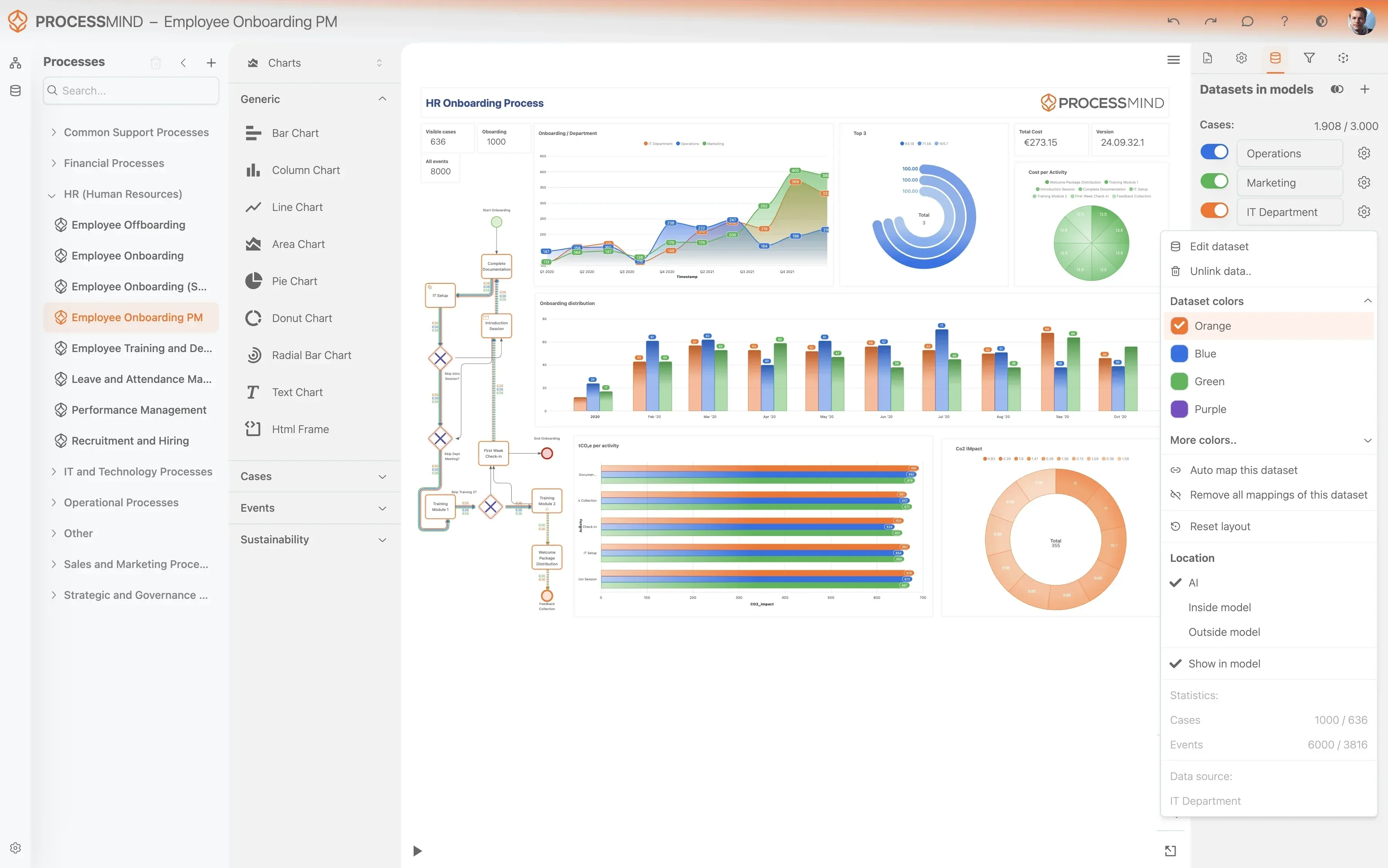
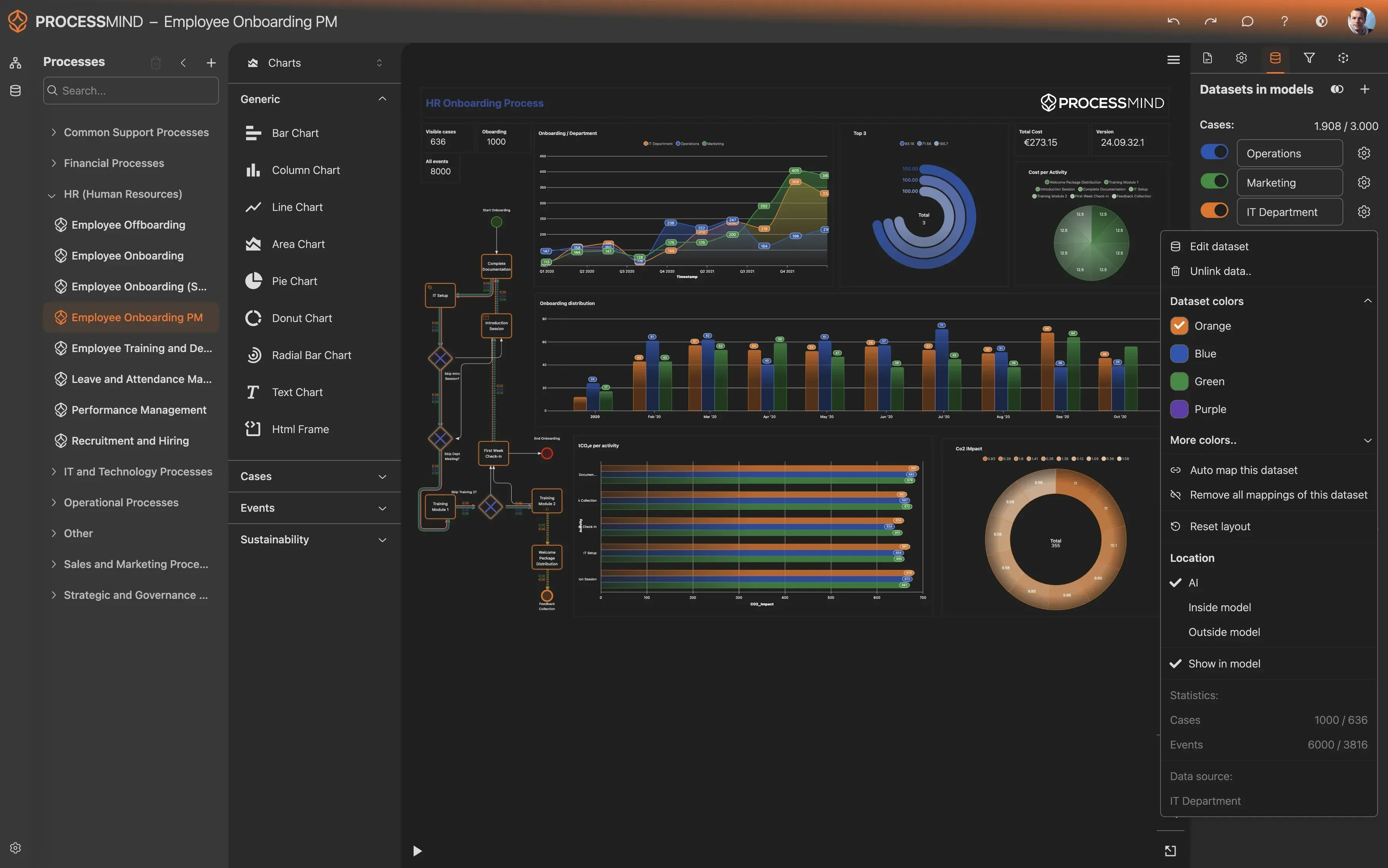
Explore the auto-generated dashboards, process maps, and performance metrics within ProcessMind. Utilize AI-driven recommendations to identify key areas for improvement.
Why it matters
Visualizing your end-to-end invoice processing journey reveals hidden inefficiencies, compliance gaps, and opportunities to streamline operations for faster payments.
Expected outcome
A clear understanding of your current invoice processing performance, including bottlenecks and root causes for delays.
Implement Improvements
What to do
Prioritize and act on the insights derived from your process analysis. Apply changes to your invoice processing workflows or configurations in Microsoft Dynamics 365.
Why it matters
Translating insights into action directly addresses inefficiencies, reduces manual effort, and improves key performance indicators like cycle time and compliance.
Expected outcome
Strategic changes implemented within your Microsoft Dynamics 365 environment, targeting identified invoice processing bottlenecks.
Monitor Your Process
What to do
Periodically re-upload updated invoice processing data from Microsoft Dynamics 365 to ProcessMind to continuously track the impact of your implemented changes.
Why it matters
Ongoing monitoring ensures sustained improvements, allows for agile adjustments, and drives continuous optimization of your Purchase to Pay invoice workflows.
Expected outcome
Verifiable evidence of process improvements, reduced cycle times, and enhanced efficiency in your invoice processing.
YOUR DISCOVERIES
Uncover Your Dynamics 365 Invoice Processing Truths
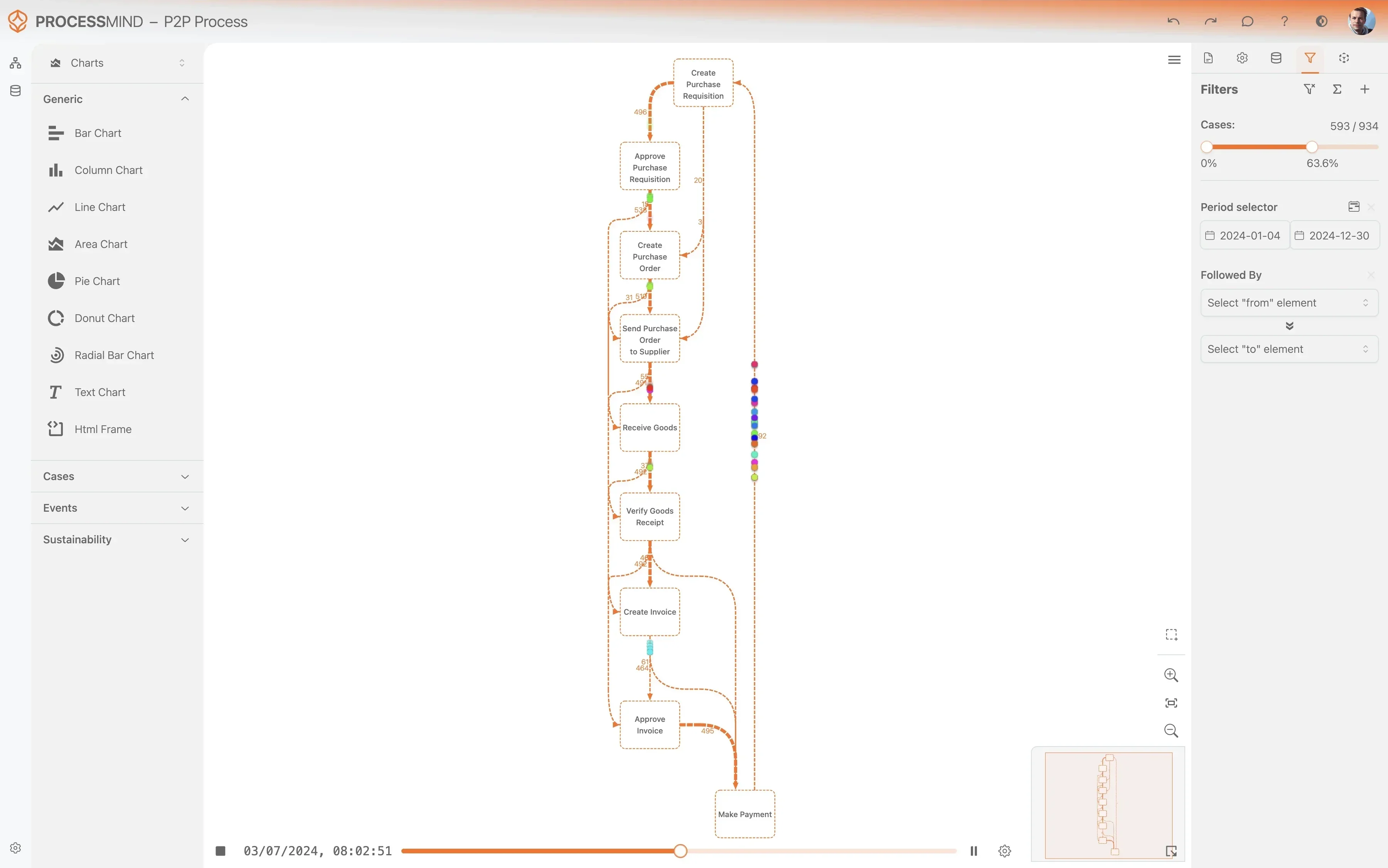
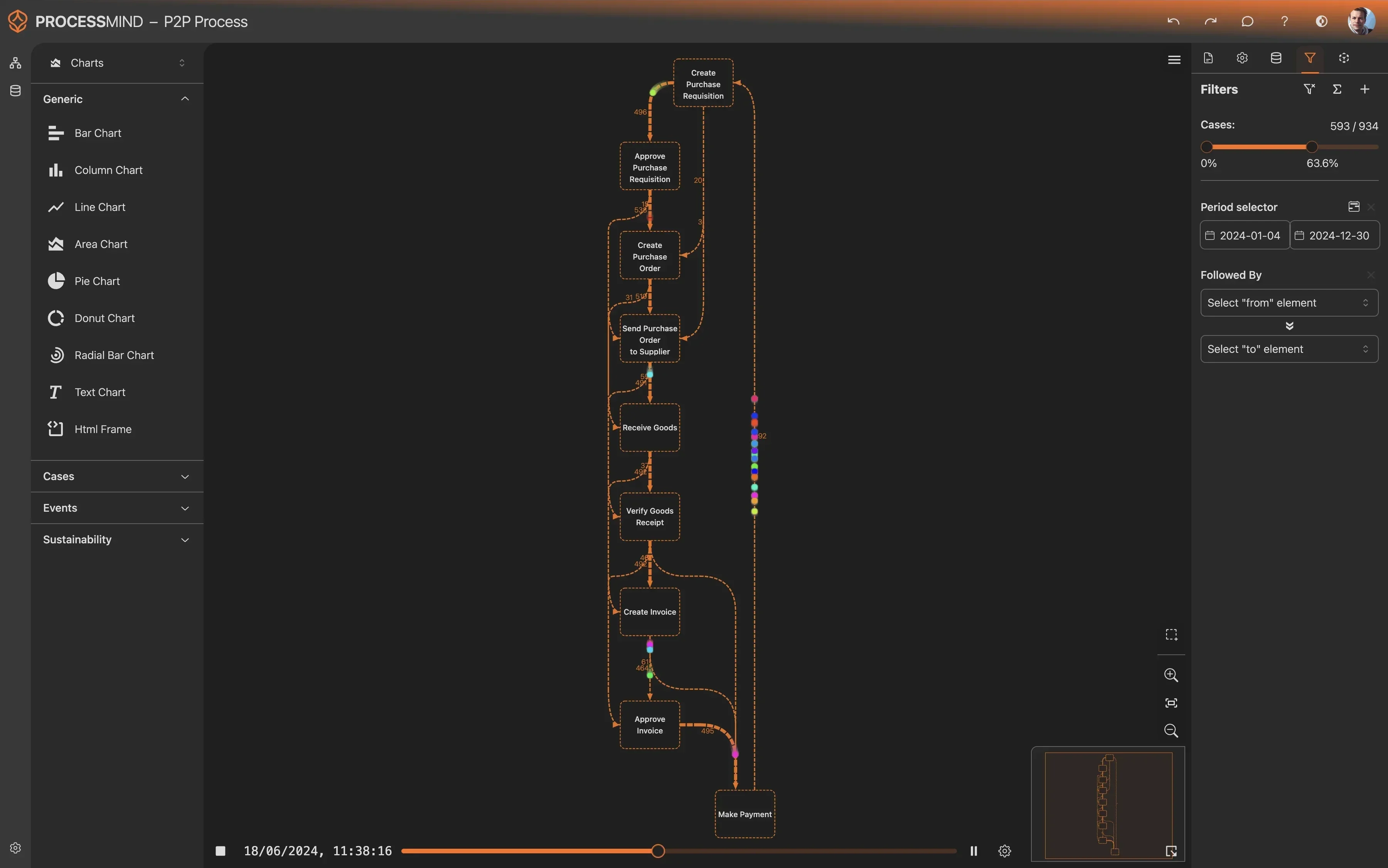
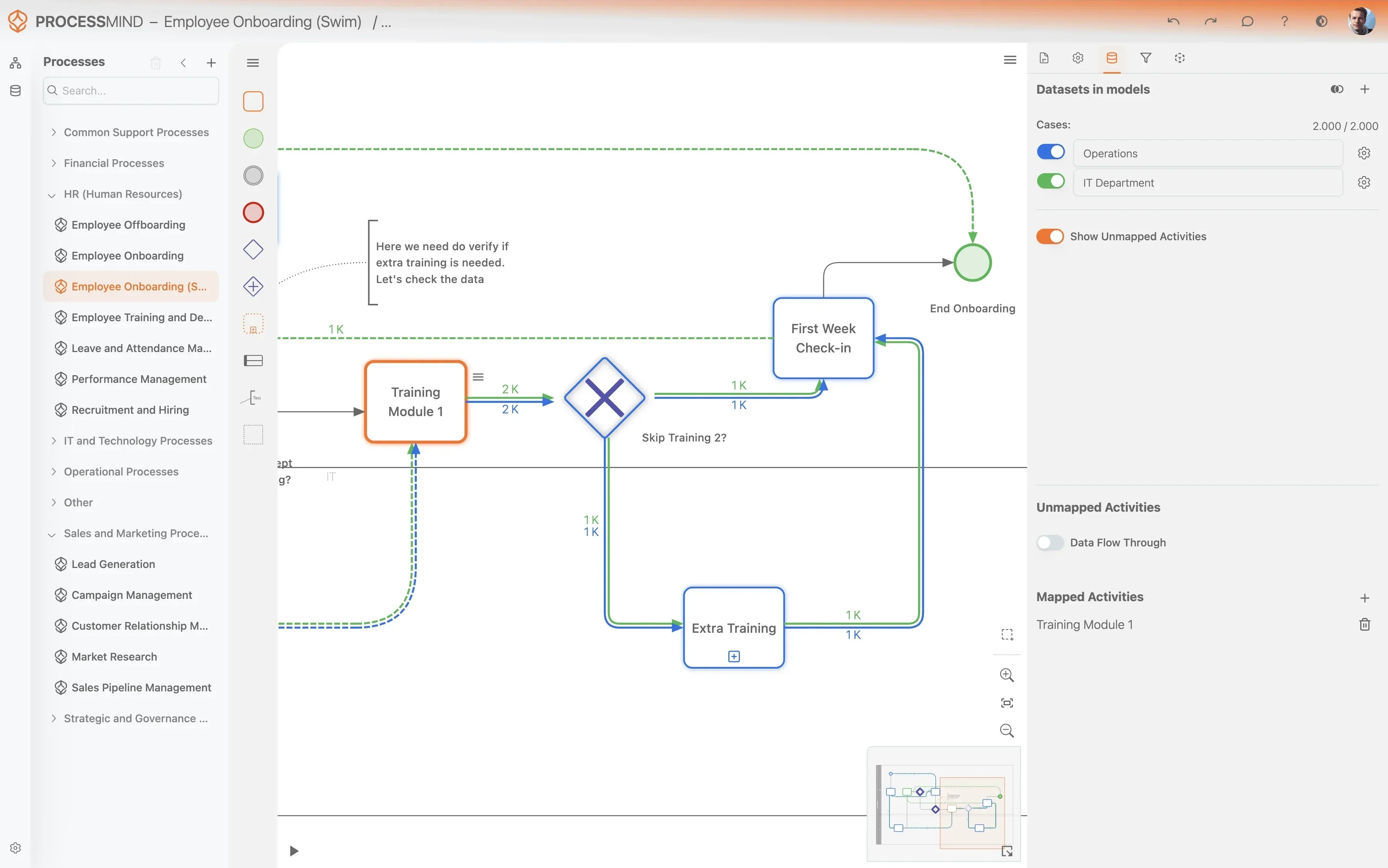
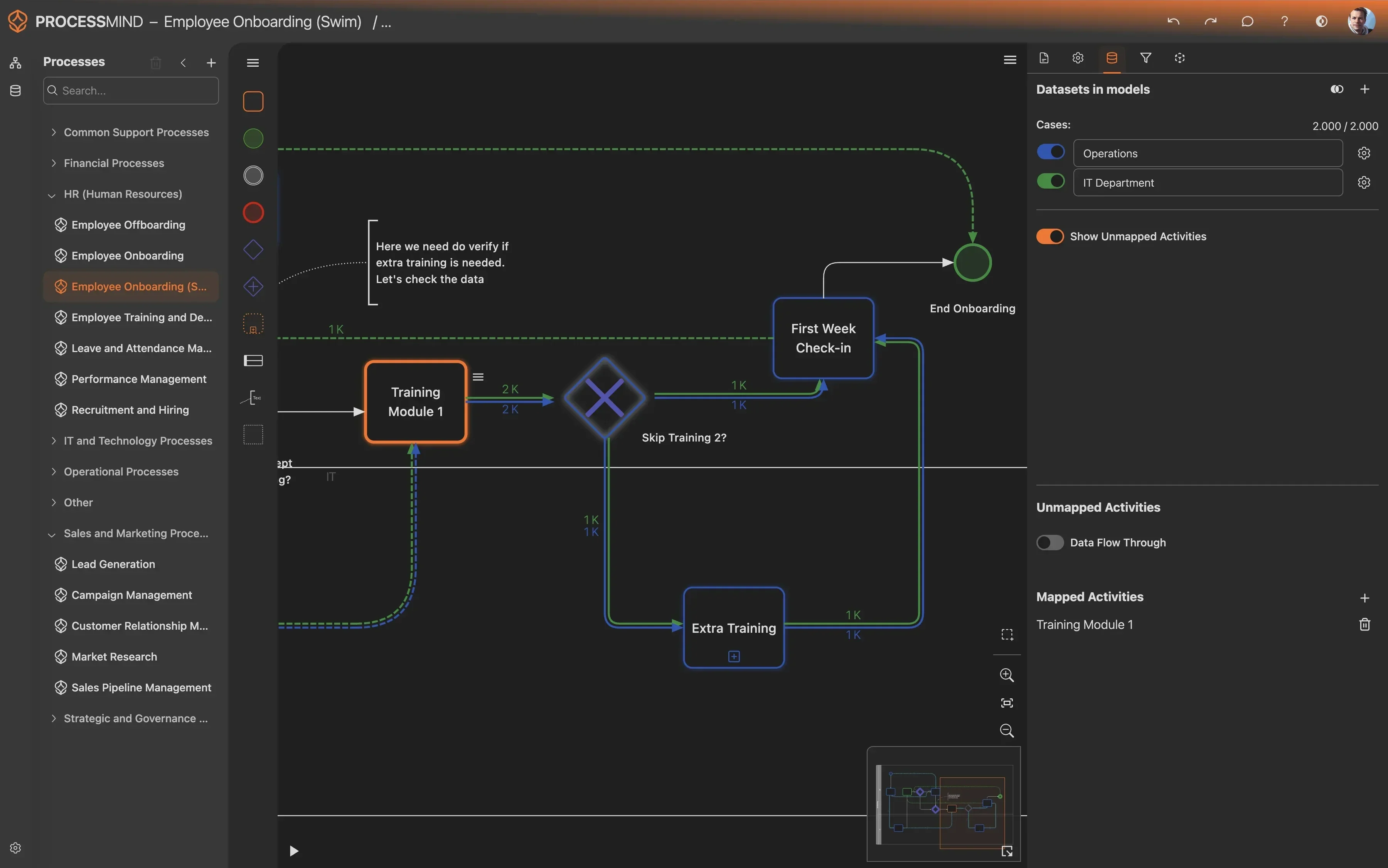
- Visualize actual invoice processing paths.
- Pinpoint bottlenecks causing payment delays.
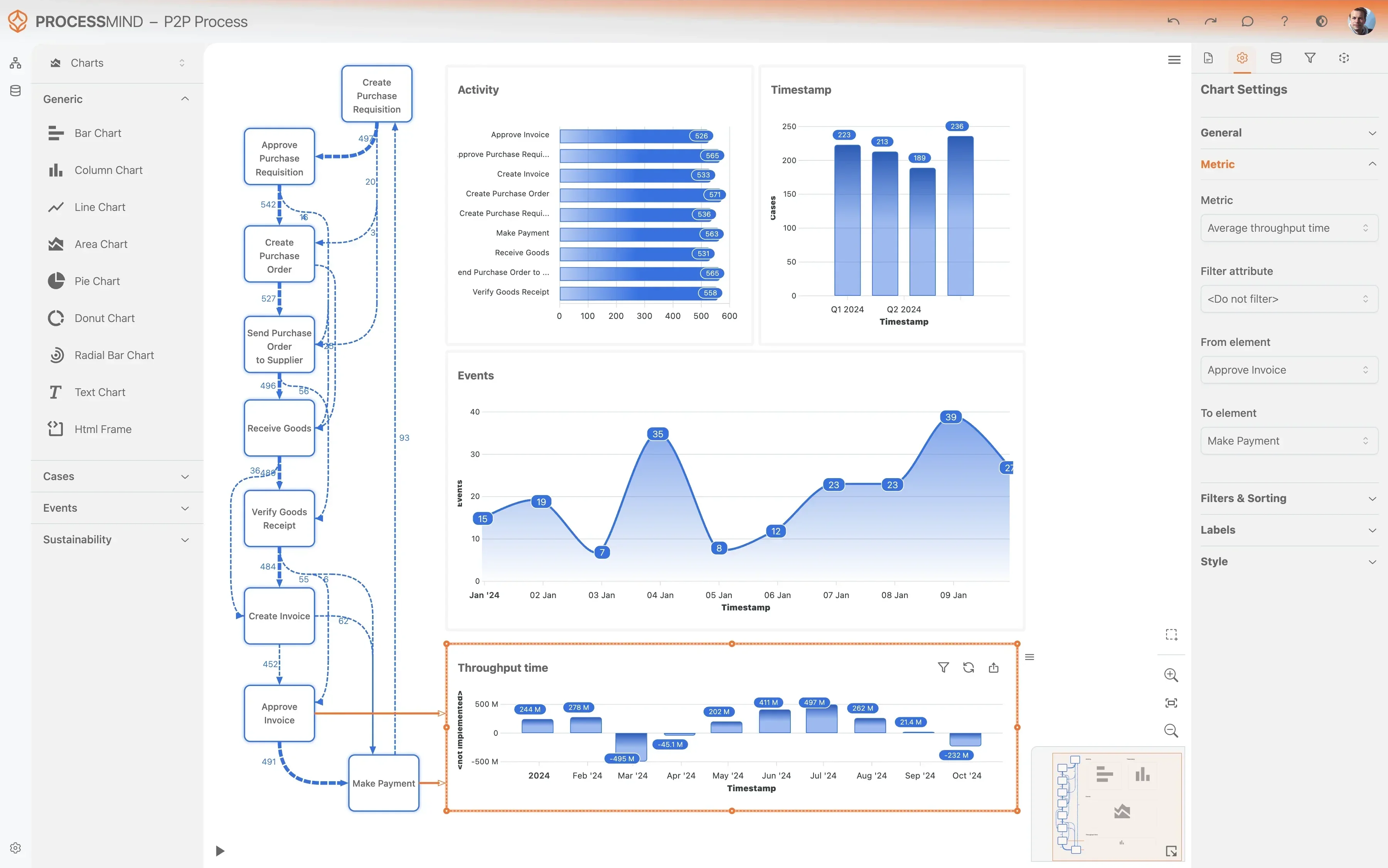
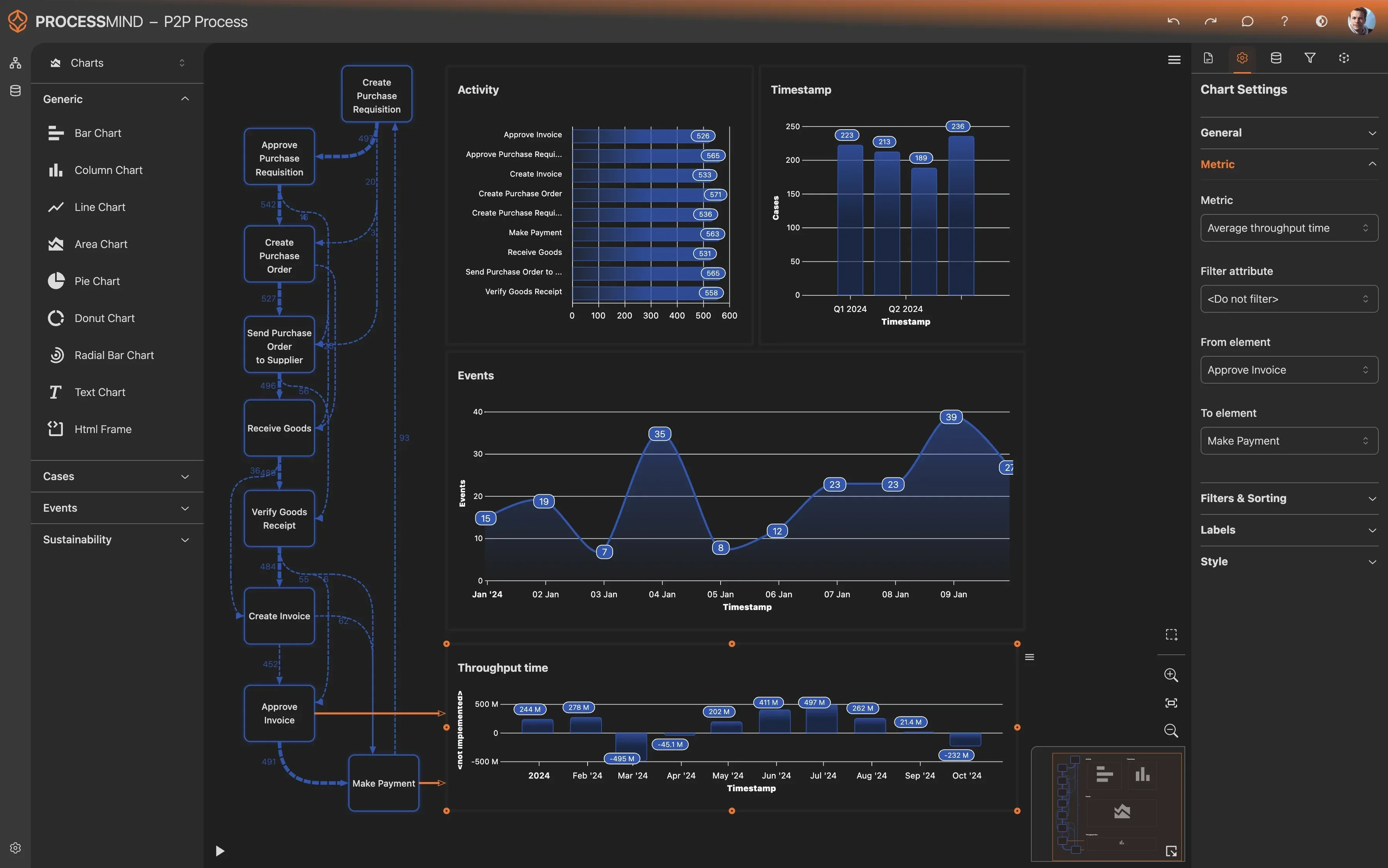
- Identify compliance risks in invoice workflows.
- Quantify impact of process improvements.
TYPICAL OUTCOMES
Tangible Improvements in Invoice Processing
These outcomes showcase the profound efficiencies and cost savings organizations realize by optimizing their Purchase to Pay invoice processing. Through process mining of Microsoft Dynamics 365 data, businesses gain crucial insights, enabling them to identify and resolve bottlenecks for streamlined operations.
Average reduction in end-to-end time
Process mining identifies bottlenecks and rework, leading to significantly faster invoice processing from receipt to payment. This enhances operational efficiency and cash flow.
Fewer invoice rejections and discrepancies
By pinpointing the root causes of rejections and matching issues, organizations implement targeted improvements to data quality and process steps, leading to fewer manual interventions and costly rework.
Cost reduction per invoice
Optimizing the end-to-end invoice flow, reducing rework, and improving automation directly cuts the average cost incurred to process each invoice.
Better adherence to payment terms
By identifying and resolving delays in the payment process, organizations ensure more invoices are paid on or before their due dates, strengthening vendor relationships and avoiding late payment penalties.
Reduced time for invoice approvals
Process mining uncovers bottlenecks and deviations in approval workflows, enabling businesses to standardize processes and accelerate the time it takes to approve invoices.
Results vary based on process complexity, data quality, and specific organizational goals. These figures represent typical improvements observed across diverse implementations.
Recommended Data
FAQs
Frequently asked questions
Process mining uses your existing Microsoft Dynamics 365 event log data to visualize and analyze the actual flow of your invoice processing. It reveals bottlenecks, deviations, and inefficiencies that might not be visible through traditional reporting. This objective, data-driven approach helps you understand how the process truly works.
By analyzing event logs from Dynamics 365, process mining reconstructs every step an invoice takes, from receipt to payment. It highlights common problems like approval bottlenecks, excessive manual interventions, and deviations from standard workflows. This granular visibility helps pinpoint the root causes of delays and errors.
You typically need event log data related to your invoice processing, including the invoice number as a case identifier, activity names, and timestamps for each action. Relevant tables often include those tracking invoice creation, approvals, matching, posting, and payment. Specific fields like user IDs and statuses are also valuable.
You can expect to accelerate invoice approval cycles, reduce manual data entry errors, and significantly shorten overall processing cycle times. Many organizations achieve improved payment terms compliance and decreased invoice rejection rates. It also enhances real-time visibility into invoice status.
The initial setup and data extraction from Microsoft Dynamics 365 typically take a few weeks, depending on data availability and complexity. Once the data is loaded, you can often see initial insights and process visualizations within days. Deeper analysis and actionable recommendations follow shortly after.
While basic knowledge of Dynamics 365 data structures is beneficial, many process mining tools offer connectors or guidance for data extraction. Your IT team can assist in identifying the relevant tables and fields, and then exporting the required event logs. No advanced programming is typically needed.
Yes, process mining allows you to define and monitor compliance rules against your actual invoice processing paths. It automatically identifies instances where payment terms are violated or where approval workflows deviate from established policies. This helps proactively address non-compliant behavior.
Most solutions are cloud-based, requiring internet access and permissions to connect to your Dynamics 365 data source, often via APIs or direct database access for data extraction. On-premise solutions would require server infrastructure. Data storage and processing power vary by solution and data volume.
While process mining tools do not typically "integrate" in a transactional sense, they connect to Dynamics 365 to extract the necessary event log data. This connection allows for automated data refreshes, ensuring your process insights are always based on the most current operational data.
Process mining highlights where manual interventions frequently occur and where invoices get stuck due to matching issues. By visualizing these pain points, you can identify opportunities for automation, improve master data quality, and refine matching rules, thereby reducing errors and manual effort.
Start Optimizing Your Purchase to Pay - Invoice Processing Today
Uncover inefficiencies and reduce invoice cycle time by 30% or more.
No credit card required. Get started in minutes.