ProcessMind Configuration and Setup Guide
Set up ProcessMind: learn configuration, environments, billing, SSO, and more for business process management.
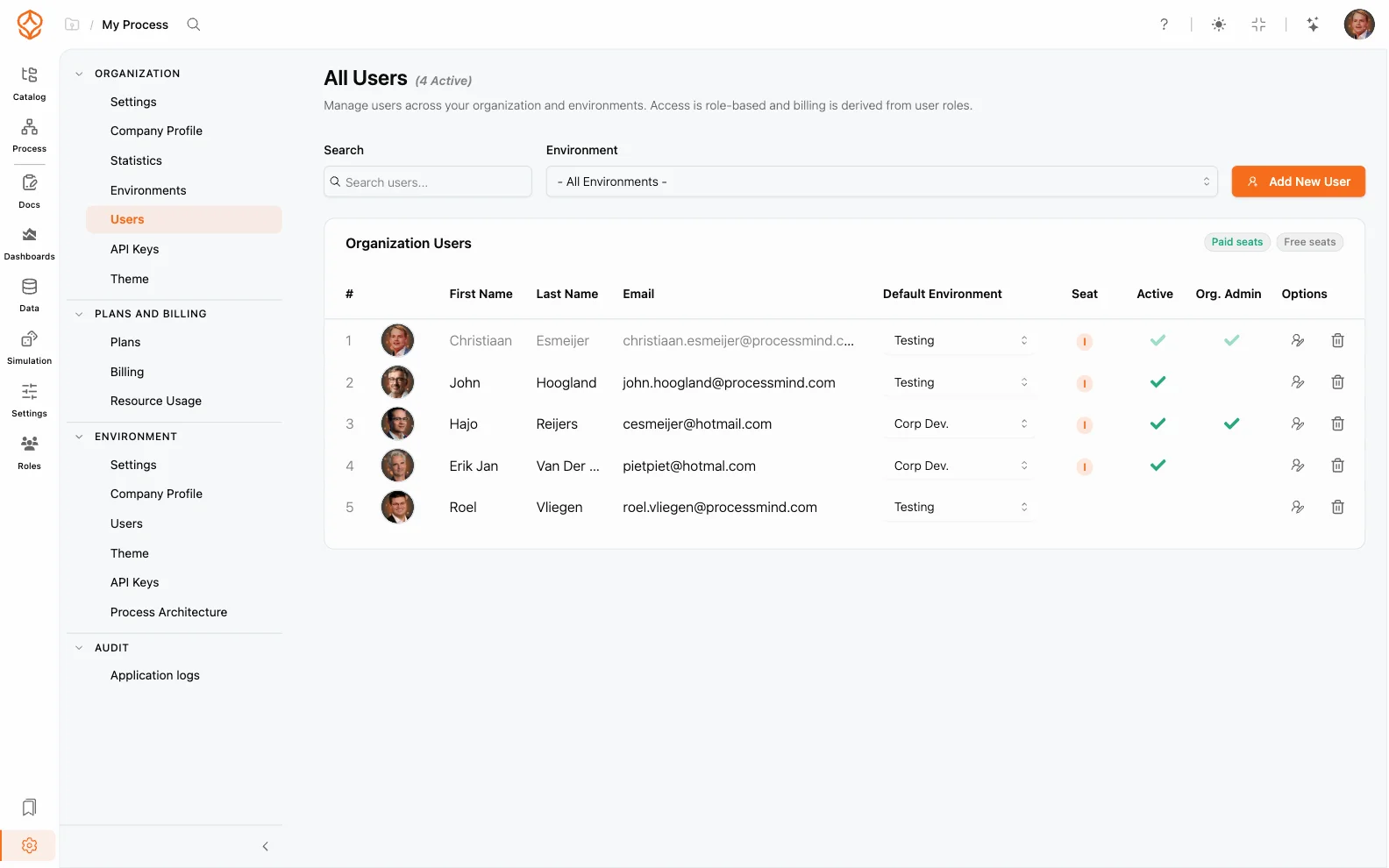
Every member of your organization has an access level for each environment and, optionally, admin rights. The access level is also the seat: it decides what the user can do and how the user is billed. This page explains the roles, how to invite and manage users, and where the permission boundaries are.
A user’s access level is set per environment:
| Access level | What it unlocks |
|---|---|
| None | No access to this environment. |
| Portal Viewer | Free, limited access to shared portal content. |
| Process Foundation | Model and edit processes, with the process catalog and documentation. |
| Process Architecture | Everything in Process Foundation, plus architecture, governance, approval and publishing, model quality, and portal viewers. |
| Process Intelligence | Everything in Process Architecture, plus mining, simulation, dashboards, and analysis exports, with dashboard viewers. |
Admin rights are separate from the access level — they grant settings access, not model access:
A user can be an admin without an access level. Such admin-only users can manage settings, but they cannot open the catalog, models, dashboards, or documents.
Users are managed in two places under Settings:
To invite someone new:
On the Process Individual plan, adding members is not possible: the plan holds one user, so the add button is disabled and shows Switch to a paid plan to add additional users.
To add someone who is already a member of the organization to another environment, use the environment selector on the organization screen and pick them under Add (existing) users… — no new email is sent.
You cannot remove or de-admin yourself; another admin has to do it.
| Action | Required role |
|---|---|
| View the catalog, models, and documents | Portal Viewer or higher |
| Edit models | Process Foundation seat or higher |
| Read dashboards read-only | Process Intelligence seat, an Intelligence dashboard viewer, or an Enterprise viewer |
| Create dashboards and run simulations | Process Intelligence |
| Manage environment settings | Environment admin or org admin |
| Manage organization settings, users, and billing | Org admin |
| Open portal content | Portal Viewer |
For the portal side of viewer access, see Viewer Users. For seat management and billing, see Billing and Payments.
Get instant access with no credit card and no waiting. Turn the way your organization works into clear, connected process designs.
Build your process architecture, define ownership and controls, and align roles and responsibilities across every level.
Start your free trial and create one reliable foundation for governing, managing, and continuously improving your processes.
We use cookies to improve your experience, personalize content, and analyze traffic. Anonymous page measurement happens without them; analytics consent adds an identifier that links your visits. By clicking "Accept All," you consent to our use of cookies.