Collaboration
Work together on processes with comments and mentions on model elements and processes in ProcessMind.
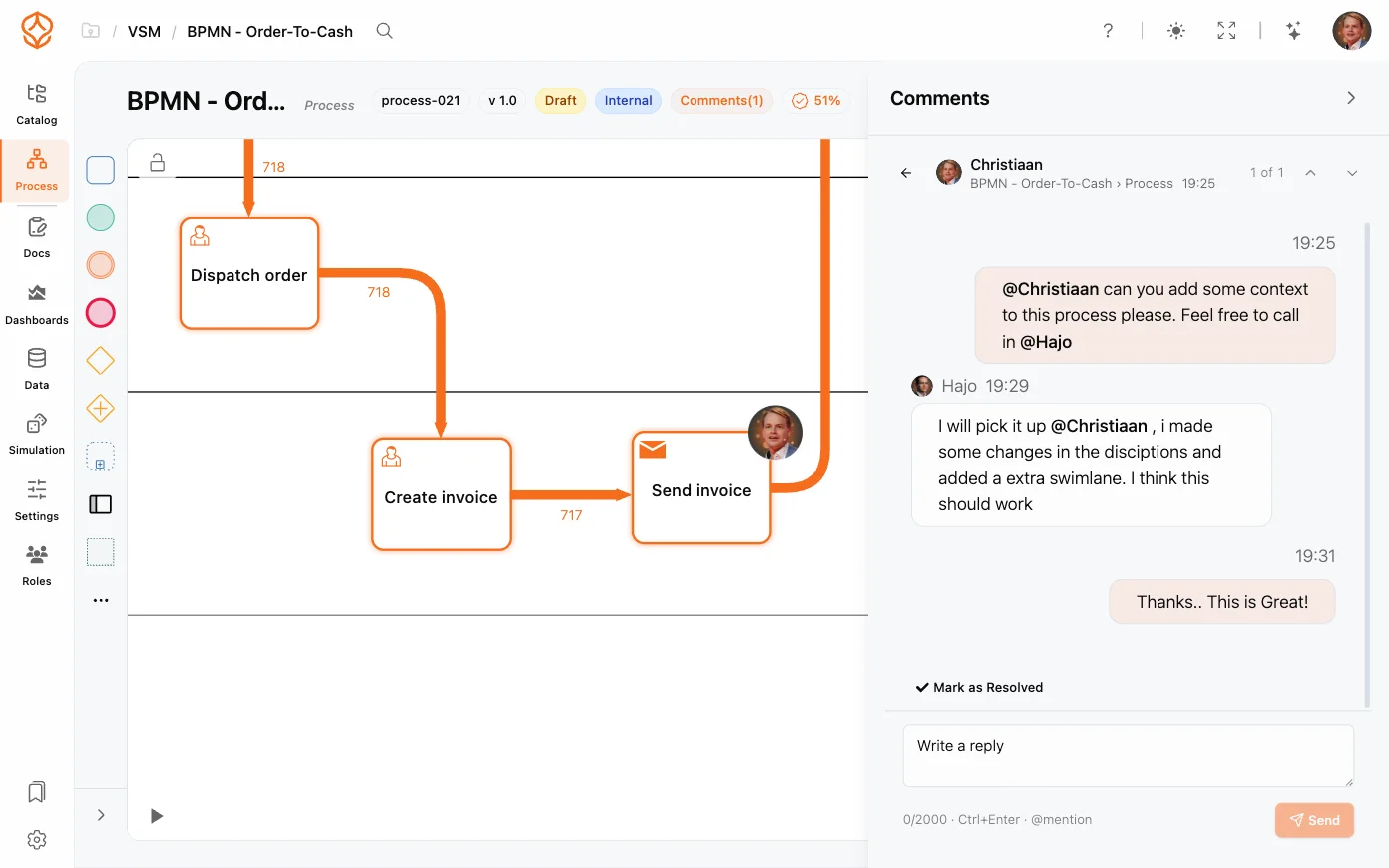
Comments and mentions bring collaboration directly into the model. Instead of describing a problem in an email, you attach a comment to the exact element it concerns, and when you need someone’s input, you mention them to bring them into the thread.
Every element on the canvas supports comments:
A comment indicator appears on the element so everyone can see at a glance that there’s a discussion attached.
You can also comment on the process as a whole rather than a single element. Use this for high-level feedback (naming, scope, or publish readiness) that doesn’t belong to one activity.
To pull someone into a discussion:
Mentions make sure the right person sees the comment, even if they don’t have the model open.
To find your own mentions, open the user menu and choose My Mentions (it shows a count badge when something is waiting), or use the My Mentions block on the welcome page. Opening a mention takes you straight to the thread.
The comment indicator on a model element, process, dashboard, data table, or simulation opens the comments slide-in, which lists every thread for that surface:
Comment threads on a model behave like threaded discussions:
Threads stay with the model, so anyone opening the process later can see the full history of decisions and feedback.
Comments are available with a Process Foundation seat and above, and threads are visible to everyone with access to the process. If a teammate cannot add comments, check their role in the Organization Settings.
Get instant access with no credit card and no waiting. Turn the way your organization works into clear, connected process designs.
Build your process architecture, define ownership and controls, and align roles and responsibilities across every level.
Start your free trial and create one reliable foundation for governing, managing, and continuously improving your processes.
We use cookies to improve your experience, personalize content, and analyze traffic. Anonymous page measurement happens without them; analytics consent adds an identifier that links your visits. By clicking "Accept All," you consent to our use of cookies.