Explore Key Features of ProcessMind
ProcessMind brings the full process lifecycle into one platform. Its capabilities are organized into three tracks that mirror how mature organizations manage their processes — Process Foundation, Process Architecture, and Process Intelligence — and every feature below works on the same process models.
Process Foundation (Document & Standardize)
- BPMN 2.0 Canvas: Map out every step, role, and decision point (including non-digital activities) with a visual editor and an auto-layout engine that supports vertical and horizontal notation. See Process Modeling.
- AI Process Generation: Describe a process in plain language and ProcessMind generates a BPMN model for you. The fastest way to a working draft, no modeling skills required. See AI Process Generation.
- AI Assistant: Chat with your processes: ask questions, generate summaries, and apply AI suggestions. Every plan includes monthly AI credits. See AI Assistant.
- Process Catalog & Global Search: Organize your process library with folders and find any process, element, or role quickly. See Process Catalog.
- Collaboration: Comment on elements and processes, mention teammates, and edit the same model together in real time. See Comments & Mentions and Collaborative Editing.
- Versioning & Exports: Track every version of your model, restore previous states, and export to BPMN or PNG. See Versioning.
Process Architecture (Connect & Govern)
- Process Architecture: Build a hierarchy with levels and value streams so every process has a home and an owner. See Process Architecture.
- Roles & RACI: Maintain a role library and assign responsible, accountable, consulted, and informed owners to tasks. See Roles & RACI.
- Documentation & Artifacts: Attach process documentation, files, and artifacts to tasks, and export professional documents. See Process Documentation.
- Governance & Publishing: Run review and approval workflows, control the process lifecycle, and publish to an interactive process portal. See Governance & Publishing.
- Model Quality: Checks that flag inconsistencies and guide you to cleaner, more maintainable models. See Model Quality.
- Audit Log: A complete activity trail for compliance and accountability. See Audit Log.
Process Intelligence (Analyze & Optimize)
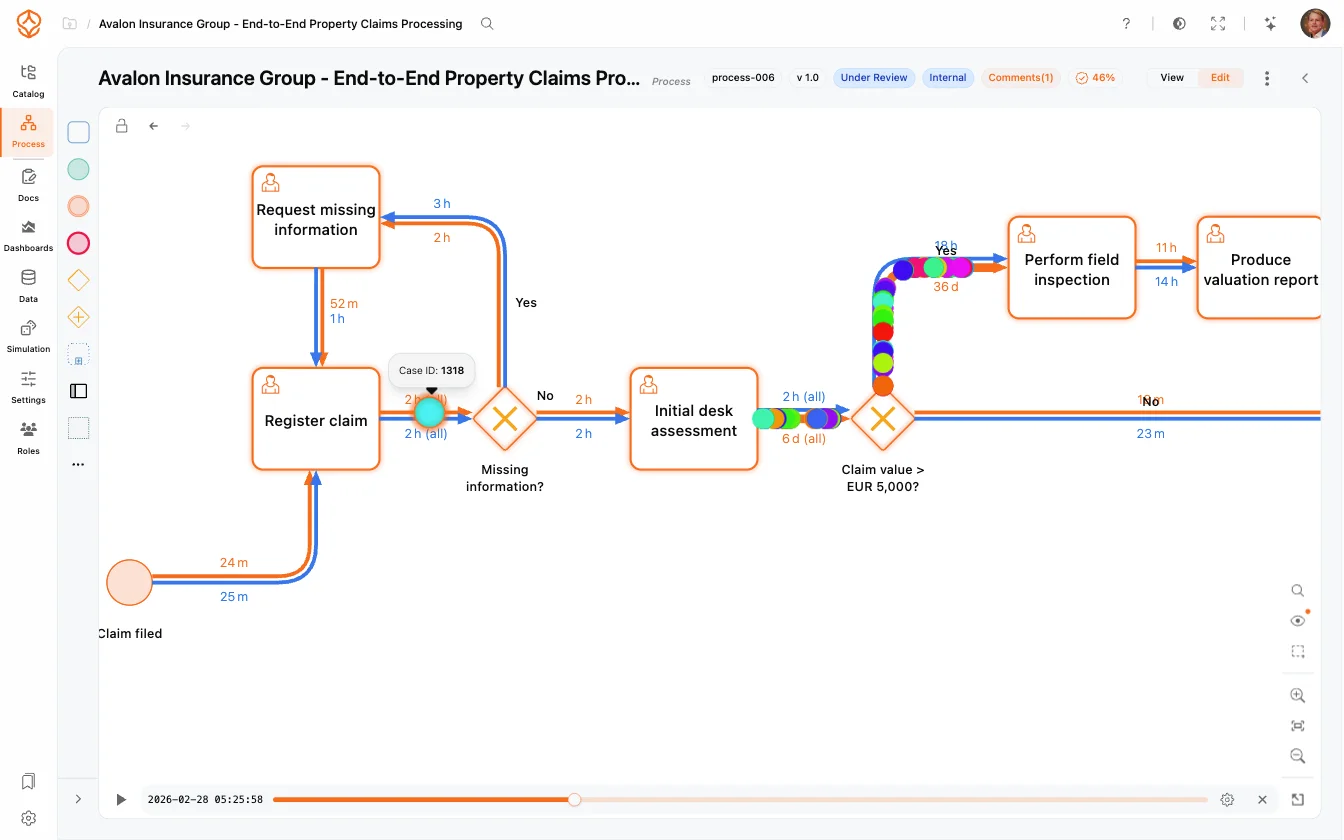
- Data-Driven Process Mining: Upload event logs and see how your process actually runs: bottlenecks, deviations, and inefficiencies surface automatically. See Process Mining.
- Process Variants & Conformance: Compare process variants and check how reality conforms to your designed model. See Process Variants and Conformance Checking.
- Compare Datasets: Compare a primary dataset against a comparison dataset to measure the impact of changes. See Comparing Data.
- AI Data Recommendations: Get AI suggestions on how to improve your dataset quality and mapping. See AI Data Recommendations.
- Simulation: Run what-if experiments on your process model, forecast outcomes, and predict bottlenecks before committing resources. See Simulation.
- Process Health: Track health scores across key dimensions (CURES) and prioritize improvement efforts. See Process Health.
Security and privacy are central to ProcessMind. ProcessMind operates in the cloud, giving you access to your process insights from anywhere, at any time. Strong data separation provides tenant-specific environments so your data remains isolated, secure, and private. SSO, role-based access, and audit logs keep your organization in control.
Transparent and Predictable Pricing
Pricing is per seat, with four levels: Process Foundation, Process Architecture, Process Intelligence, and Enterprise. Every workspace starts with a 14-day free trial and then moves to the free tier; see the pricing plans for details. Every plan includes monthly AI credits and usage limits on items such as simulations and uploads, and both grow with each plan.
How the Tracks Work Together
ProcessMind combines process design, architecture, and intelligence in one platform. Instead of switching between separate tools, you design with BPMN, govern with structure, analyze with real data, and simulate changes before implementing them:
- Design with Confidence: Map out your processes, including every task, role, and decision, with professional BPMN modeling.
- Govern with Structure: Give every process an owner, a place in the hierarchy, and a governance workflow.
- Analyze with Precision: Use real data to see how processes actually perform, revealing insights you can use to refine your workflows.
- Optimize Continuously: Apply insights from process mining directly in your process design, simulate potential changes, and forecast outcomes: all within the platform.
This integrated approach means a model documented with Process Foundation can be governed with Process Architecture and analyzed with Process Intelligence, without re-creating it in a separate tool.
Next Steps