Process Documentation
Create professional process documentation with a structured doc tree, configurable sections, an embedded RACI matrix, and PDF, Word, Markdown, and print exports
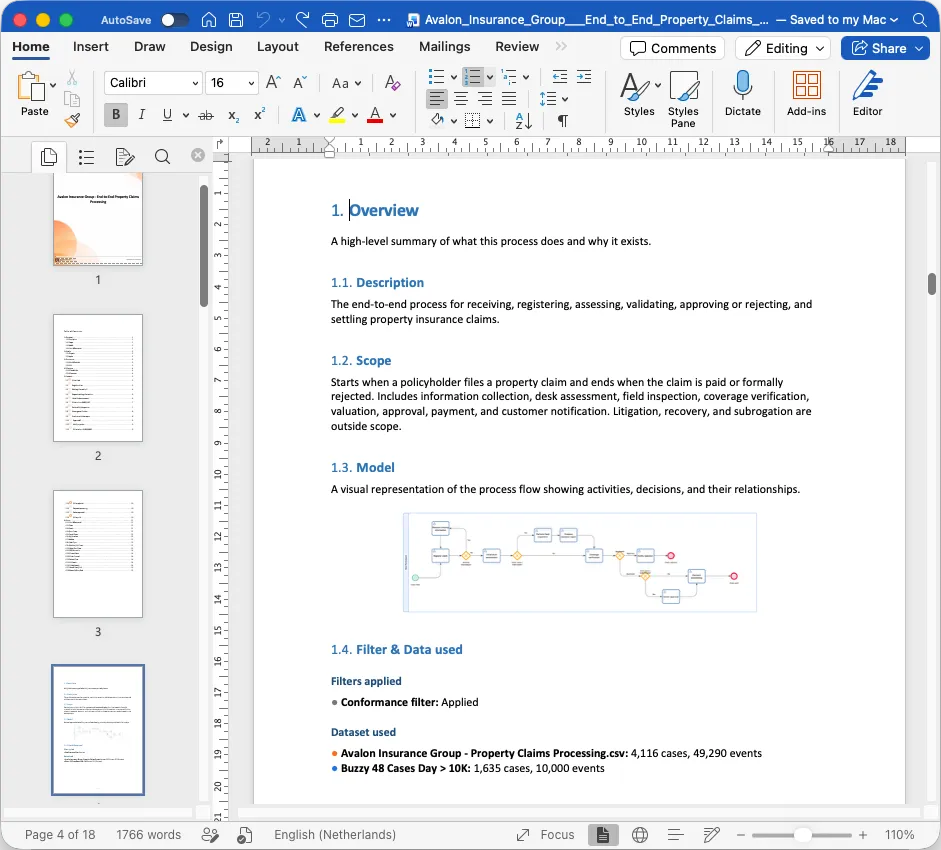
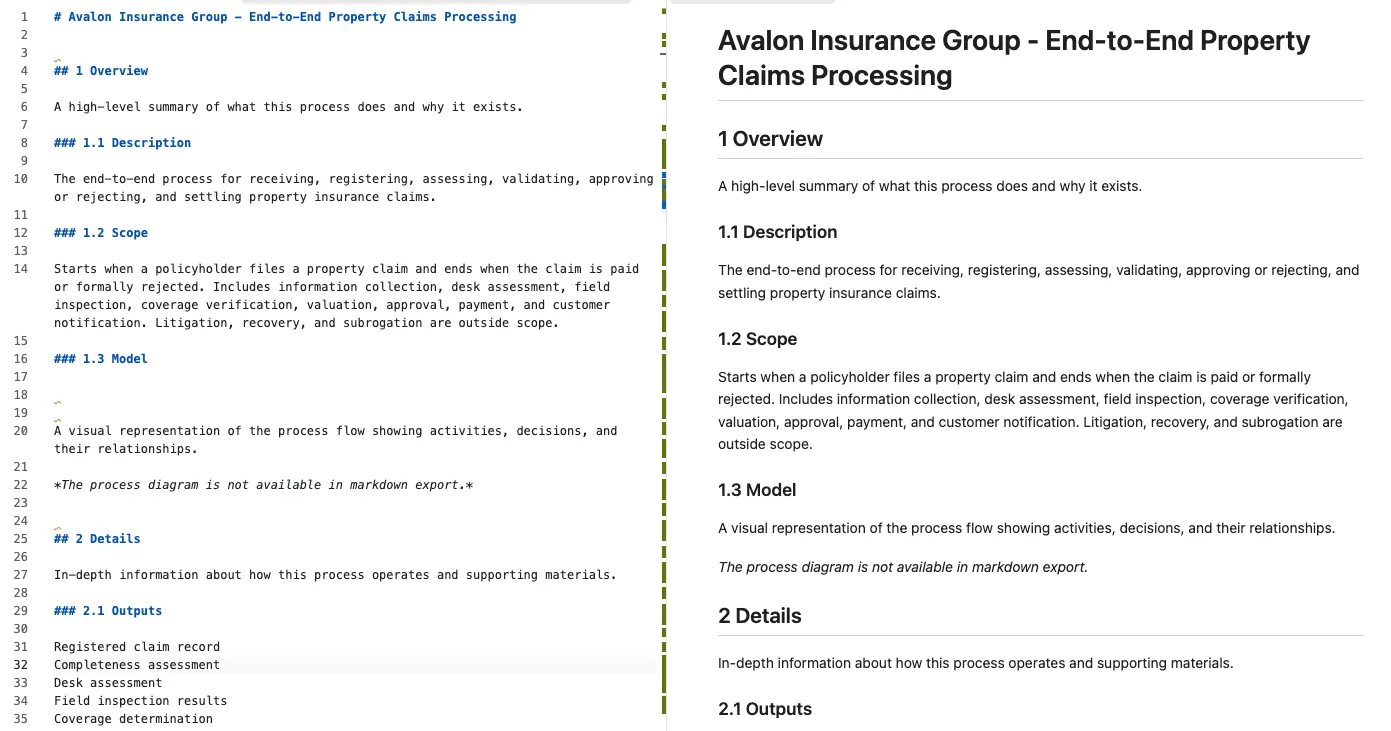
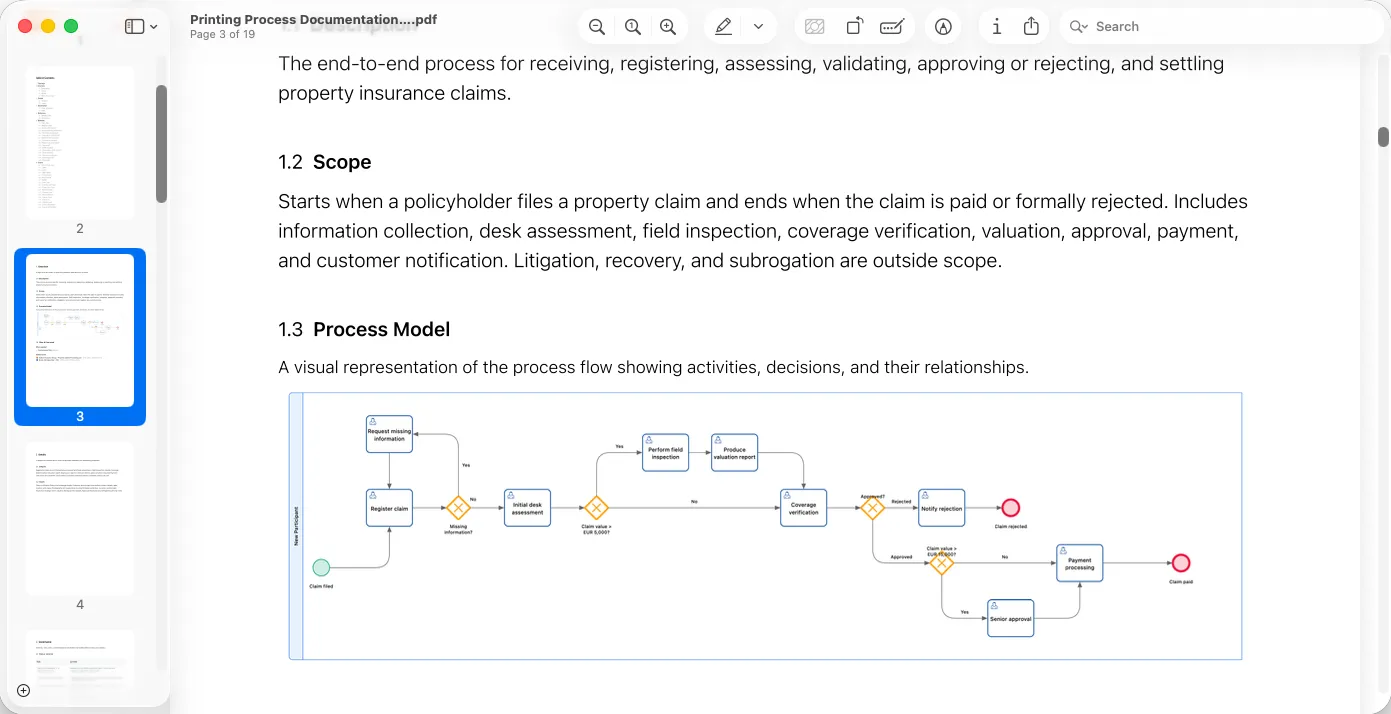
Documentation is only useful when it reaches the people who need it. Export your process documentation whenever you need it, in a format that fits the audience: Word for review cycles, Markdown for version control, PDF or print for meetings and archives. Exporting works at any time; publishing is not required, and every export reflects the current state of the process, including the RACI matrix and any attached artifacts. On the Process Individual plan, model and documentation exports are capped at 5 per month; paid editor seats export without a cap, and portal viewers can export published documentation.
| Format | Use it for |
|---|---|
| Server-rendered documents for distribution, review, or archiving | |
| Word (.docx) | Editable documents for further editing, distribution, or your quality management system |
| Markdown | Plain-text documents for version control and developer workflows |
| Quick paper copies or PDF files from your browser’s print dialog |
The export menu includes Export settings, where you decide what an exported document contains:
Use Set as default to apply these choices to every model in the environment, or Save for this model when only the current process should differ.
The Word export keeps the structure of your doc tree: each section becomes a heading, the RACI matrix is rendered as a table, and attached artifacts are listed with their links.
The Markdown export is plain text with standard headings and tables, so it fits naturally into Git repositories, wikis, and documentation pipelines.
Use your browser’s print dialog to export the documentation as a PDF or paper copy, or use Download as PDF for a server-rendered PDF without the print dialog. The print layout is optimized for reading, so you can share a clean document with stakeholders who prefer paper.
Get instant access with no credit card and no waiting. Turn the way your organization works into clear, connected process designs.
Build your process architecture, define ownership and controls, and align roles and responsibilities across every level.
Start your free trial and create one reliable foundation for governing, managing, and continuously improving your processes.
We use cookies to improve your experience, personalize content, and analyze traffic. Anonymous page measurement happens without them; analytics consent adds an identifier that links your visits. By clicking "Accept All," you consent to our use of cookies.