Download ProcessMind Example Files
Download free example BPMN and event log files to explore process modeling and mining in ProcessMind.
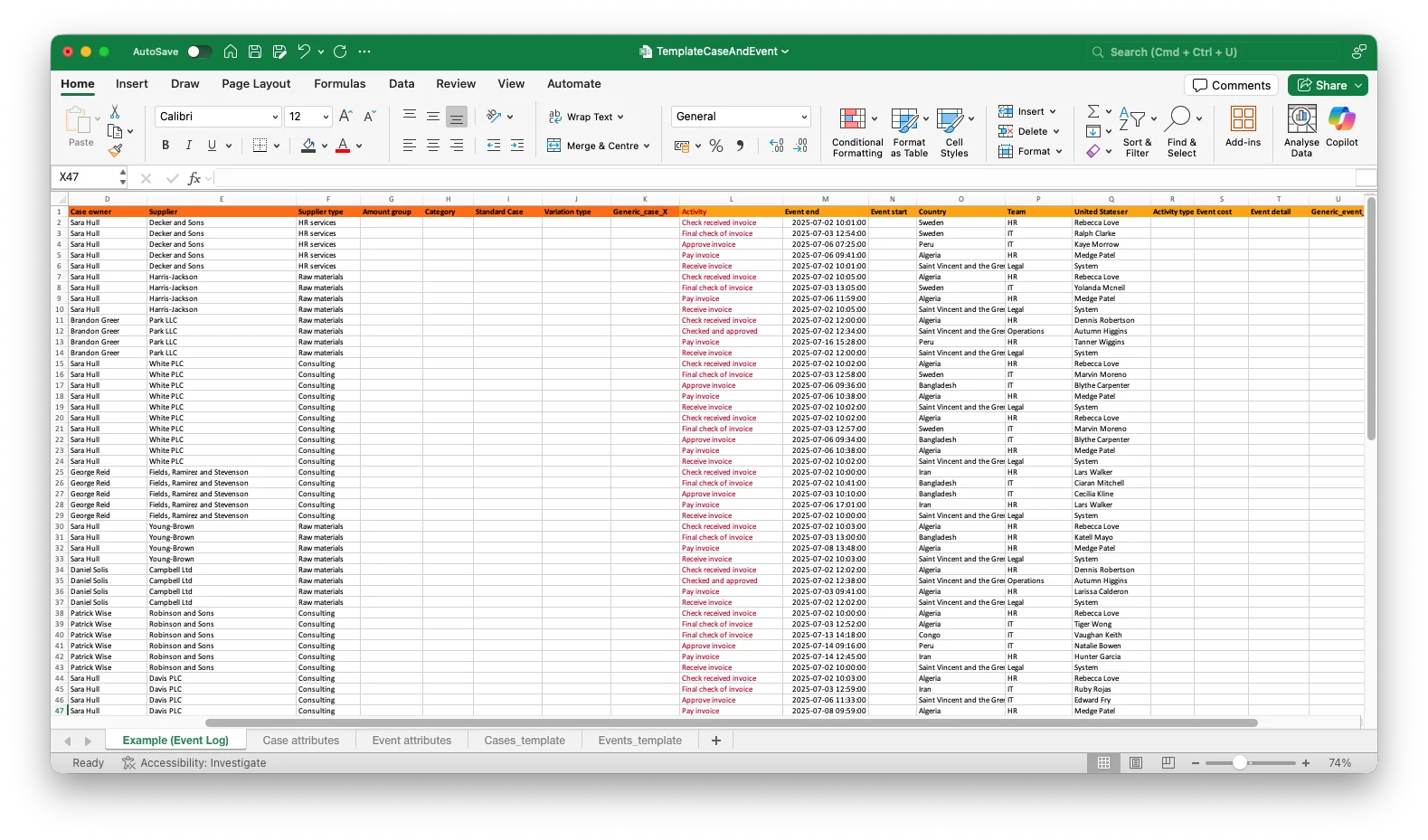
In this example file, you will find a template event log file that you can use to get started with process mining in ProcessMind. This log file contains the essential columns required for process mining analysis, along with some optional attributes that can enhance your insights. To understand how you can use this log file in ProcessMind, see the documentation on uploading your first dataset.
ProcessMind supports many formats for uploading datasets, including CSV, TSV, TXT, XES, Excel (XLS, XLSX, XLSB), Parquet, ORC, and JSONL/NDJSON, optionally gzip-compressed. See Supported Data Formats for the full list. Ensure your file is formatted correctly to avoid any issues during the upload process. In the following tables, you can find the required and optional columns for your event log file. Keep in mind that the uploaded file should combine case-level and event-level data into a single log, as shown in the example file.
All attributes that do not change during the case progression are listed below.
| Category | Attribute | Attribute type | Info |
|---|---|---|---|
| Mandatory | Case ID | Text | Internal ID of the case. Must be unique. |
| Optional | Amount | Double | A numeric value (Liters, Euros, Weight, etc.). |
| Optional | Amount group | Text | Group to which the amounts belong (High, Med, Low). |
| Optional | Case | Text | A human-readable label used when the Case ID is a numeric value. |
| Optional | Case type | Text | Categorization of a case (Simple case, Complex Case, Case department). |
| Optional | Case owner | Text | The owner of a case (User name, ID, department). |
| Optional | Customer | Text | Descriptive field about a case customer (Customer, Brand, Relationship No., company). |
| Optional | Customer type | Text | Group of Customer. |
| Optional | Supplier | Text | Descriptive field about a supplier (Company, Brand, Relation). |
| Optional | Supplier type | Text | Group of supplier. |
| Optional | Variation type | Text | Group of variation(s). |
| Optional | Custom case attributes | Text | Your own case info attributes |
| … | … | … | .. |
| Category | Attribute | Attribute type | Info |
|---|---|---|---|
| Mandatory | Activity | Text | The events in a case (Open, Close, Screen X, Document created, etc.). |
| Mandatory | Case ID | Text | The unique case identifier from the Case Attributes table. |
| Mandatory | Event end | Datetime | Format: YYYY-M-D h:mm[:ss[.zzz]] (the end time of an activity / timestamp of the activity). Other formats are also supported. |
| Optional | Event start | Datetime | Format: YYYY-M-D h:mm[:ss[.zzz]]. If an activity has a defined start and end time, you can map the start time of the activity here. |
| Optional | Country | Text | Country where the event (activity) took place. |
| Optional | Event cost | Double | Cost related to the event. |
| Optional | Event detail | Text | Information related to the event. |
| Optional | Team | Text | Team which executed the activity. |
| Optional | User | Text | User which executed the activity. |
| Optional | Custom event attributes | Text | Your own event info attributes |
| … | … | … | .. |
This template event log file is in Excel format and contains the essential columns required for process mining analysis, along with some optional attributes that can enhance your insights.
We use cookies to improve your experience, personalize content, and analyze traffic. By clicking "Accept All," you consent to our use of cookies.