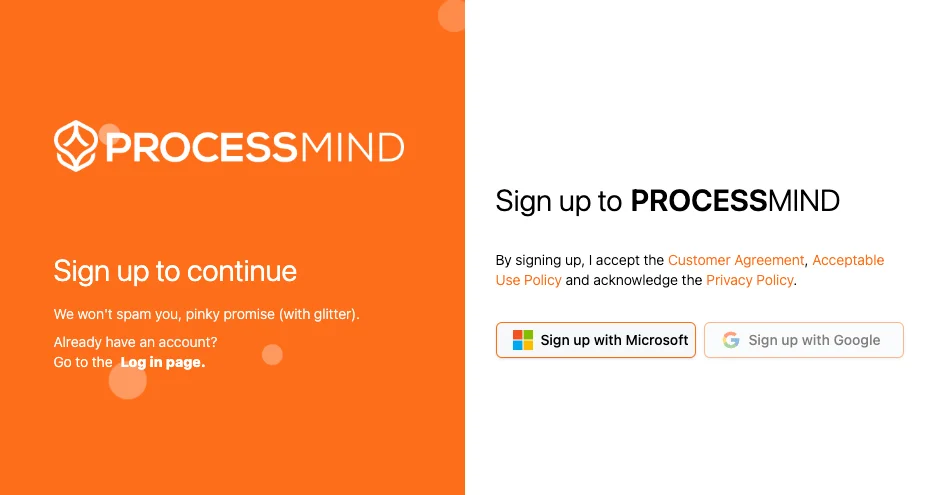
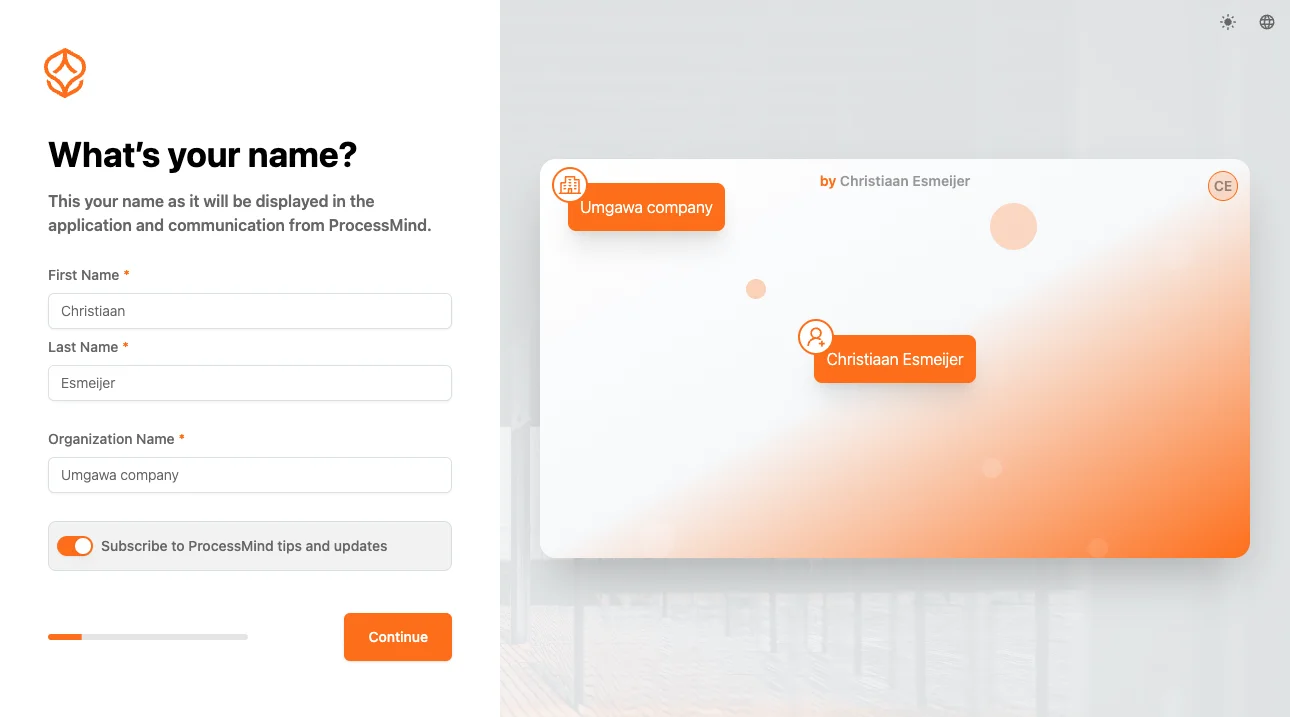
ProcessMind supports Single Sign-On (SSO) with trusted providers like Microsoft, Google, and LinkedIn. This makes logging in fast and secure, using your existing accounts. ProcessMind’s SSO collects only the information needed to identify you.
Microsoft
To log in with your Microsoft account:
Go to the ProcessMind login page and click Microsoft.
You will be redirected to Microsoft. Enter your credentials if prompted.
Grant ProcessMind access to your basic information, such as your email address.
After authentication, you will return to ProcessMind to finish onboarding.
Google
To log in with your Google account:
Go to the ProcessMind login page and click Google.
You will be redirected to Google. Enter your credentials if prompted.
Allow ProcessMind access to your basic information, such as your email address.
After authentication, you will return to ProcessMind to finish onboarding.
LinkedIn
To log in with your LinkedIn account:
Go to the ProcessMind login page and click LinkedIn.
You will be redirected to LinkedIn. Enter your credentials if prompted.
Allow ProcessMind access to your basic information, such as your email address.
After authentication, you will return to ProcessMind to finish onboarding.
Privacy and Data Protection
ProcessMind is committed to your privacy. When you log in with SSO:
Only your email address, first name, last name, and profile picture are collected to identify you in ProcessMind.
You can change your first and last name during onboarding to complete your profile.
Your profile picture is used as the initial image for your avatar, and you can change it later in your user settings.
No other personal data, such as contact lists, is retrieved from Microsoft, Google, or LinkedIn.
Troubleshooting Login Issues
If you encounter issues while logging in
Make sure you are using the correct Microsoft, Google, or LinkedIn account.
Confirm you have granted ProcessMind access to your email information.
Clear your browser’s cache and cookies, then try again.
If problems persist, contact your system administrator or ProcessMind support.
Microsoft Company Account Restrictions
If you are unable to log in with your Microsoft company account, your organization may have restricted access to third-party applications. This is normal behavior and a security measure implemented by many companies to ensure that only approved applications can access corporate accounts.
What you can do
Contact your IT department and request that ProcessMind be added to your organization’s list of approved applications.
In the meantime, you can start using ProcessMind with a Google or LinkedIn login to explore the platform and begin your work.
Switch later: Once your IT department has approved ProcessMind for your organization, you can link your Microsoft account or create a new account using your corporate credentials.
This approach allows you to get started right away while your organization completes the necessary approval process.
Essential for the website to function. Cannot be disabled.
These cookies are necessary for the website to function and cannot be switched off in our systems. They are usually only set in response to actions made by you which amount to a request for services, such as setting your privacy preferences, logging in, or filling in forms. For more information please visit our cookies policy page.
Help us understand how visitors interact with our website.
These cookies help us to understand how visitors engage with the website. We may use a set of cookies to collect information and report site usage statistics. In addition to reporting site usage statistics, data collected may also be used, together with some of the advertising cookies described, to help show more relevant ads across the web and to measure interactions with the ads we show. For more information, please visit our cookies policy page.
Used to deliver personalized advertisements.
We use cookies to make our ads more engaging and valuable to site visitors. Some common applications of cookies are to select advertising based on what's relevant to a user; to improve reporting on ad campaign performance; and to avoid showing ads the user has already seen. For more information please visit our cookies policy page.
Remember your settings and preferences.
We use a set of cookies that are optional for the website to function. They are usually only set in response to information provided to the website to personalize and optimize your experience as well as remember your chat history. For more information please visit our cookies policy page.