Process Simulation
Simulate your business processes to predict outcomes, test changes, and optimize workflows before implementation.
Setting up a simulation requires realistic parameters: arrival rates, processing times, and resource capacities. AI-assisted simulation removes the guesswork by generating these parameters for you, either from your process model or from your actual process data.
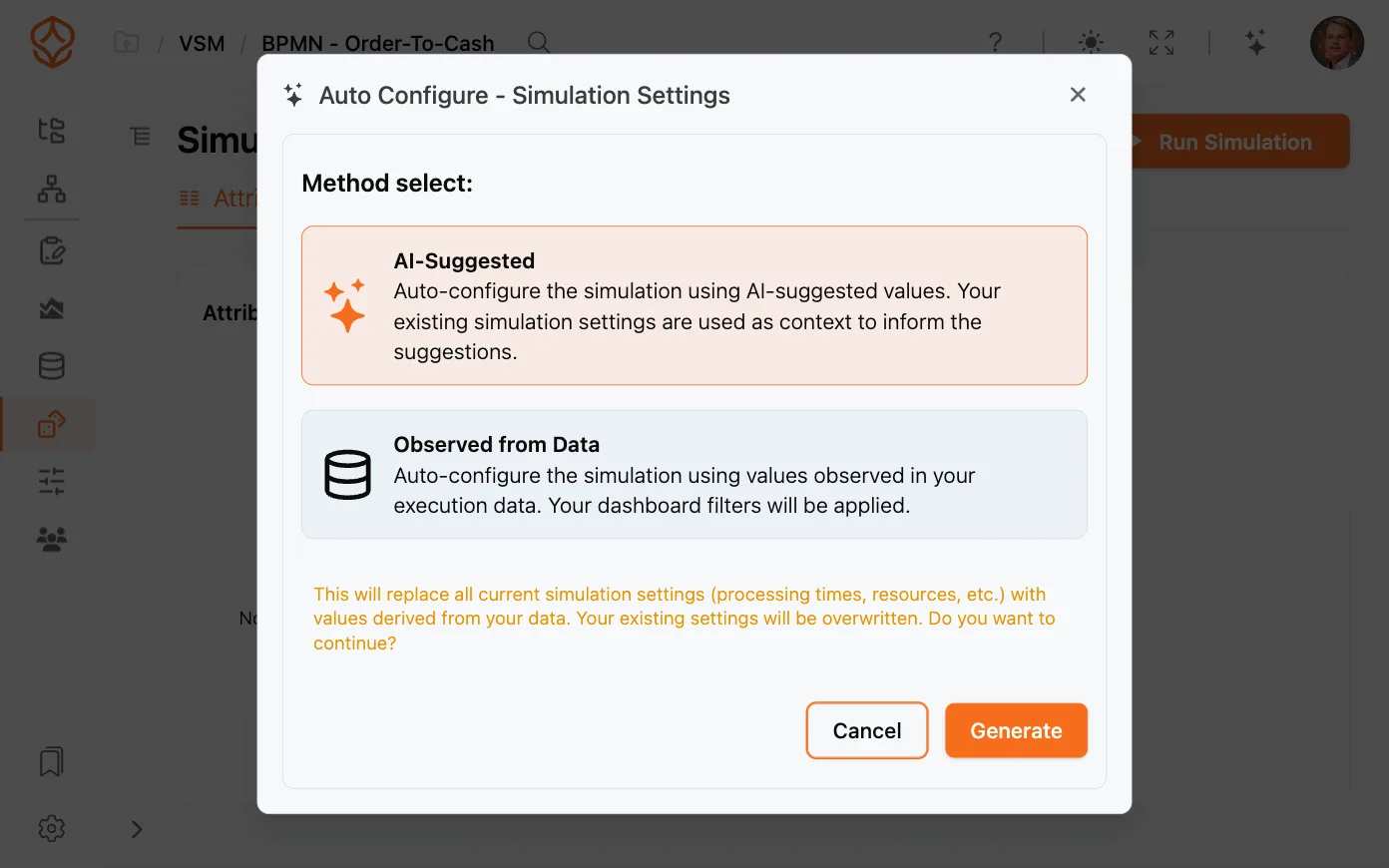
When you configure a simulation, the Auto Configure feature can populate your simulation parameters in two ways:
Both approaches save time and produce simulations grounded in realistic assumptions.
To have AI suggest parameters from your model:
AI-Suggested is ideal when you have a model but no historical data, or when you want a quick starting point.
To base your simulation on real behavior:
Observed from Data produces the most realistic results because the parameters reflect how the process actually performs. See What-If Analysis with Simulation for how to compare simulated results against real data.
For a full overview of every control, see the Simulation Interface Reference and Running a Simulation.
AI-assisted configuration uses a few AI credits per action. Your organization’s balance and monthly allowance are shown on the Usage and Credits screen.
Get instant access with no credit card and no waiting. Turn the way your organization works into clear, connected process designs.
Build your process architecture, define ownership and controls, and align roles and responsibilities across every level.
Start your free trial and create one reliable foundation for governing, managing, and continuously improving your processes.
We use cookies to improve your experience, personalize content, and analyze traffic. Anonymous page measurement happens without them; analytics consent adds an identifier that links your visits. By clicking "Accept All," you consent to our use of cookies.