Events
Explore BPMN events, their types, symbols, and how they trigger, modify, or complete business processes.
In BPMN 2.0, pools and swimlanes (also known as lanes) are used to organize processes and visually represent the roles, departments, or entities involved in a business process. They help clarify who is responsible for which tasks, and how different participants interact with one another.

Purpose: A pool represents a major participant in the process or a broader entity, such as an organization, system, or business partner. Pools are used to define the boundaries of a process and indicate that different pools may represent different organizations or departments working together.
Visual Representation: A large rectangle enclosing a complete process. It can contain multiple swimlanes (lanes), but each pool represents a distinct process or participant.
Example: You might have one pool for “Company A” and another pool for “Company B” in a process where both companies interact.
Use Case: Pools are typically used when you want to model interactions between different entities, such as when a company interacts with an external vendor, partner, or customer. Each entity gets its own pool, and the message flows between pools indicate communication between the entities.
Purpose: A swimlane (or lane) is a sub-partition within a pool that helps further organize activities by separating them according to specific roles, departments, or systems. Lanes provide clarity by showing who is responsible for performing specific tasks within a pool.
Visual Representation: Horizontal or vertical subdivisions within a pool, each representing a different participant (e.g., a department, role, or system).
Example: Inside the pool representing a company, you might have lanes for “Sales,” “Finance,” and “Customer Support,” with tasks assigned to each department.
Use Case: Lanes are used to assign responsibility for tasks within a pool, making it clear who performs each activity. For example, tasks related to processing invoices might be placed in the “Finance” lane, while tasks related to customer inquiries are placed in the “Customer Support” lane.

Purpose: A collapsed pool represents a participant in the process (such as a company, department, or system) where the internal process flow is not displayed. This is used to show interactions between different participants without revealing their internal workflow details.
Visual Representation: A large rectangle with no internal activities shown. It typically contains only the participant’s name and may have message flows entering or leaving the pool to show interaction with other participants.
Example: A diagram might show a company interacting with a supplier. The company’s internal processes are shown, while the supplier is represented by a collapsed pool to indicate involvement without detailing their internal steps.
Use Case: Collapsed pools are useful when you want to display the interaction between multiple participants but don’t need to focus on the detailed processes of some of them. For example, you may want to show how a customer interacts with an external vendor without showing the vendor’s internal procedures.
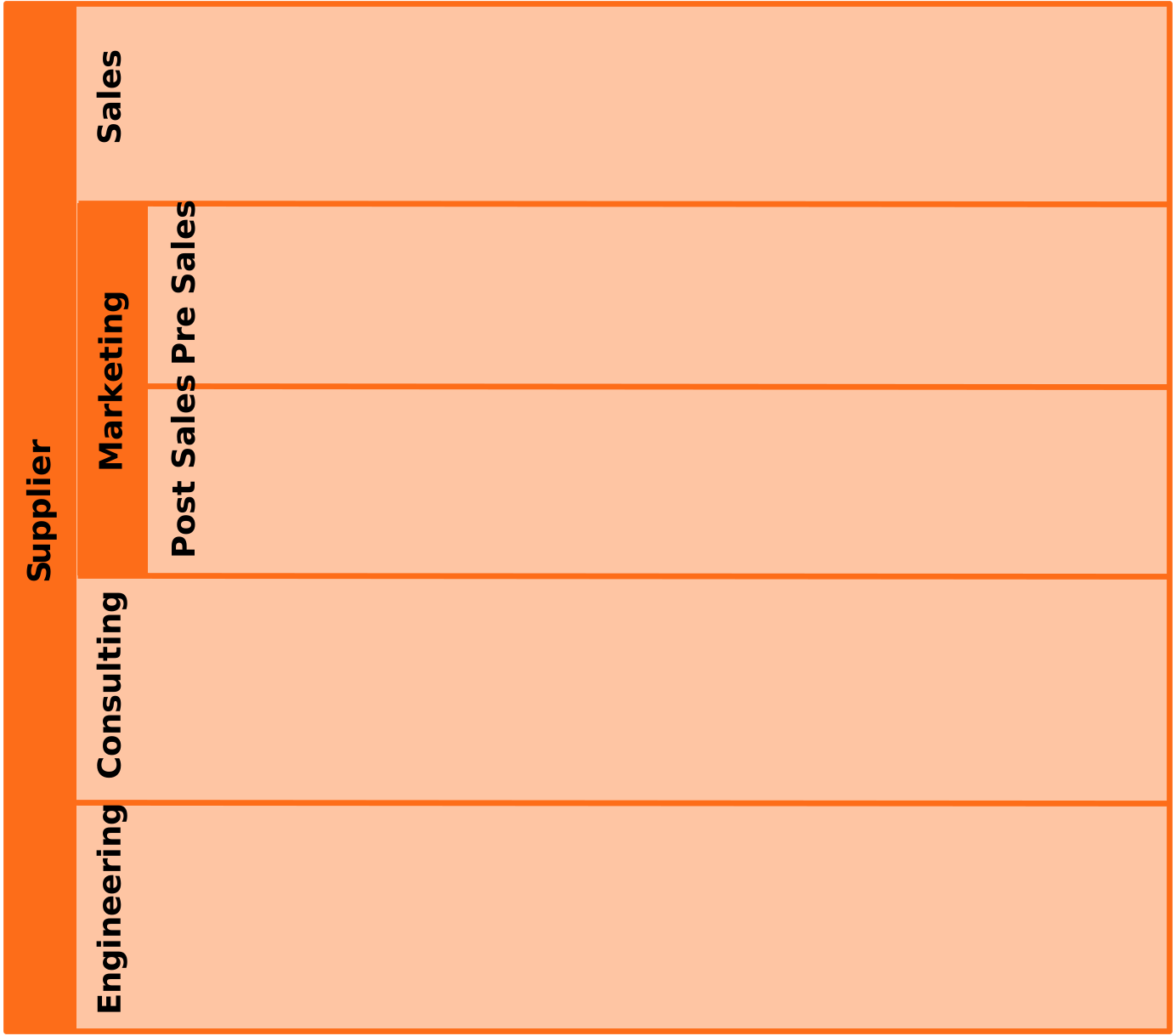
This diagram represents a single participant in the process:
Supplier
The pool contains several lanes representing departments within the organization.
The Marketing lane is subdivided into two more specific responsibility areas:
Lanes help clarify which department or role is responsible for specific activities while all activities remain part of the same overall organization.
Using pools and lanes allows complex processes to be structured clearly by showing how different departments collaborate within a single organization.
We use cookies to improve your experience, personalize content, and analyze traffic. By clicking "Accept All," you consent to our use of cookies.