Modeling
Editor features for building BPMN models in ProcessMind: the modeling canvas, element settings, AI generation, import and export, versioning, and auto layout.
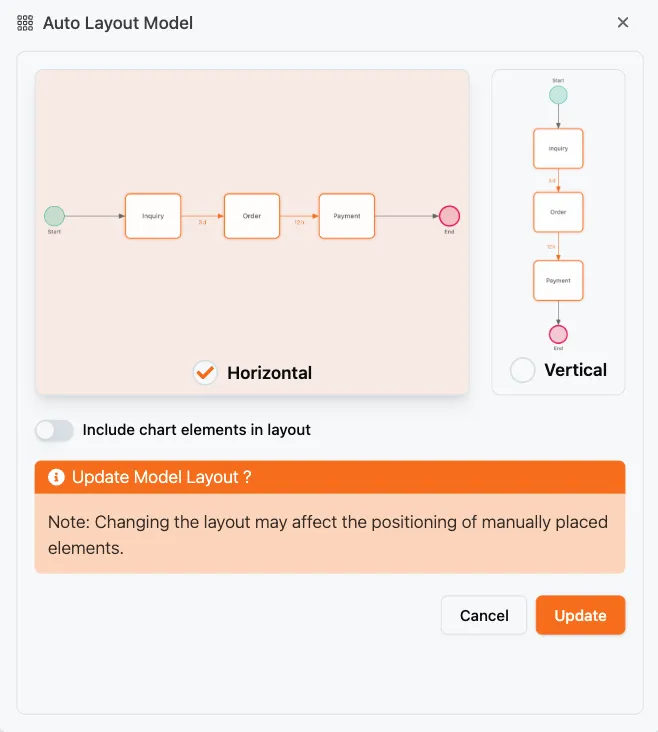
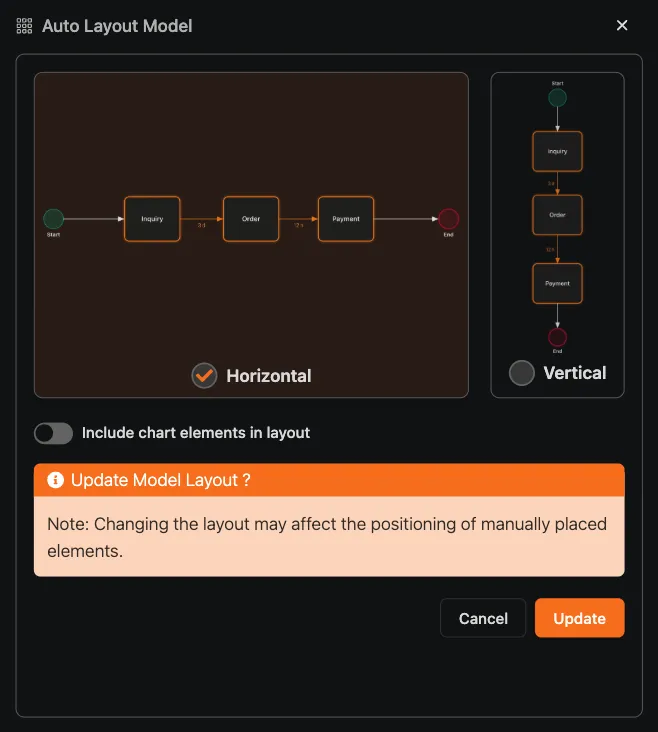
The auto-layout engine arranges the elements and connections of your BPMN diagram automatically, producing a clean, readable layout in either vertical or horizontal notation. It runs behind the scenes whenever a model is generated or mined, and you can trigger it yourself to tidy up a hand-drawn diagram. You can try it on your own diagram with a free trial.
The layout engine supports two directions:
You can switch between the two at any time without redrawing anything manually: the engine repositions the whole model.
To arrange a model automatically:
The engine also runs automatically when a model is generated with AI or mined from data, so those models arrive already laid out. After you edit a model by hand, run auto-layout again to keep it clean.
You don’t always need to re-layout the whole model. From a connection’s menu, choose Auto layout to straighten and re-route that edge. This is handy after you move an element and a connection becomes tangled.
Use the auto-layout engine when you:
Get instant access with no credit card and no waiting. Turn the way your organization works into clear, connected process designs.
Build your process architecture, define ownership and controls, and align roles and responsibilities across every level.
Start your free trial and create one reliable foundation for governing, managing, and continuously improving your processes.
We use cookies to improve your experience, personalize content, and analyze traffic. Anonymous page measurement happens without them; analytics consent adds an identifier that links your visits. By clicking "Accept All," you consent to our use of cookies.