What is BPMN 2.0?
Discover BPMN 2.0, the visual language for mapping and improving business processes. Learn its building blocks and practical benefits.
Creating a BPMN diagram starts with understanding your process at a high level, then gradually adding detail. You build the diagram directly in the ProcessMind modeler: create a new process (or use an empty canvas) and drag elements from the palette on the left onto the canvas. Here is a practical approach to structuring the diagram.
Identify Essential Steps: Start by outlining the main steps in your process, including where it begins and ends. For example, in an order process, key actions might include receiving the order, checking credit, fulfilling the order, and sending an invoice.
Explore Alternative Paths: Look for possible alternative routes or outcomes, such as what happens if an order cannot be completed. Use gateways to show these different paths in your diagram.
Add Pools and Swimlanes: Identify the main stakeholders, departments, or roles involved. Organize activities into pools and swimlanes to make responsibilities clear at a glance.
Show Message Flows: Add any important messages exchanged between pools or within the same pool. This helps you visualize how information moves through your process.
Include Artifacts and Details: Attach relevant documents, notes, or roles to each step. If a step contains several smaller actions, consider making it a subprocess for clarity.
Plan for Errors: Think about what could go wrong and add error-handling steps or events to your diagram. This makes your process more reliable and realistic.
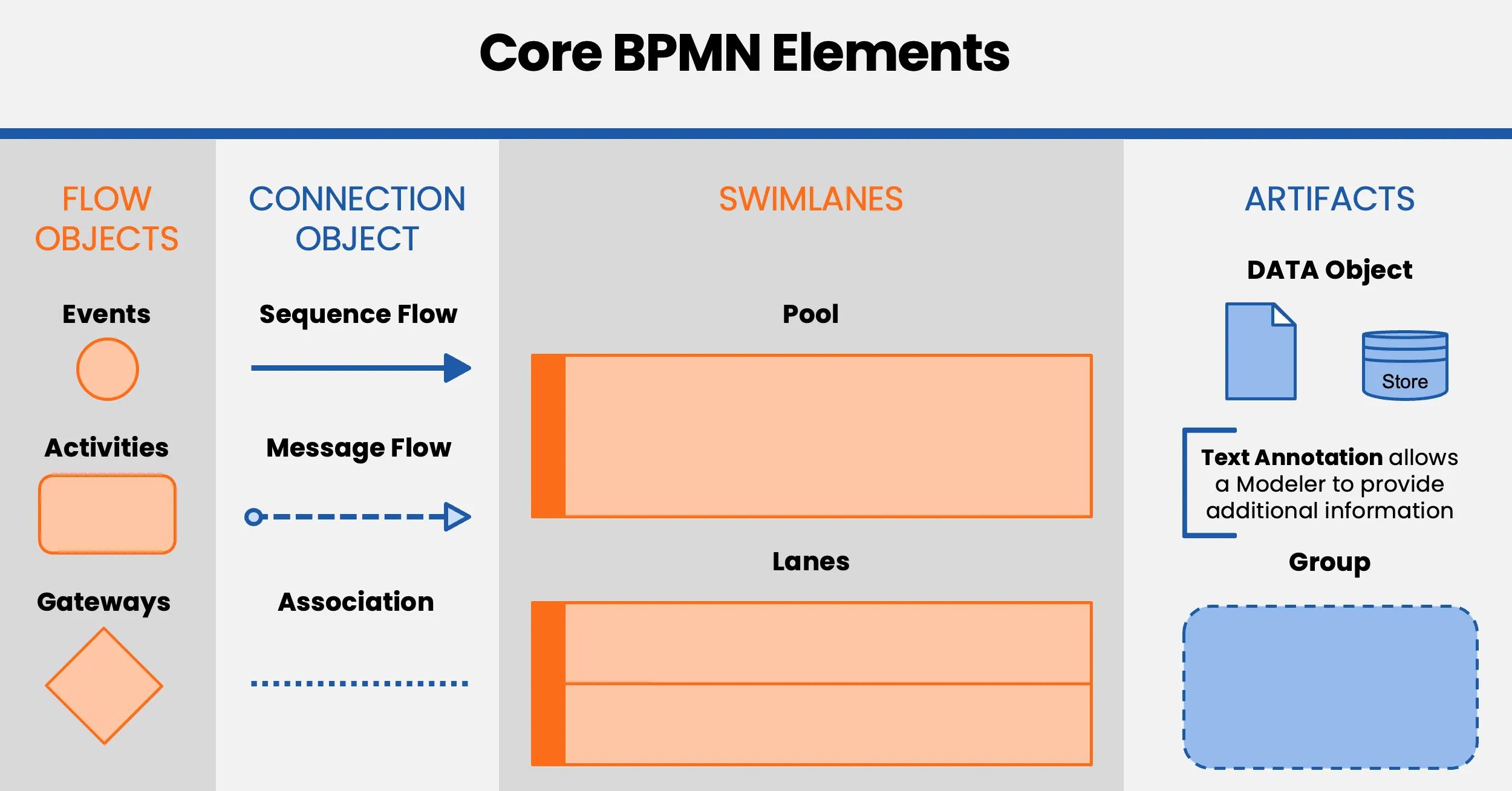
When you understand these core elements and how they work together, you can create BPMN 2.0 diagrams that reflect your business processes.
BPMN 2.0 gives you a clear, visual way to communicate how work happens, spot opportunities for improvement, and simplify operations. For more on the notation, see the official BPMN website.
We use cookies to improve your experience, personalize content, and analyze traffic. By clicking "Accept All," you consent to our use of cookies.