Process Portal
Share read-only, published processes with the rest of your organization: browse the catalog, open models, read documentation, and export documents.
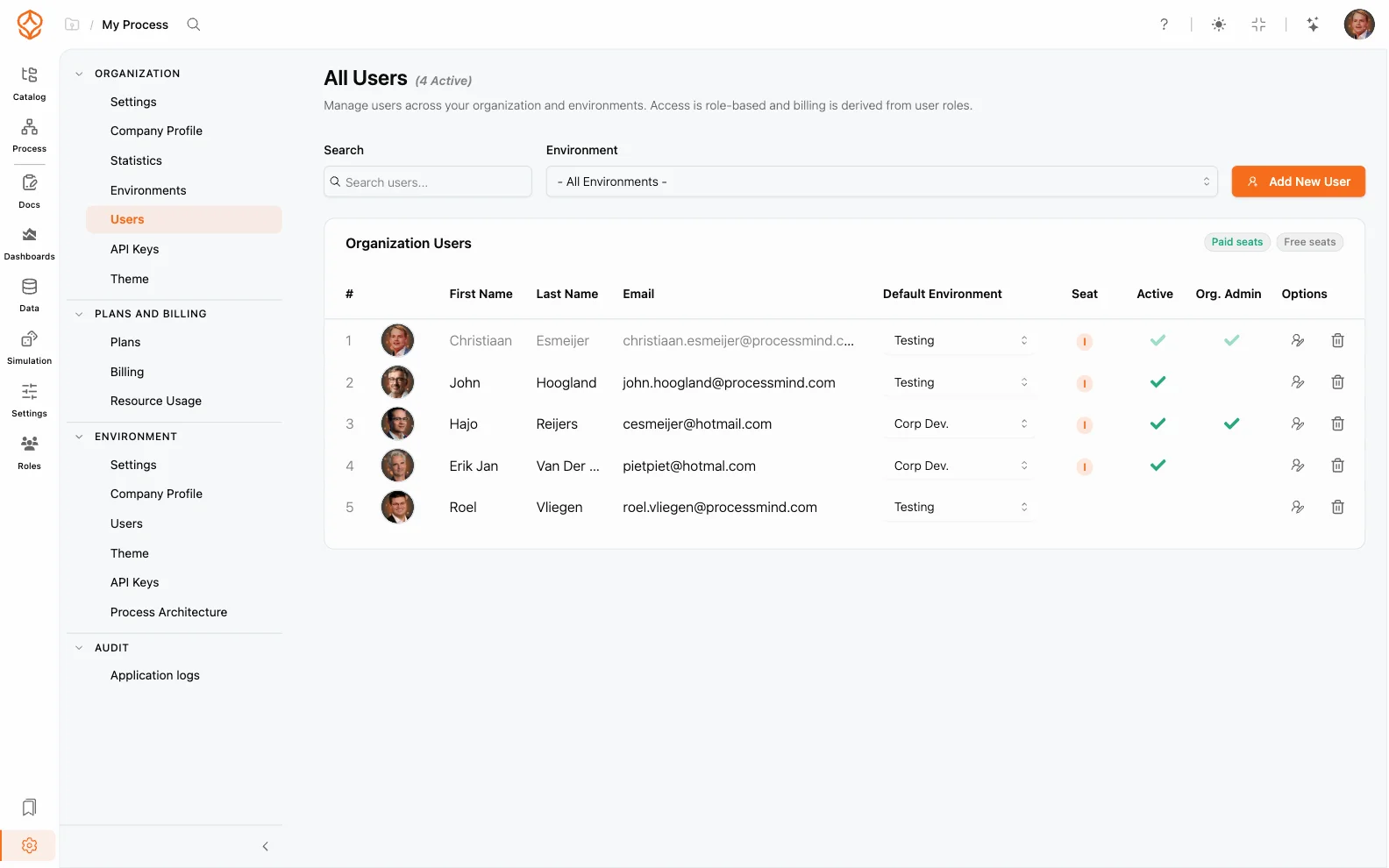
Viewer users are read-only members of your organization. They can browse the Process Portal, open published models, read documentation, and export documents, but they cannot model, edit, or manage anything. Viewers are free and never count against paid seats: every Process Architecture and Process Intelligence seat includes 10 free portal viewers, every Intelligence seat includes 3 dashboard viewers who can additionally read dashboards, and Enterprise agreements can enable unlimited viewer access.
A viewer never needs modeling permissions, and viewing does not count against your modeling seats.
Because viewers always see the latest published version, your portal stays accurate without extra work:
Get instant access with no credit card and no waiting. Turn the way your organization works into clear, connected process designs.
Build your process architecture, define ownership and controls, and align roles and responsibilities across every level.
Start your free trial and create one reliable foundation for governing, managing, and continuously improving your processes.
We use cookies to improve your experience, personalize content, and analyze traffic. Anonymous page measurement happens without them; analytics consent adds an identifier that links your visits. By clicking "Accept All," you consent to our use of cookies.