
Task Mining: What It Captures and What to Use Instead
See what task mining records and how to discover work without desktop monitoring.

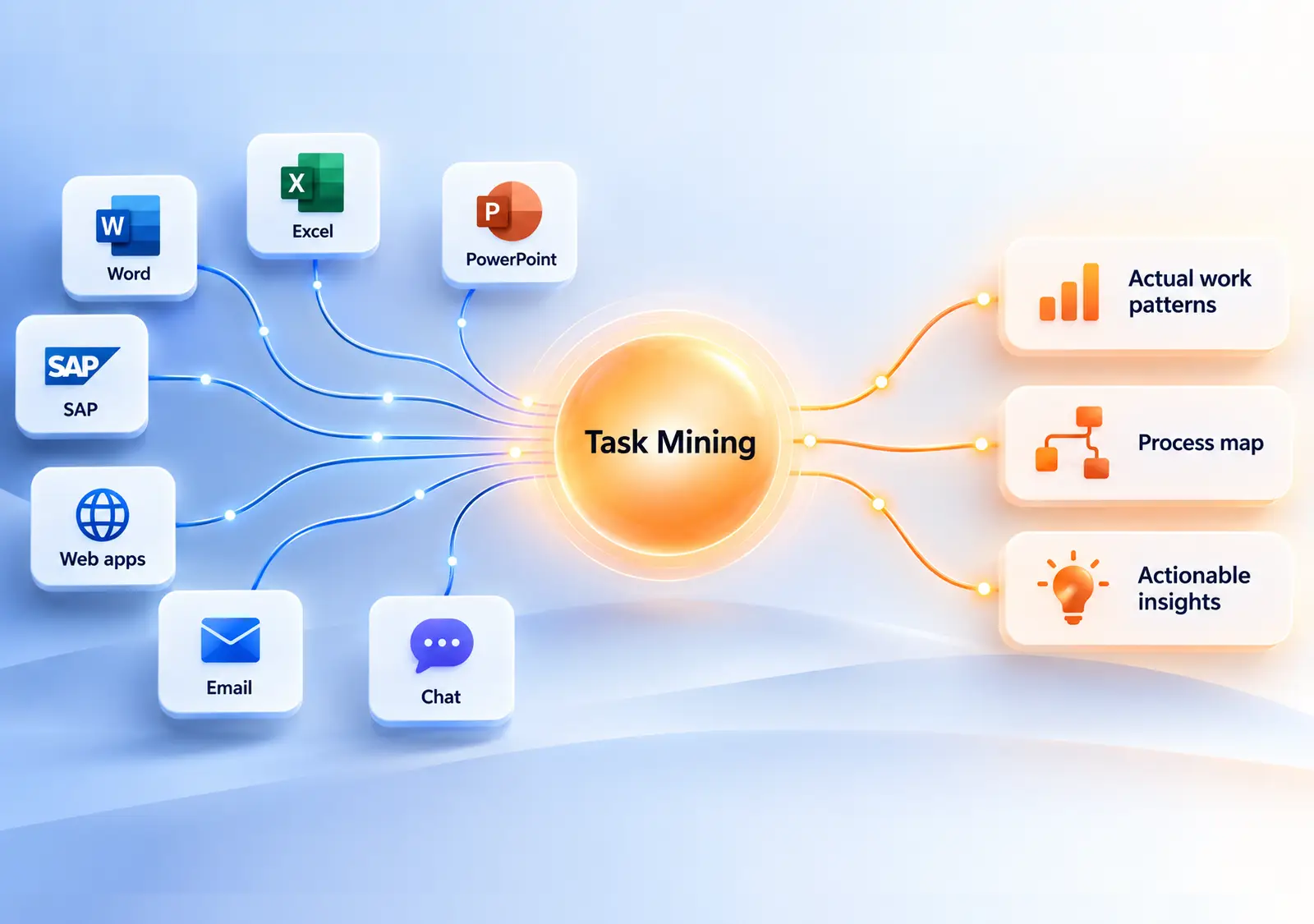
Task mining captures activity inside applications, often through desktop software that records clicks, keystrokes or screen context. It can reveal UI-level detail, but it also collects information about individual employees. Before you learn how work gets done, you may need to address privacy, trust and works-council concerns.
You can investigate work without monitoring individuals. Ask the people doing the work to explain it, then use the event logs your systems already produce to check what they describe. When showing is easier than describing, they can choose to capture a specific screen step. AI-assisted modeling can help turn those descriptions into a process model the team can review and own.
What does task mining capture?
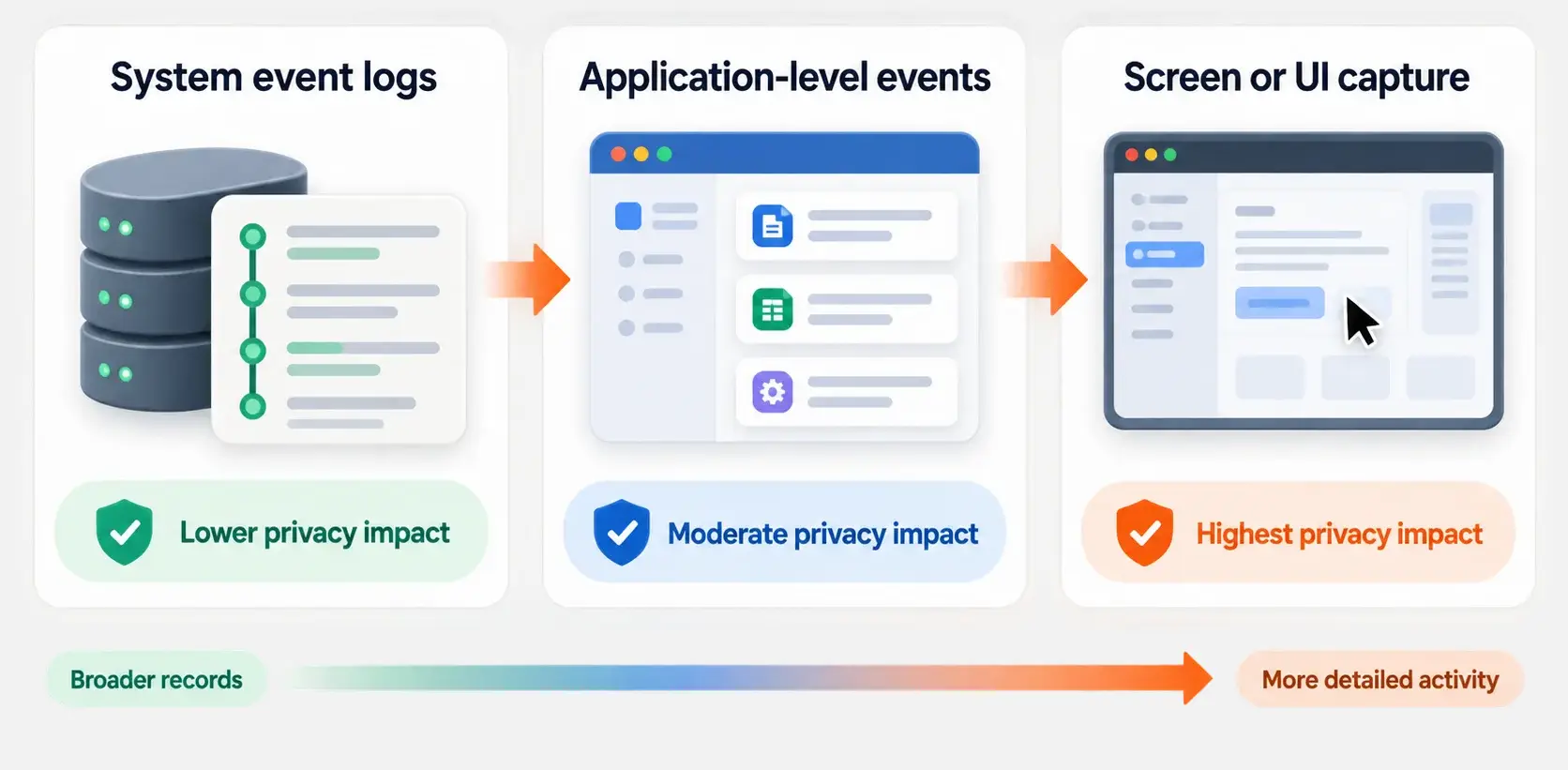
Task mining software records activity inside an application’s user interface. Depending on the tool, desktop activity capture may show which applications people use, which screens they open, which fields they fill in and the order of those actions. Some tools also capture screenshots for context.
That can reveal UI-level detail that system event logs do not contain. If work happens in a spreadsheet, email or an application that records few useful process events, the system log may not show what happened.
The tradeoff is fundamental: desktop recording collects information about individual employees. Aggregating the results later does not change what the software captured in the first place.
What does task mining deployment involve?
A task mining demo shows the analysis, but deployment also means installing and maintaining a recorder on the desktops in scope.
Rollout across desktops. Task mining depends on software running alongside the applications people use. That usually means a rollout across every desktop in scope, admin rights or an IT package, version updates, and a plan for shared machines, virtual desktops and contractors’ laptops. Employees will also see that the recorder is installed.
Recording during work. The recorder runs through the capture period, not only while someone performs the process you want to study. A case in a business system starts when a record is created; a person’s working day does not follow that boundary. Whatever is on screen during the period may be in scope, including activity you did not intend to collect.
Performance tuning. Software that attaches to several applications needs tuning so it does not slow them down. Exclusions and capture windows may need adjustment, and performance issues can undermine support for a rollout.
Personal data and filtering. Screen capture can collect customer names, account numbers, addresses, case notes and, in some processes, health or salary details. Pattern rules can identify an email address or card number, but filters can miss data they were not designed to find. Broad rules can also remove context that makes a capture useful. Filtering happens after collection, so it cannot prevent the initial capture.
Thread reconstruction and cleanup. People handle several cases at once, switch applications, take calls and leave work unfinished. The recorder sees interface activity, so the analysis has to infer which case a click belongs to, where a task starts and ends, and which fragments belong together. That reconstruction often needs manual cleanup before the resulting steps make sense.
Cloud processing. Many task mining products process screenshots and events in the vendor’s cloud. That raises questions about where data is stored, how long it is kept, who can query it and which subprocessors are involved. Ask for those details in writing as part of your assessment.
These requirements do not mean task mining cannot answer a specific question. They do mean the work includes rollout, tuning, filtering and cleanup, as well as the trust involved in installing a recorder. Ask a vendor to connect you with a customer who has used the system for a year and explain what ongoing cleanup required.
Why can desktop recording undermine trust?
Privacy is part of the method, not a separate technical issue. Software that records individual activity creates data that may be viewed or queried at the employee level, even when your goal is to study a process.
Employees may reasonably wonder how the data could be used. If they feel watched, they may follow the official procedure more closely while recording is active or avoid explaining workarounds that help them handle exceptions. You risk losing the candid answers process discovery depends on.
Depending on your location and organization, you may also need to address legal requirements, transparency and works-council agreement. But employee monitoring is not just a compliance hurdle. You are spending trust to collect the data, and that can affect what you learn.
Screen recordings can also generate large volumes of interface detail. Sorting through window changes and field entries takes effort, and the result may describe a software interface without explaining how the process performs.
Which process questions should you ask?
Whatever route you choose, start by defining what you need to learn about the process.
- Which steps does the work go through, and in what order?
- Where does work wait, and where do handoffs occur?
- Which process variations happen, how often, and why?
- Which manual steps require human judgment, and which exist because of system limitations?
These are questions about the process, not an individual employee, so you can answer them from system records and the knowledge of the people doing the work.
They also separate work that suits automation from work that depends on human judgment. Read how to find automation opportunities with process mining.
How can you discover work without employee monitoring?
You can combine structured conversations and employee-led documentation with event-log analysis to understand the work and check it against what the systems recorded.
1. Ask the people who do the work
The people doing the work know how it really runs, including the parts no system records: a phone call, a spreadsheet used to reconcile two systems, an exception handled by email. They can explain what happens and why.
Ask about the process and its exceptions, not an individual’s performance. A conversation lets you follow up on unclear steps and understand the reasons behind them. A screen recording cannot provide that context on its own.
A screen step can still help explain the work. The person doing it can choose to capture the relevant screen, crop it, black out personal data and write the instruction that goes with it. They can attach it to an activity in the process model. That documents one step, rather than recording a working day.
2. Draft a process model with AI assistance
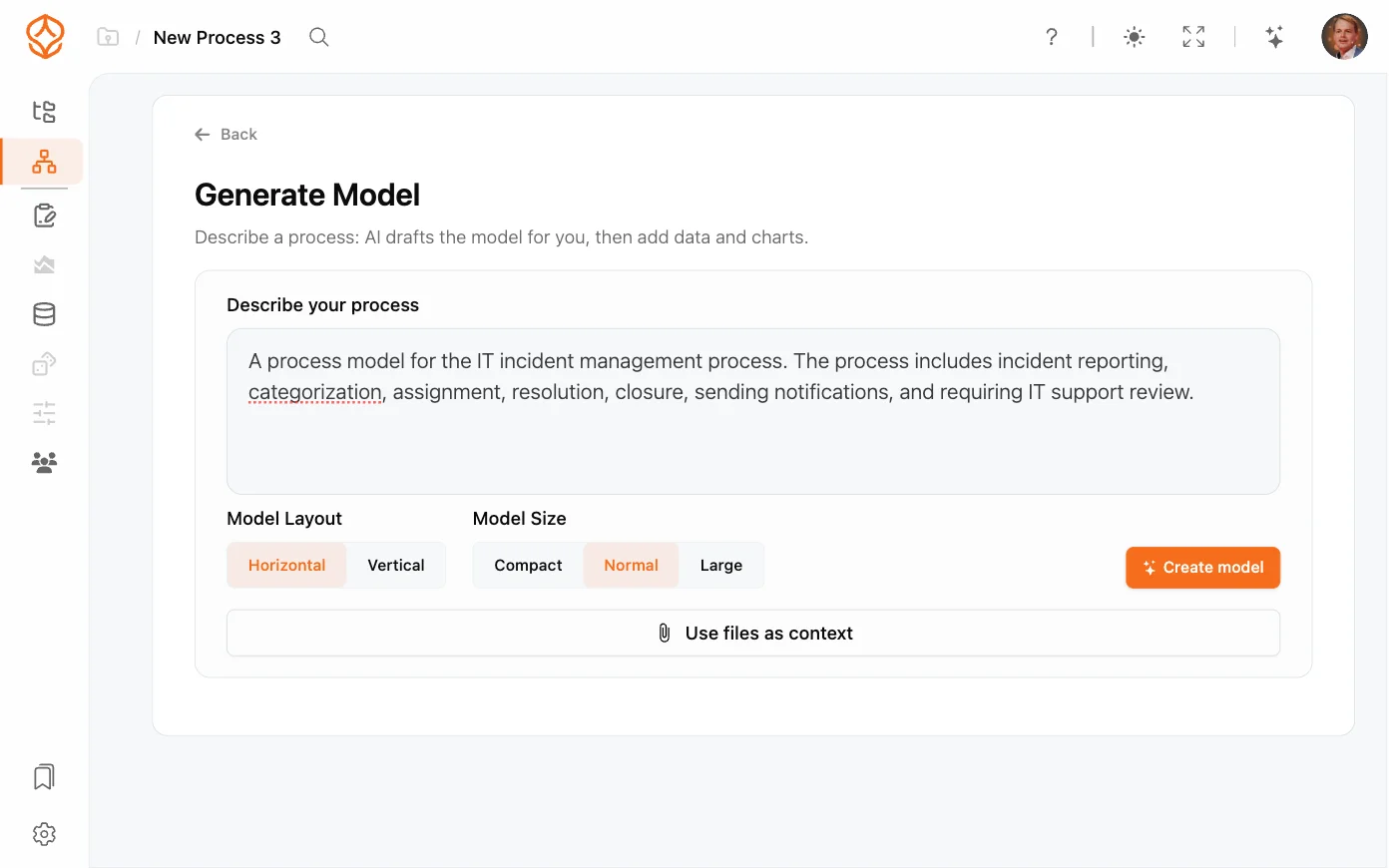
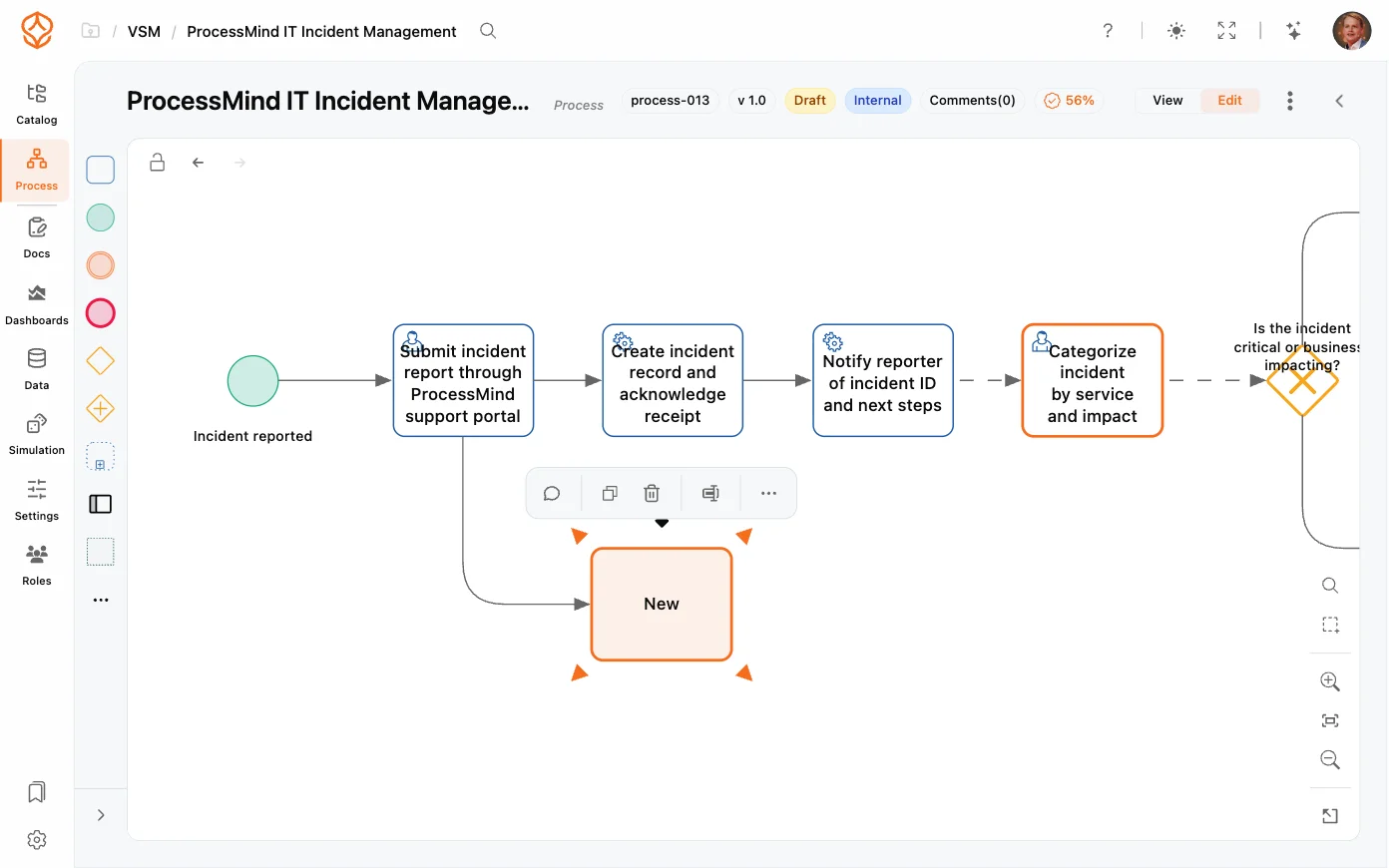
Once the team has described the process, AI-assisted modeling can help create a first draft. The people who run the process can then review and correct it. AI helps with the initial model; it does not replace their knowledge or approval.
See AI-assisted process management to learn how this approach fits into process work.
3. Compare the model with the event log
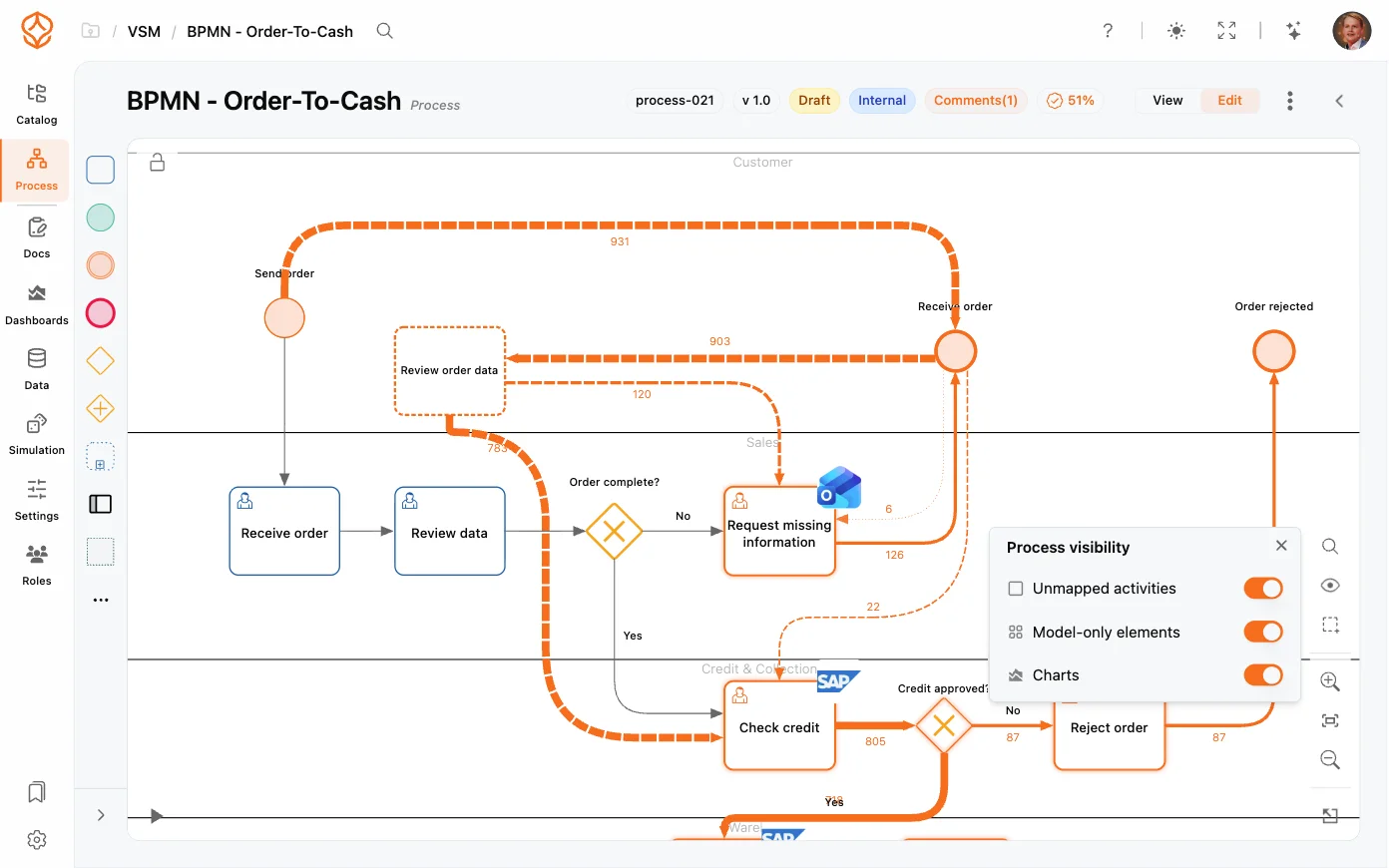
A process model describes how the team understands the work. Event logs show what the systems recorded. Business systems such as ERP, CRM, ITSM, WMS and MES often write a case identifier, an activity and a timestamp when a case changes status, which is enough to reconstruct how cases actually ran without tracking what any individual does on screen.
Comparing the two can reveal differences worth investigating, such as undocumented steps or deviations from the expected process. Be clear about the source of each part of the picture: a step inferred from an event log is not the same as a step described in a conversation.
For guidance on finding and preparing that data, read how to get event data out of your systems.
4. Test proposed changes before implementation
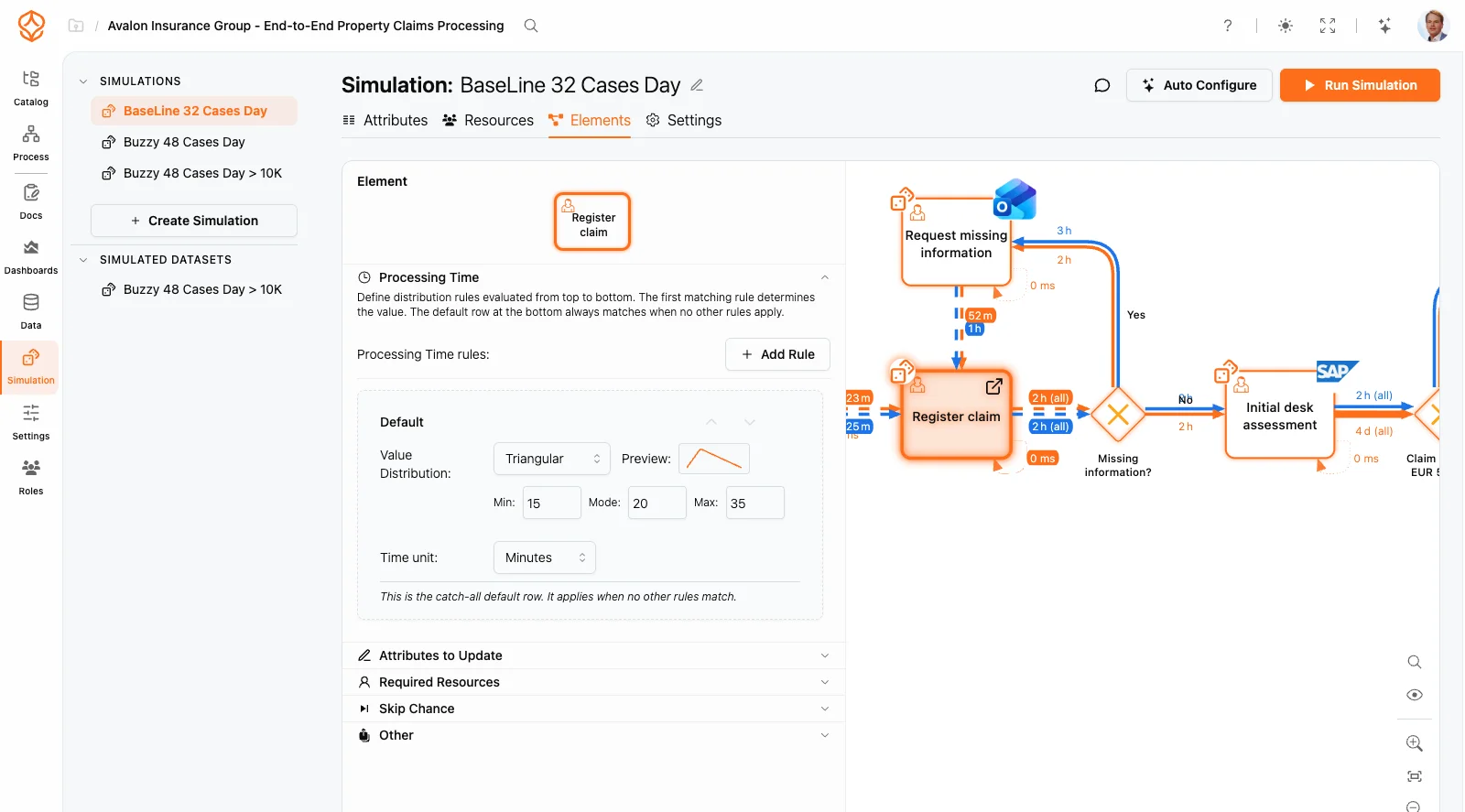
Once you have a model that reflects the process, simulation can help you explore proposed changes before you implement them. Keeping process models and mining results together makes it easier to connect what people describe with what system data shows. Learn more about combining process modeling with process mining.
This approach cannot recover information that was never recorded. It combines the evidence available from systems with the knowledge of the people doing the work, without collecting desktop activity about individuals.
What does ProcessMind do and not do?
ProcessMind combines employee-provided material, AI-assisted modeling, process documentation, event-log analysis and simulation. It does not run a desktop recorder.
The workflow starts with material the organization already has and moves toward a reviewed, shared process model:
- Employees upload material that describes the work. Procedures, checklists, templates, exports and screenshots can be attached to the process as artifacts. Supported file types are preprocessed so their content can be read, searched and used as context.
- AI drafts a high-level process from that material. Uploaded documents and a short description provide the input for AI process generation, giving the team a first version to review.
- The team fine-tunes the model in BPMN 2.0. Team members can rename, add and reconnect activities, events and gateways by hand or with the assistant, then review differences before applying a change.
- People doing the work enrich the activities. They can capture a screen step, write its instruction and attach the relevant SOP, policy or template.
- The team reviews and approves the model. The process moves through draft, under review, approved and published, with a named owner, version history and an approval trail.
- The team publishes the process for its viewers. A published version is visible to viewer users in the Process Portal. Documentation can also be exported to Word, PDF, Markdown or print.
Event-log analysis and simulation sit alongside this workflow. You can mine the process from system data and test a proposed change before implementing it.
ProcessMind does not:
- Install agents on employee desktops.
- Record screens continuously or in the background.
- Capture keystrokes.
- Monitor application activity by person.
- Create individual productivity profiles.
ProcessMind does support manual screen capture. A person chooses to capture a screenshot or a short recording of one step to explain the work. The editor uses OCR to auto-mask likely personal data, and the author can correct the masks before saving. Nothing is captured unless someone chooses to do it.
Why does employee trust matter to process discovery?
Process improvement depends on people being willing to explain how work really happens, including workarounds and exceptions that official documentation may not cover.
We do not treat monitoring as a legal hurdle to clear. You are spending trust to get the data, and trust is what makes people explain the workarounds and the exceptions a process actually runs on.
Involve the people who know the work, make clear that your focus is the process and check what they describe against the data the systems already hold. For a practical overview of the data involved, read how to get event data out of your systems. If you want to understand how automation opportunities emerge from process evidence, see what RPA is.
When might interface capture be justified?
Interface-level capture may be worth considering when work happens entirely in a system that records nothing and interaction detail is the only available evidence.
If you consider it, define a limited capture period, agree on the approach with the people involved and their representatives, and analyze results at the process level. Set clear limits on access to per-person data and how long you retain it. These safeguards do not remove the need to assess privacy, legal and trust implications.
That is different from installing recording software across an organization and deciding later how to use the data. A narrower option is to ask people doing the work to capture specific screen steps when it helps them explain what they do. The capture is deliberate, tied to a process step and created only when someone chooses to make it.
Choose the next step for your process
You can explore the mining-and-modeling route on your own data, learn how AI-assisted process management works, or review where to find event data.