Process Documentation Software

Document Your First Process for Free

Included in Process Architecture · No credit card required · Works in your browser · Traceable evidence for audit preparation
Process Documentation Software

Features in Depth

Keep Process Documentation Connected and Controlled

Process documentation is useful when people can find the approved version and see how it relates to the process model. ProcessMind brings models, ownership, reviews, and version history together in one place.

Keep Documentation in One Place

Bring process information together in a structured workspace.

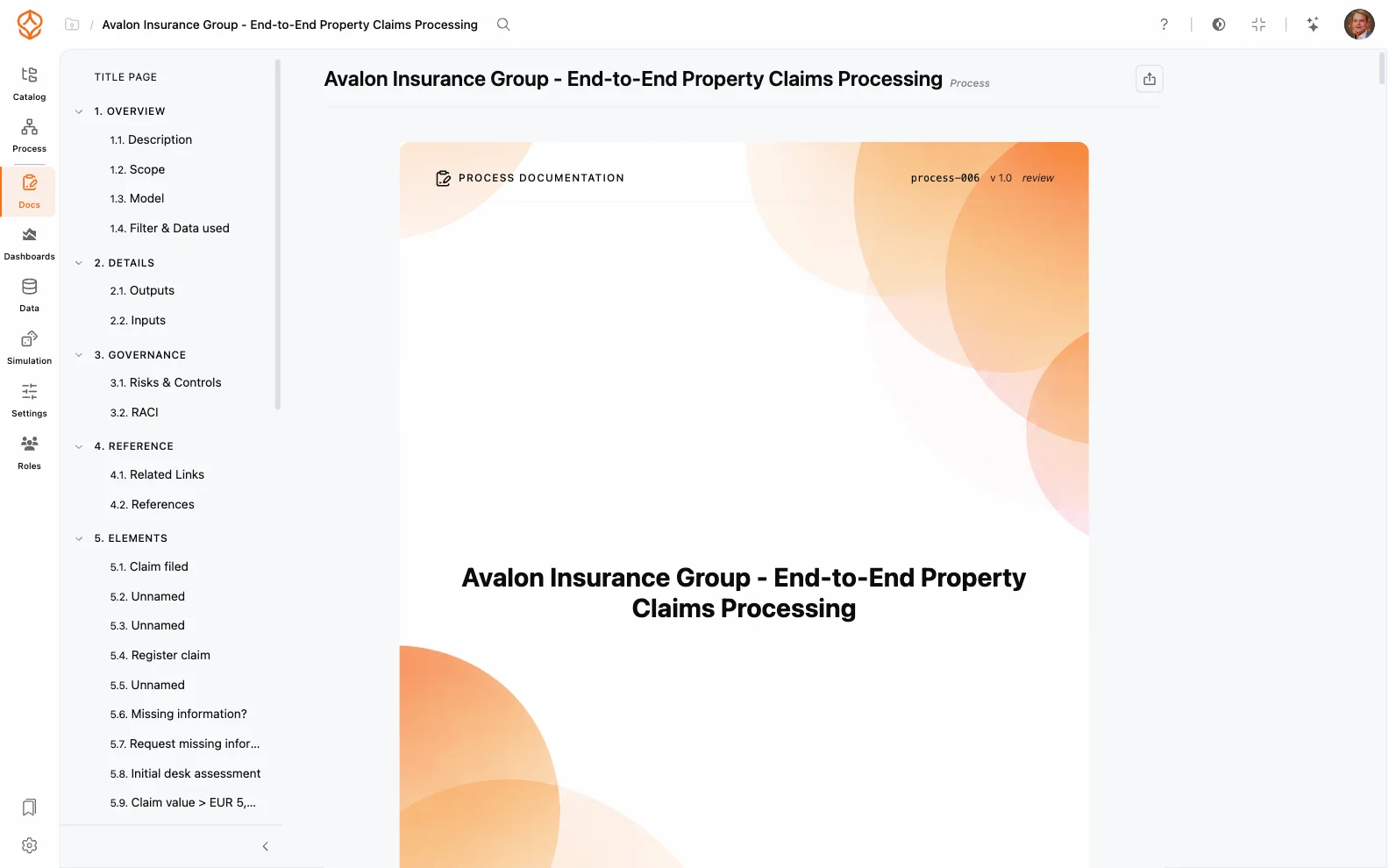
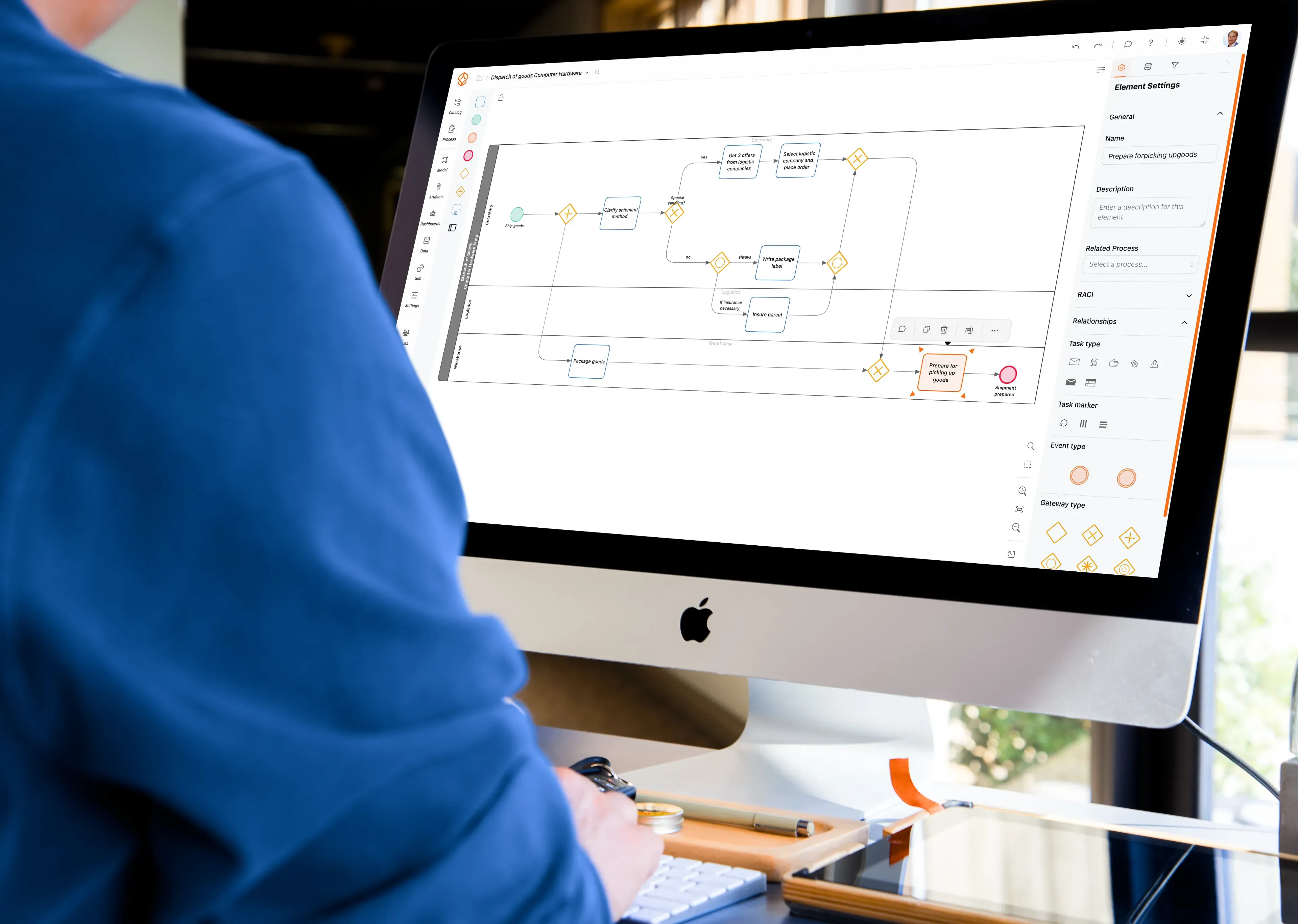
  • Keep BPMN diagrams, process notes, and supporting files with each process.
  • Capture screen steps, mask personal details, and attach them as work instructions at the activity level.
  • Search the process catalog and see who owns each process.
  • Give stakeholders read-only access.
  • On Enterprise, embed published documentation in your intranet or process portal.
  • Update documentation as work changes.
Central process documentation workspace

Route Changes for Review and Approval

See the status and history of every change.

  • Move documentation through draft, review, approval, and publication.
  • Track updates and decisions in version history.
  • Record role assignments and approval trails.
  • Keep traceability available when you prepare audit evidence.
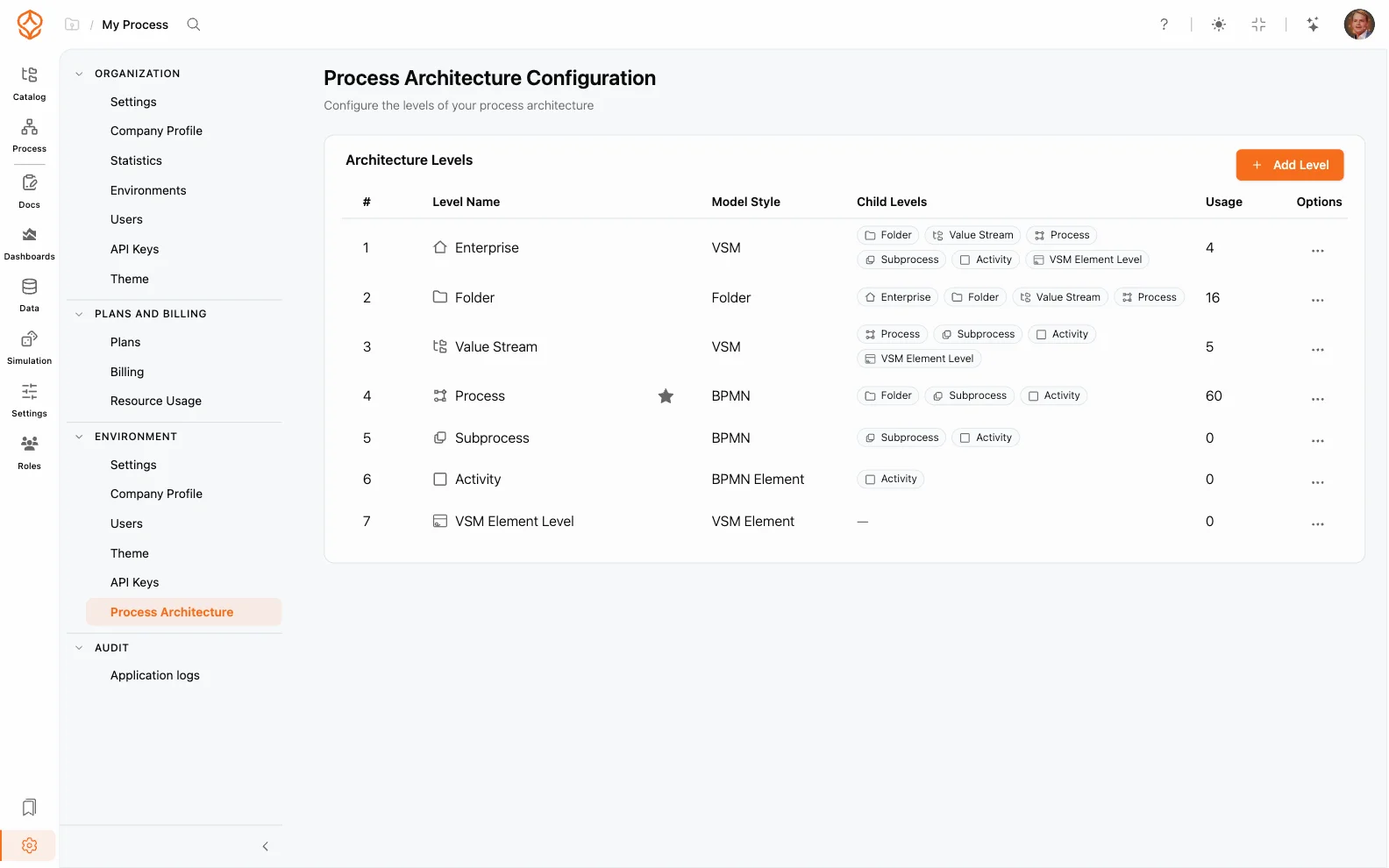
Process governance and approvals

Prepare Audit Evidence from Current Records

Keep process documentation and its history available when you need to show how a procedure is governed.

  • See approvals, owners, and reasons for changes in one timeline.
  • Export structured process packs for audits and assessments.
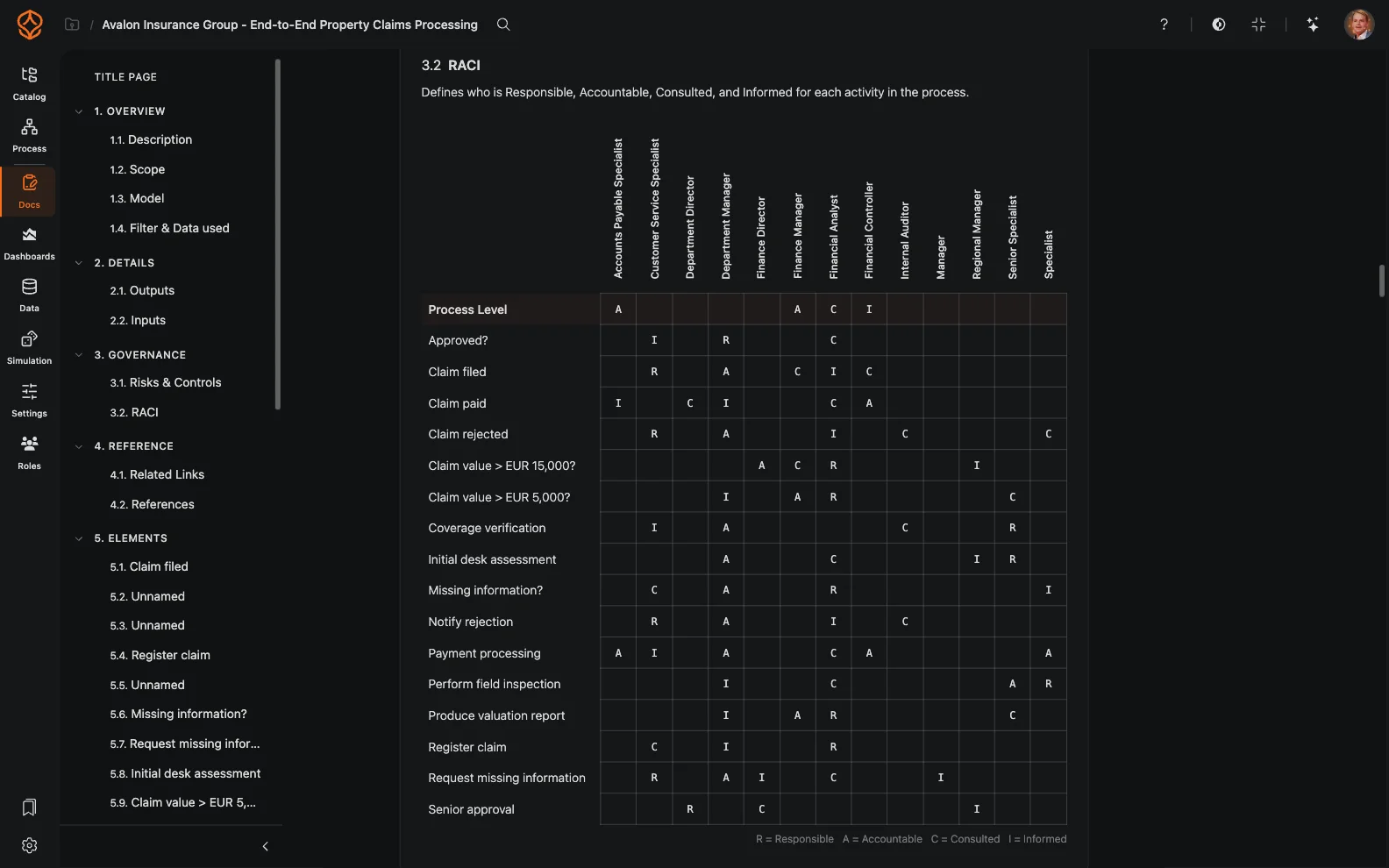
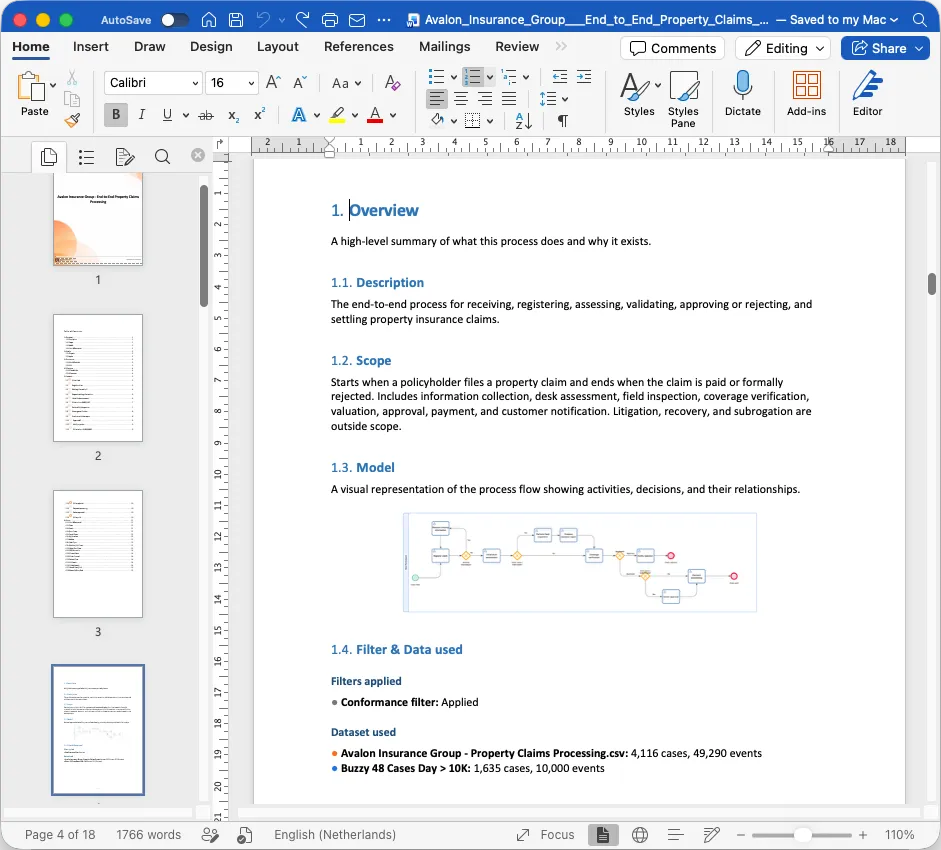
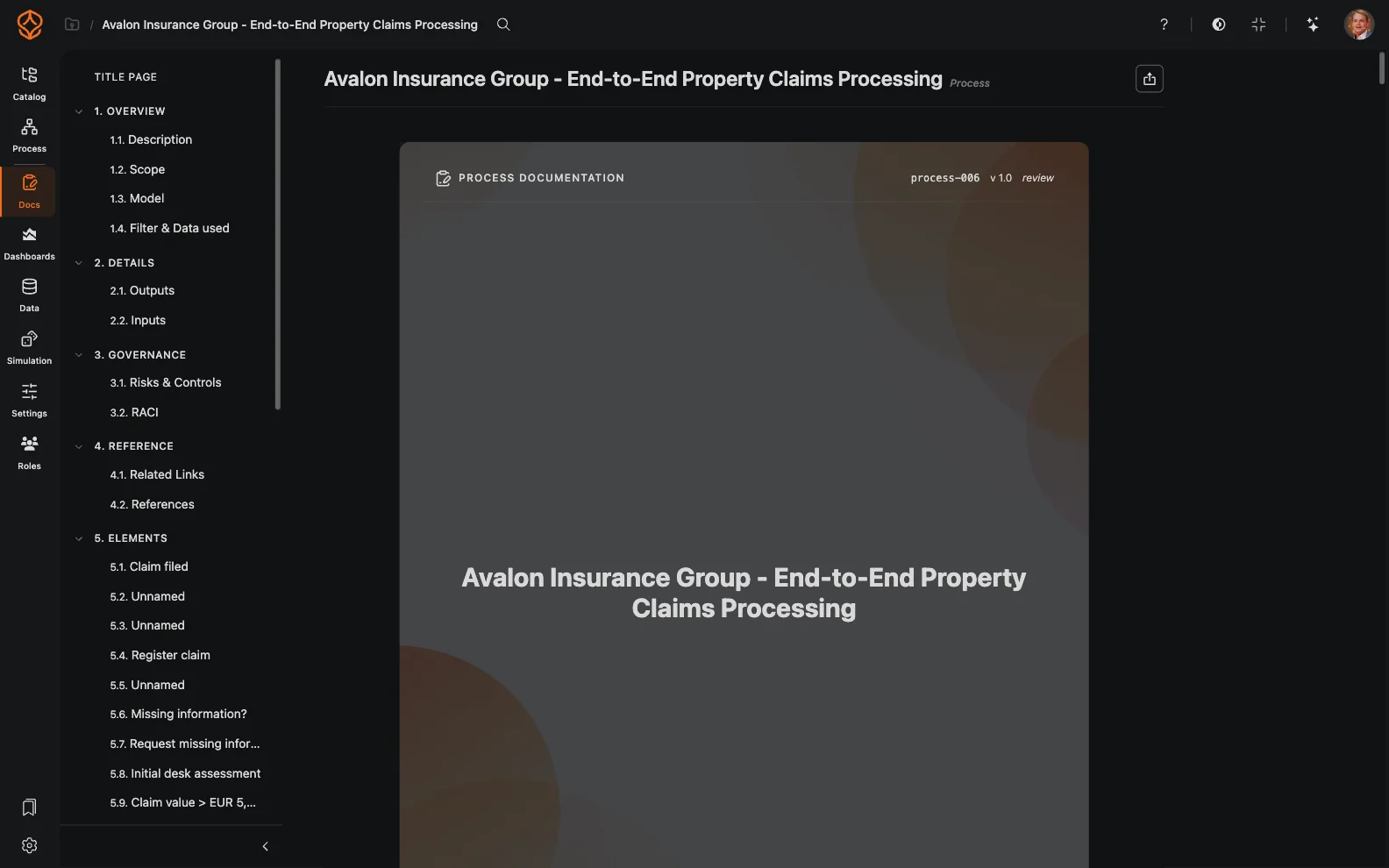
  • Create print-ready packs with a title page, numbered sections, charts, and activity-level RACI.
  • Link process steps to policies, controls, and work instructions.
  • Use traceable records to reduce last-minute evidence gathering.
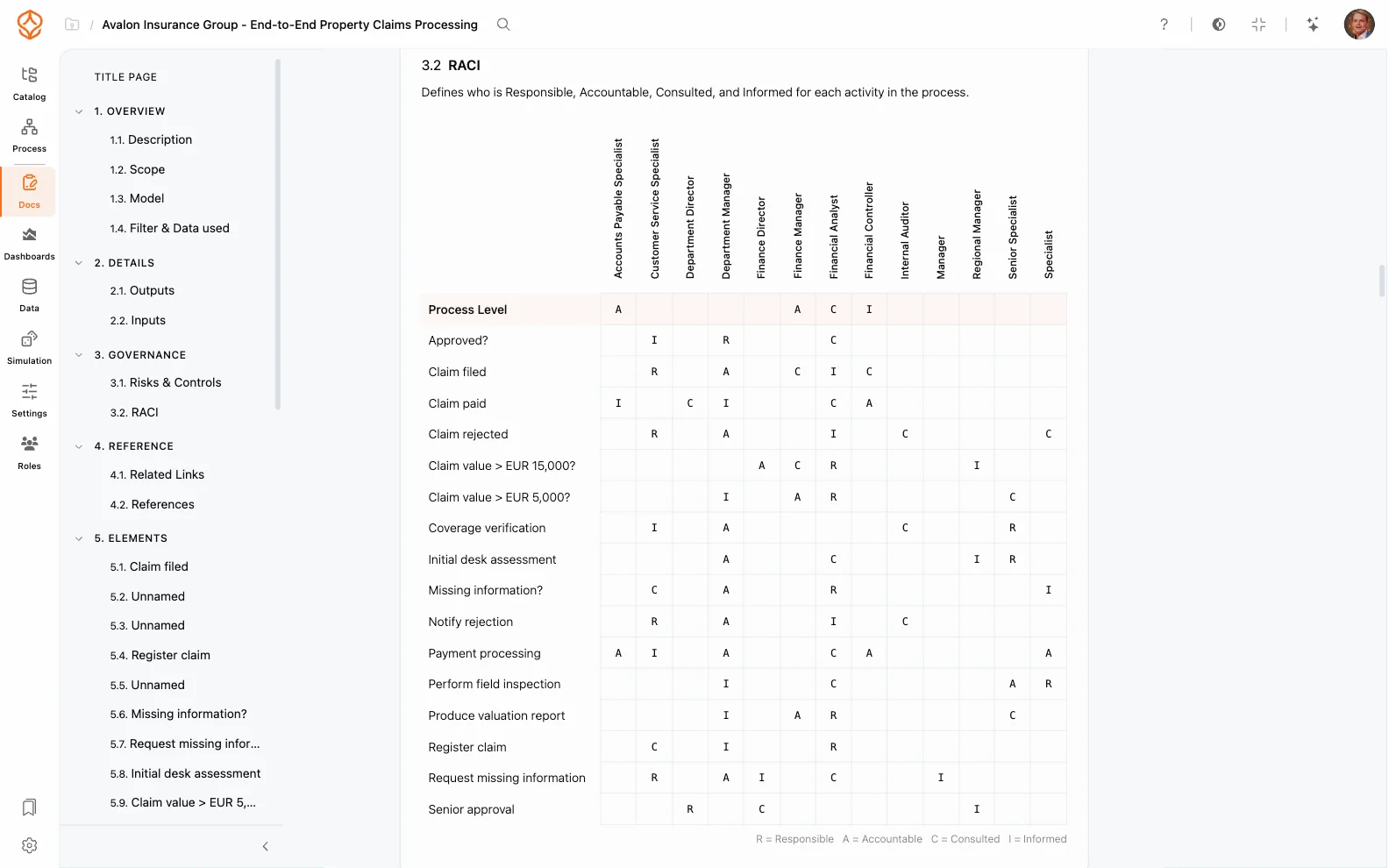
Audit-ready process documentation

Use Consistent Documentation Across Teams

Give teams a consistent way to document processes across departments and regions.

  • Use AI generation to create consistent first drafts and naming across teams.
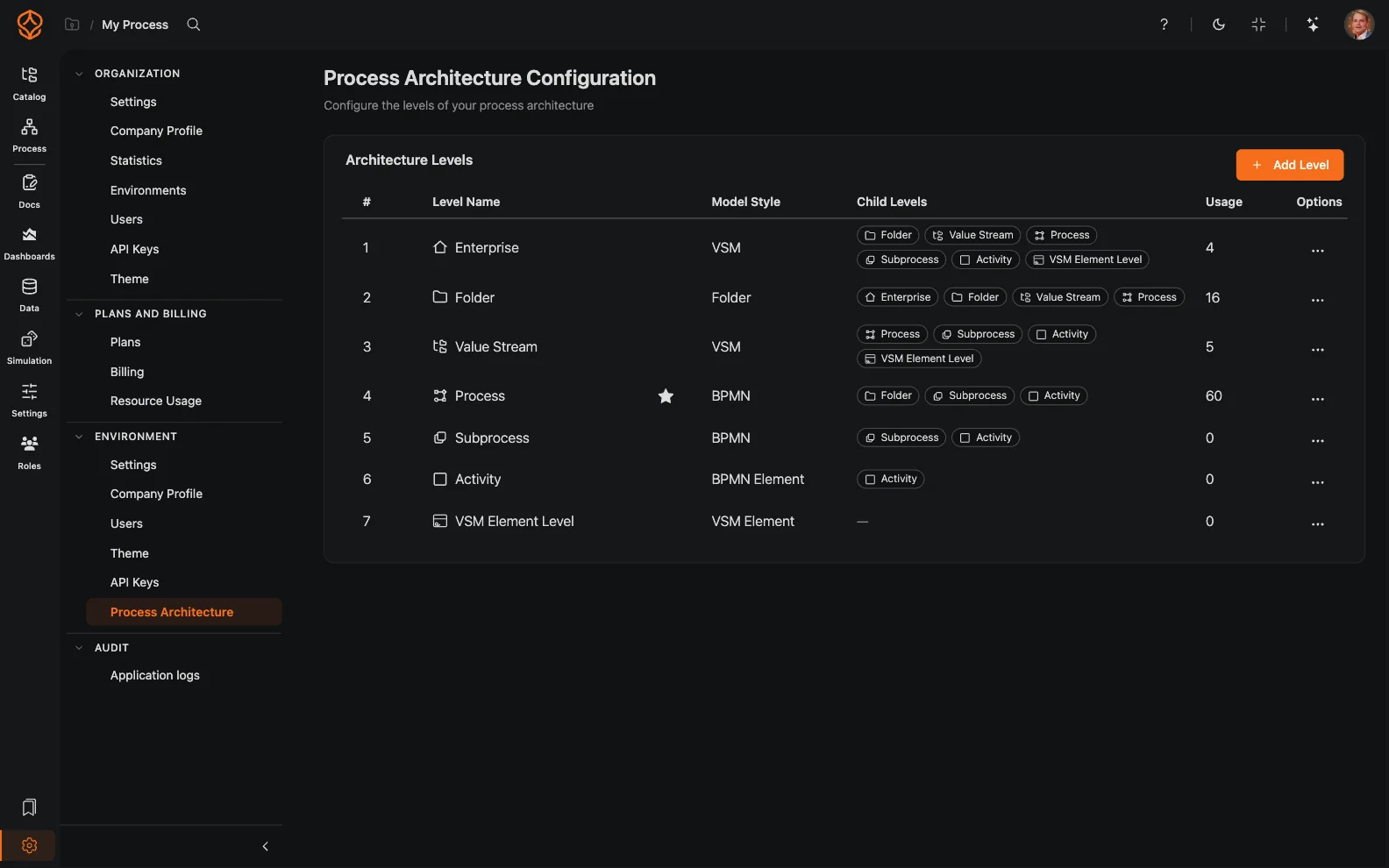
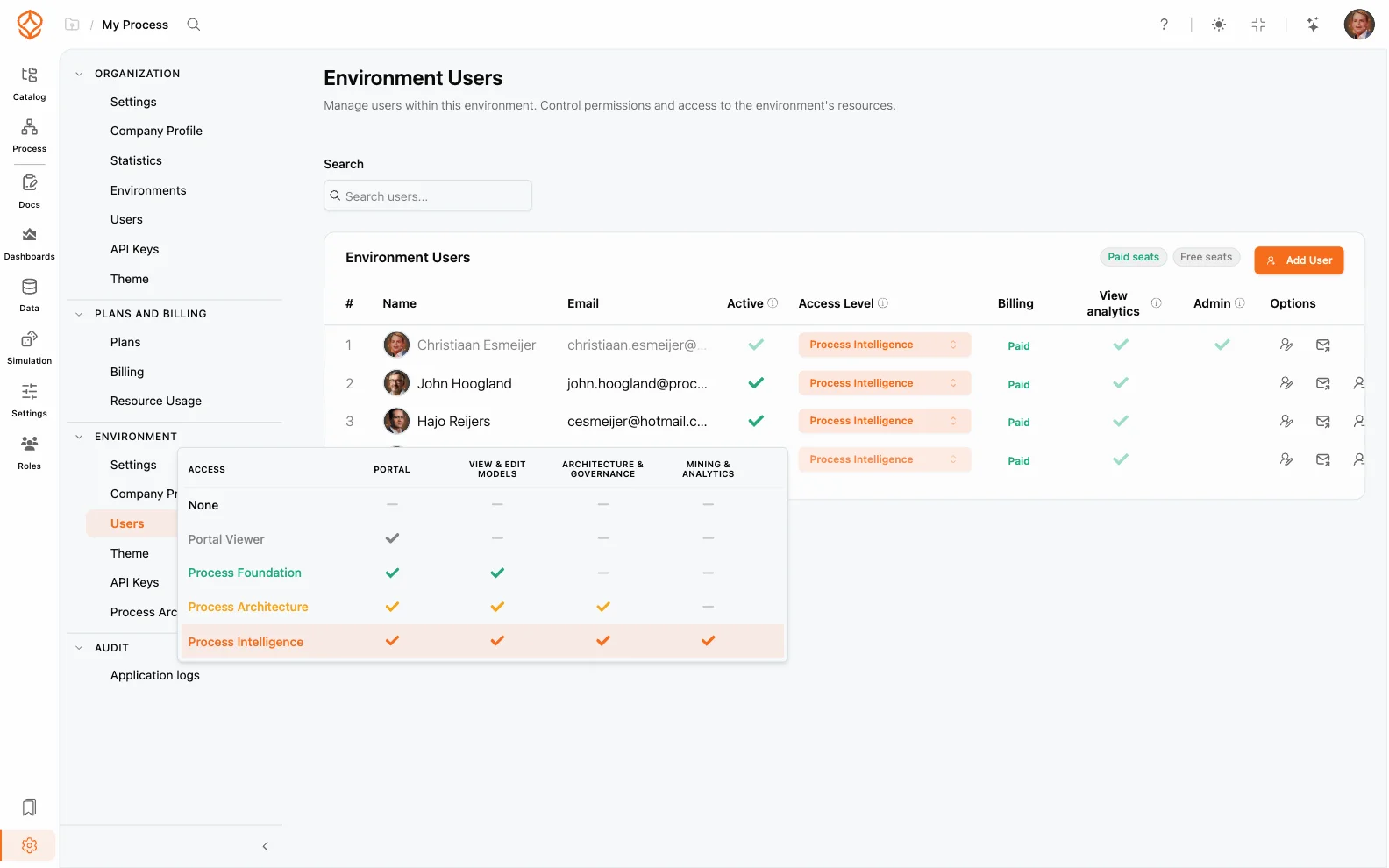
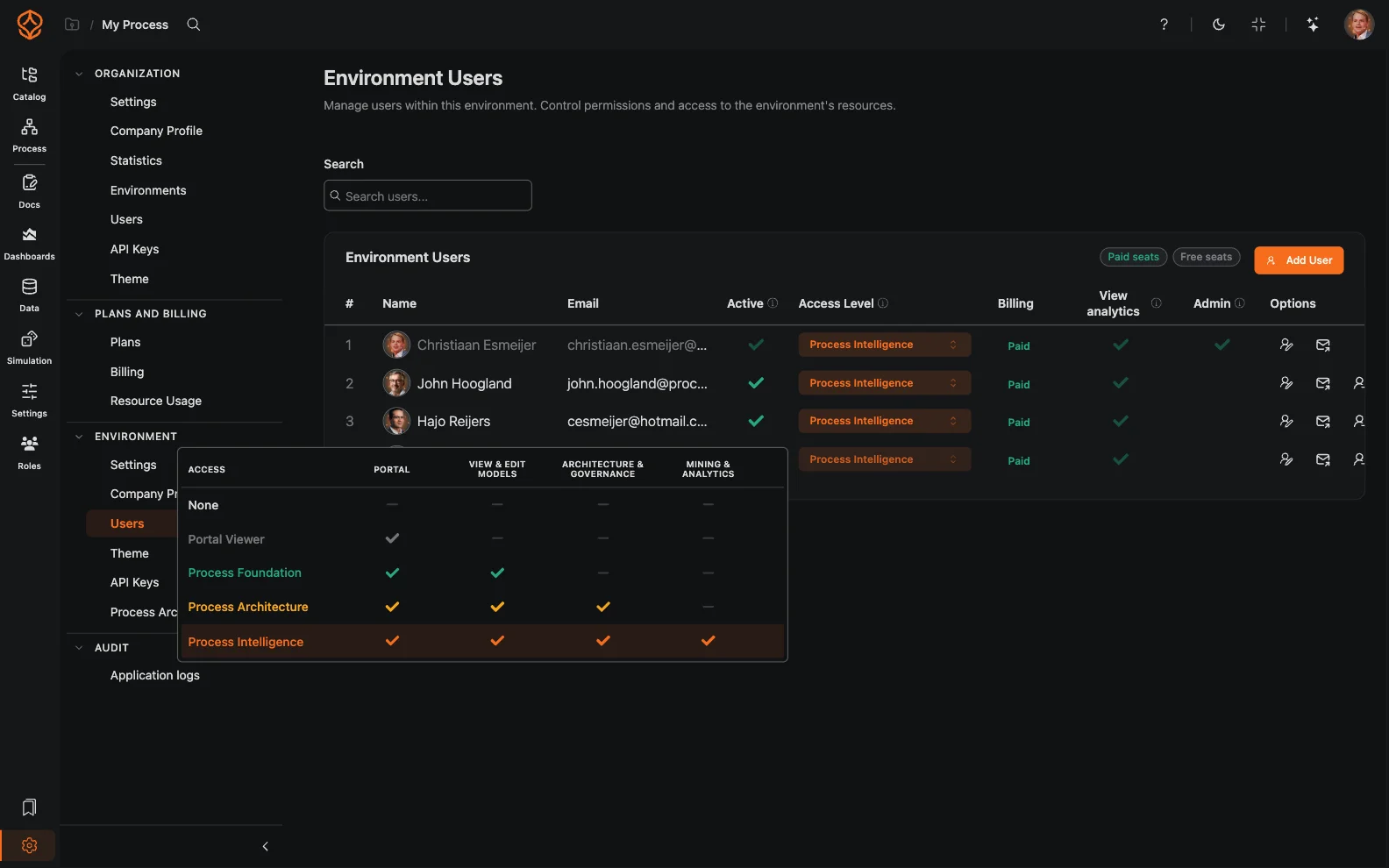
  • Set role-based access for authors, reviewers, and viewers.
  • Use a common process language across operations, quality, and transformation teams.
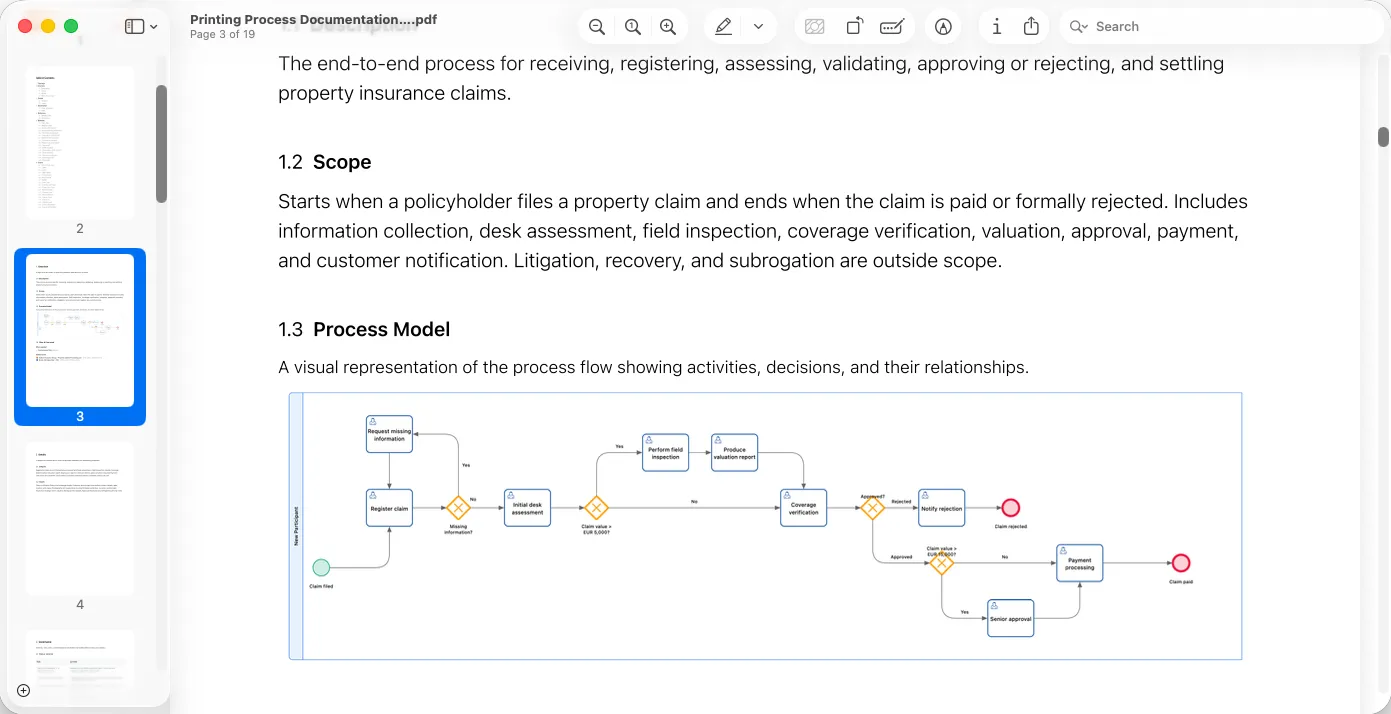
PDF documentation export
Editable Word documentation export
Role-based access across teams
Document a process and send it for approval
NEW TO PROCESS DOCUMENTATION?

Start with BPMN, then govern your processes

Use BPMN to clarify process steps and decisions. Add ownership, reviews, and approvals as your documentation grows. ProcessMind connects each model to its governance record.

Learn BPMN basics
A practical introduction for business and technical teams.

Already modeling? Connect processes across your organization.

Explore Process Architecture

Process Documentation

Key Features

Living Process Documentation

Keep BPMN diagrams, instructions, files, and ownership together in a structured workspace. Link documentation to the process model instead of managing separate files.

A shared source of truth for process owners, teams, and auditors.

Version History and Traceability

See who changed a process, when, and why. Compare versions and restore an earlier one when needed.

A clear record of process changes and decisions.

Reviews and Approvals

Move documentation through draft, review, approval, and publication, with clear ownership and status at each stage.

Keep sign-offs and approval history with the process.

Roles and Responsibilities

Assign process owners and define responsibilities with RACI-aware roles.

Make ownership of each step and decision clear.

Exports for Audit Preparation

Export process documentation and BPMN models for auditors and stakeholders.

Prepare evidence from documented processes and their approval history.

Collaborative Editing

Work together on process documentation with comments and context for collaboration.

Keep feedback connected to the process under review.
Document a process and send it for approval

Process Documentation Features

Living process documentation
BPMN-based documentation
Version history
Side-by-side version comparison
Review and approval workflow
RACI ownership context
Policy and control links
Screen capture work instructions
Exports for audit preparation
Print-ready export packs
Real-time collaboration
Role-based access
Central process repository
Process template reuse

Connect Documentation to Process Architecture

Build from individual process records to a connected enterprise view.

  • Link processes across teams and value streams.
  • Keep ownership and approval context visible at every level.
  • Use consistent naming, structure, and governance conventions.
  • Give stakeholders a clear path from strategy to execution.

Documentation connected to process architecture

Compare Documentation with Process Data

See how documented processes compare with actual operations.

  • Use process mining to compare the documented design with execution data.
  • Identify deviations and decide whether documentation needs an update.
  • Use KPI and bottleneck insights to set improvement priorities.
  • Feed approved changes back into the documentation cycle.

Process documentation compared with execution data

Keep the model, approval record, and supporting evidence connected

Process Documentation: Separate Files or a Shared Workspace?

Separate Files

Static files in folders

Documents can become outdated and difficult to find

ProcessMind

BPMN documentation in a shared workspace

Keep process records together in a searchable catalog

Separate Files

Manual version naming

Finding the approved version can be difficult

ProcessMind

Version history and comparison

Review changes and see what changed and why

Separate Files

Email-based approvals

Approval evidence gets scattered across messages

ProcessMind

Structured review and approval flow

Keep the approval trail with each process

Separate Files

Audit preparation as a separate project

Teams gather evidence when an assessment is due

ProcessMind

Traceable process records and exports

Export documentation and its history when needed

Separate Files

Limited collaboration

Feedback can be slow and disconnected

ProcessMind

Collaboration with role controls

Keep feedback connected across operations, quality, and IT

Maturity Stage

Where Does Process Documentation Fit?

Process documentation provides a governed record of how work is designed. Connect it to process architecture and operational data as your documentation practice develops.

Frequently asked questions

Process documentation explains how a process works and who is responsible for each part. It can include a BPMN diagram, step-by-step instructions, roles, policies, controls, and supporting files.

A useful record answers practical questions:

What steps and decisions make up the process? Who owns the process and each activity? Which version is current? Who reviewed and approved the latest change? What evidence can you provide to explain the process?

A procedure stored separately from its diagram can fall out of sync. The diagram may show one sequence of steps while the written instructions describe another. ProcessMind keeps the model and related documentation together, giving you a shared source of truth to review and maintain.

You can also compare the documented design with process mining data. This helps you identify where actual execution differs from the documented process and decide whether the process or its documentation needs attention. Process mining provides evidence for review; it does not automatically change or approve your procedure.

Audit-ready documentation should make the process and its governance traceable. Depending on your needs, a process record can include:

A BPMN diagram and supporting instructions A named process owner and activity-level RACI Linked policies, controls, and work instructions Version history and reasons for changes Review status and approval trail An exportable process pack for an audit or assessment

The evidence you need depends on your organization’s procedures and the assessment. ProcessMind helps you organize and export records; it does not certify compliance.

See what an audit-ready page needs

When a process changes, version history shows what changed and when. Review and approval stages make the update's status clear, while the approval trail records sign-off with the process.

This gives process owners and quality approvers a clearer basis for review. Before publishing a change, you can review the documented process, its supporting material, and its approval status together instead of piecing the record together from folders and email.

Examples include an accounts payable procedure that shows invoice review and approval, an order management process that shows handoffs and decisions, or a quality procedure that links process steps to controls and work instructions.

Choose a format that fits the process and the people who need to use it. A BPMN model can show the flow, while notes and linked files provide the details needed to perform or review each step. RACI context makes responsibilities visible within the process record.

RACI identifies who is Responsible, Accountable, Consulted, and Informed for activities or decisions. Adding RACI context to process documentation helps you see who performs each step, owns the outcome, and needs to be involved.

ProcessMind supports RACI-aware roles and activity-level RACI in export packs. Use this information to clarify ownership during reviews and include it with the process documentation.

Learn how to use a RACI matrix for processes

Give each process a clear owner, use a consistent structure, and send changes through review and approval. A searchable process catalog helps teams find the records they need, while role-based access distinguishes authors, reviewers, and viewers.

As your process landscape grows, connect individual records through process architecture. You can also use process mining to compare documented designs with execution data and identify processes that may need review.

Read the process governance guide

Start with a process that has a clear owner and a known approval path. Model its steps, add relevant instructions and RACI roles, then send the documentation for review. Once approved, use its version history and export to see how the record supports ongoing governance and audit preparation.

Document a process and send it for approval: Start your free trial.

Keep Process Documentation Ready for Review

Model a process, assign ownership, and send its documentation for approval. Start with a real process and see how version history and sign-off work together.