


ETL Tools for Process Mining: What You Need
When process mining needs ETL, what the extract has to contain, and why ProcessMind loads whatever your existing pipeline produces.

Do you need ETL for process mining?
ETL tools extract data from source systems, transform it into a usable shape and load it for analysis. This article is about the ETL work a process mining project actually needs, and where it can be avoided. It is not a buyer’s guide to pipelines. If one system can export the records and the file has a case ID, an activity and a timestamp, you can often skip the pipeline for a first analysis and load the export as it is.
The answer depends on the process, the systems behind it, and how often the analysis has to refresh. Start with the smallest extract that can answer a question, then add preparation and automation when the first analysis shows they are needed.
Three situations justify ETL work:
- The process spans several systems. Records have to be joined and their identifiers aligned before one case can be followed from end to end.
- The source data cannot be read as it stands. Activity names, timestamps or case identifiers need standardising before an analysis can use them.
- The extract has to repeat. When the data changes daily and the analysis has to keep up, a manual export stops being practical.
Those are reasons to prepare data, not reasons to build a pipeline before the first question is answered. Load what you can get, see what is missing, and decide from there.
For a while we assumed that ETL belonged inside the product. Then we looked at what our customers already had. The data warehouse wave ran for about twenty years under several names, data marts and data lakes among them, and the end state is that usable data now sits in most companies. So we stopped building a pipeline of our own. Bring an export from the systems you have, or point the pipeline your team already maintains at our API, and start from the data that is already there.
You can also skip a separate pipeline when:
- The process is mainly recorded in one system.
- The relevant records can be exported.
- The export has a case ID, an activity and a timestamp.
- The file is small enough to prepare by hand.
- You are still testing whether the data answers your question.
A spreadsheet is a fine place to rename columns, fix obvious inconsistencies and drop fields you do not need. Manual preparation does not have to be permanent: once the analysis proves useful and the data has to refresh often, automate the steps you find yourself repeating.
What the extract has to produce
A process mining event log needs three fields, and one row per event.
| Field | What it represents | What to check |
|---|---|---|
| Case ID | The process instance, such as an order or a service request | The same case ID must connect every event of that instance |
| Activity | One step that happened in the process | Names that distinguish real steps, used consistently |
| Timestamp | When the step happened | A real date and time, with one time zone across the sources you combine |
Attributes such as cost, user, team, customer segment or CO2 footprint are optional. They are also what separates a process view from an analysis: every attribute you keep becomes a filter, a split or a measure later. The dataset attributes reference covers what each field unlocks.
A field can exist in the source and still be unusable. A case ID that changes between systems will not connect events. Inconsistent activity labels turn one real step into three. A timestamp stored as text can leave events in the wrong order. Look at the export before you map it, and check the three required fields first. For the wider picture of what a log has to contain, see what process mining needs.
A minimum viable event log query
If the source already stores one row per activity, the query is a select. This example assumes a table called process_events with a case, an activity and an event time:
SELECT
  case_id        AS case_id,
  activity_name  AS activity,
  event_time     AS timestamp
FROM process_events
WHERE case_id IS NOT NULL
  AND activity_name IS NOT NULL
  AND event_time IS NOT NULL
ORDER BY case_id, event_time;
The query labels the three fields, drops the rows that cannot be used, and sorts events within each case. Adapt the table and column names to your source, then check a sample of cases before you load: each case should hold the events you expect, in an order the people doing the work recognise.
Which transform steps matter
Transformation should fix what would otherwise distort the analysis. Four steps cover most of it.
-
Normalise the events
Put each activity occurrence on its own row with the case ID and the timestamp, even when the source stores process steps in separate columns. -
Make the timestamps usable
Check that the values are real dates and times, and whether they are local time or UTC. Align the time zones of sources you combine, or the event order will lie. -
Standardise the activity names
One label per real step, in one language, with one spelling. Do not merge steps that only look similar to shorten the list. -
Join sources only when needed
Find the key that links the records and test that it matches. A join that duplicates events or drops cases changes the process view, so compare record counts before and after.
If the export already holds one row per event with the three fields in place, there is nothing to transform. That is a normal outcome, not a shortcut. How to create a process mining event log walks through the same ground with Excel and SQL examples.
Where should the event log be loaded?
Load the prepared data into the platform where you will analyse it. For a first look a single file is enough: prepare it, load it, read the process view, and refine the extract once you can see what the data supports. Avoid standing up a new storage layer just for process mining. If your team already maintains a warehouse or a lake, keep the data there and load what that environment produces.
The supported data formats page has the detail, and the same formats can be pushed by a scheduled job through the data API when nobody wants to upload by hand.
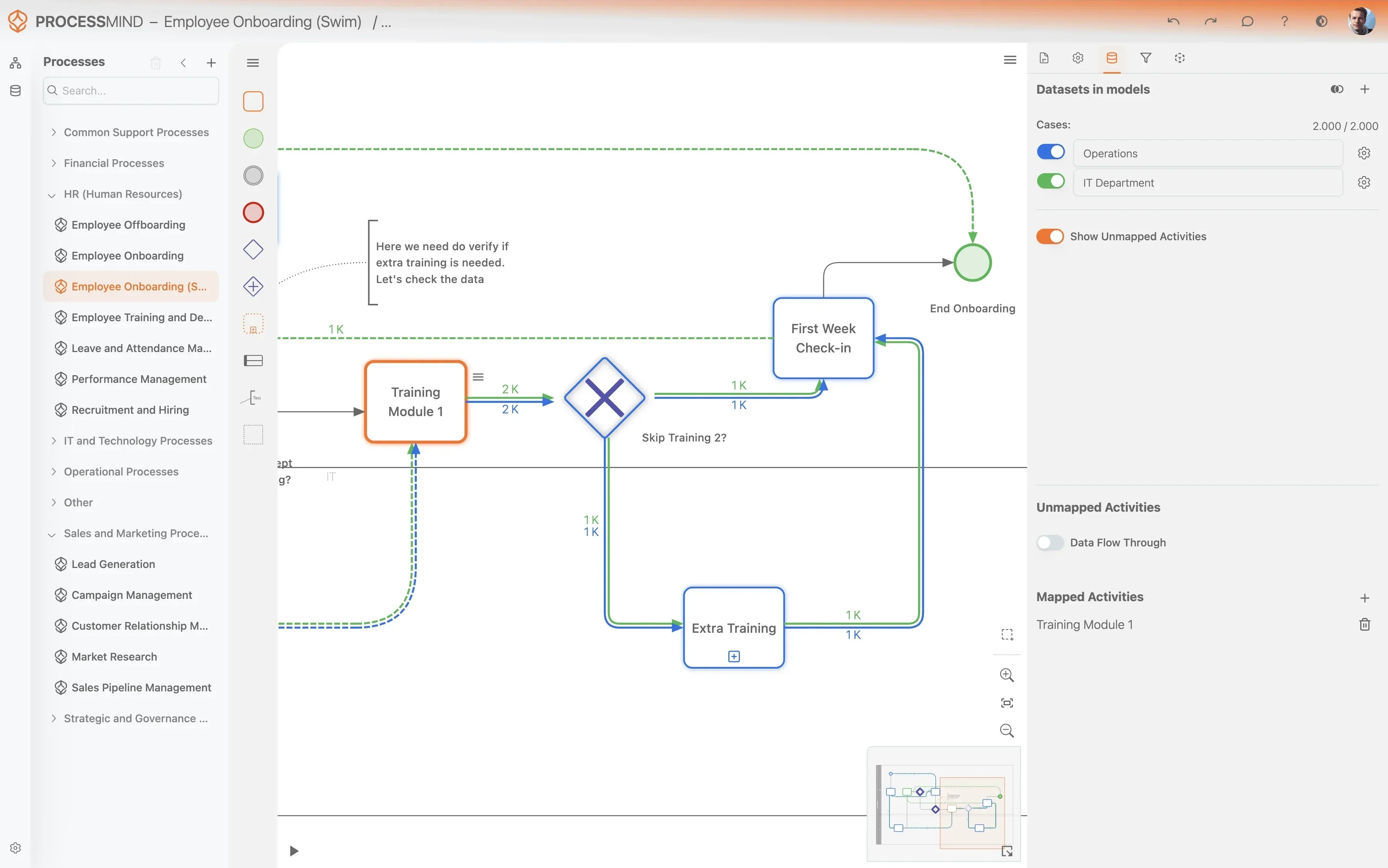
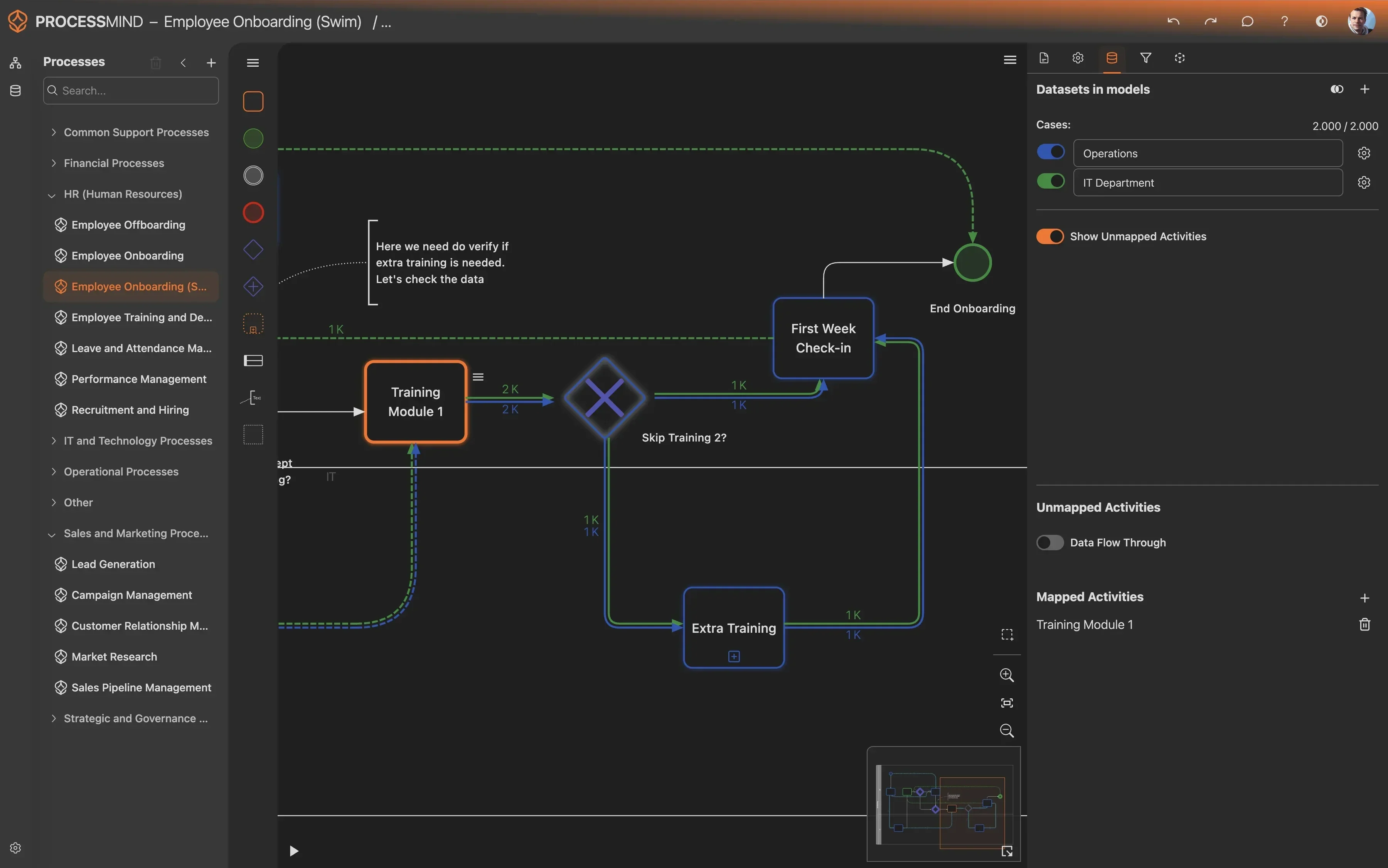
Whichever route you take, the load should end where the analysis happens. A file in a folder nobody watches is not a data strategy; a dataset someone maps and reviews is.
Which ETL tools fit process mining?
There is no single ETL tools list that fits every project. Choose by where the data lives, what your team already runs, and how much preparation the log needs. The work itself is ordinary data engineering, and the only process mining specific requirement is that the output keeps the case ID, the activity and the timestamp.
| Approach | Use it when | The trade-off |
|---|---|---|
| Export and prepare by hand | You are testing one process on a small, stable dataset | Fastest start, but every refresh is manual work |
| The tools your team already runs | SQL, dbt, a warehouse or a lake is already in place | Reuses skills and infrastructure, and keeps the logic reusable outside process mining |
| A third-party ETL tool | The extraction has to repeat across several systems | More moving parts to set up and maintain |
| Built-in ETL inside a mining platform | The platform covers the transformations you need | Convenient, but check how portable the logic is and whether the data is reusable elsewhere |
Names that come up most often in process mining projects: CData and dbt for data extraction and SQL transformation, BigQuery, Snowflake and Databricks on the warehouse side, and Talend, Apache NiFi and Airbyte when moving data between systems is the hard part. Open source is a real option here, with NiFi and Airbyte the usual starting points, and a few vendors sell ETL built for process mining, Evidant and Konekti among them, with templates for common systems.
Those are examples, not endorsements, and none of them is a partnership. Prefer the tools and formats your team can maintain after the project, and keep the transformation logic outside the mining product where you can. Built-in ETL is the one to weigh carefully: it is convenient while you stay on that platform, and it puts your preparation somewhere that is harder to reuse for the next analytics or AI project.
How do you manage the data after it is loaded?
Extraction is half of the work. What happens to the datasets afterwards decides whether the analysis still holds up a quarter later.
- Name datasets after their contents.
Q1_2025_Sales_DataorCustomer_Support_Logsbeatsexport_final_v3. - Pick the format for the job. CSV or Excel is fine for small files uploaded by hand. Parquet or ORC pay off for large datasets and for anything a pipeline produces.
- Preview before you map. Check the structure, the column types and a few rows, and confirm the case ID, the activity and the timestamp in your dataset configuration.
- Check the activity mapping. Let auto-mapping do the first pass, then work through the unmapped activities. Steps that happen but leave no trace in the data can be marked as data flow through, so they stay visible without changing the numbers.
- Refresh, do not rebuild. For a recurring export, replace the dataset with the fresh file on the cadence the analysis actually needs, daily or weekly, and keep the same mapping.
- Write down what the data does not cover. Missing periods, systems and steps belong in the analysis notes, because they decide what you can claim at the end.
- Control access, then archive. Give dataset access to the people who need it, and archive what a finished project no longer uses.
Takeaway
ETL is a means, not the goal of a process mining project. Set it up so it does not slow the first analysis down:
- Start with the data you can get this week.
- Keep the three required fields intact, whatever else you drop.
- Load the export first, and automate the load once the analysis has earned it.
- Use the tools and formats your team already maintains.
More projects fail because the pipeline was built before anybody knew which question it had to answer than because the pipeline was too simple.
Where to Go From Here
You have an export, or a pipeline that can produce one. The next step is to load it and see whether the extract answers your question.