
Enterprise Architecture Tools: How to Choose the Right Fit
Compare enterprise architecture tools by the job each one does, and see where process data keeps the architecture honest.
Enterprise architecture tools help you map capabilities, applications, data, and processes, then understand how those parts relate. The right choice depends on whether you need an inventory, standards and roadmaps, or evidence about how work actually runs.
A repository answers what you have and how it is intended to fit together. It does not necessarily show what happens when people use those systems and processes.
That gap is not a failure by the people maintaining the architecture. Work changes, documents age, and operational systems record evidence that a static model cannot provide on its own.
What are enterprise architecture tools for?
Enterprise architecture tools help you describe an organization and the relationships between its parts. Most support three broad jobs.
- Inventory: Record capabilities, processes, applications, data, owners, and dependencies.
- Standards and roadmaps: Apply frameworks such as TOGAF or ArchiMate to assess proposed changes and plan a transition from the current state to a target state.
- Analysis: Understand how the organization operates and how a change could affect it.
A repository can help you answer questions such as which applications support a capability or which processes depend on a system. It can also give teams a shared vocabulary for discussing change.
But an architecture repository does not automatically explain how work behaves in practice. A process name, owner, and description do not show how often cases take an exception path, where they wait, or how many approval loops they go through.
That distinction shapes the rest of this comparison: repository tools describe what you have and intend to do; ProcessMind helps you examine what your systems show is happening.
What should you check when comparing enterprise architecture software?
Compare enterprise architecture software against the work you need it to support, not just the features on a vendor page.
- Repository and metamodel: Can the tool represent your capabilities, processes at multiple levels, applications, data, and relationships without workarounds?
- Framework support: Does it support ArchiMate and TOGAF in the product, or does it mainly provide diagramming elements?
- Process detail: Can you move from a high-level process to subprocesses, activities, gateways, and variants? Ask to see a process represented at several levels.
- Data linkage: Can any part of the architecture be refreshed or checked against operational data, rather than relying entirely on manual updates?
- Collaboration and permissions: Can teams contribute and review work? Can people view the repository without needing an editor license?
- Hosting and data residency: Where is your data stored, who can access it, and does that meet your requirements?
- Interoperability: Can you export your architecture and use APIs or open formats? You should be able to take your work with you.
- Licensing: How are editors, reviewers, and read-only viewers licensed? Compare the total cost for everyone who needs access, not just the core team.
Give process detail and data linkage particular attention. A capability map may be useful for planning, but it is harder to act on if you cannot connect it to the processes people perform.
Ask vendors to demonstrate how a model is maintained, how far down the process hierarchy you can go, and whether any of its information can be checked against data. Those answers reveal whether the tool can support the process layer or only record it.
These checks help you decide whether you need an enterprise architecture repository, a process evidence layer, or both.
Which enterprise architecture tool fits each job?
Different kinds of enterprise architecture tools serve different needs. A useful enterprise architecture tool comparison starts with the job rather than the feature count, so the matrix below runs the eight checks across the categories, with our own column last.
| Check | Repository-first EA suites | EA management platforms | Diagramming and ArchiMate tools | ITSM and platform modules | ProcessMind |
|---|---|---|---|---|---|
| Repository and metamodel | Broad architecture repositories | Application and capability inventories | Models and diagrams | Architecture views within a broader platform | Process architecture in configurable levels, from value stream to activity |
| Framework support | Frameworks and governance practices | Architecture management features | Often focused on diagramming standards | Depends on the platform module | Value streams and process levels mapped to how work runs |
| Process detail | Repository capabilities vary by configuration | Often centered on applications and capabilities | Diagram-level detail | Depends on the module | BPMN 2.0 models with activities, gateways and variants at each level |
| Data linkage | Depends on integrations and implementation | Supports inventory management; validate your data needs | Usually relies on model updates | Depends on the platform and configuration | Event data connected to the model, so the flow can be checked |
| Collaboration and permissions | Designed for architecture teams and governance | Supports enterprise architecture management | Varies by tool and deployment | Uses platform permissions | RACI ownership, governance workflows and a viewer portal |
| Hosting and data residency | Varies by vendor and deployment | SaaS approach | Varies by tool | Varies by platform | EU-hosted in Frankfurt |
| Interoperability | Check export and integration requirements | Check export and integration requirements | Check supported formats | Check platform integration options | BPMN 2.0 import and export, so models travel as standard XML |
| Licensing | Compare roles and access needs | Compare roles and access needs | Varies by tool | Often tied to platform licensing | Published per-seat tiers, a free plan and 10 free viewer seats per paid seat |
Repository-first EA suites such as Software AG ARIS, Bizzdesign, MEGA HOPEX, Orbus iServer, and Sparx EA are built for architecture repositories, frameworks, governance, and portfolio management. They suit organizations with the mandate and capacity to run a formal architecture program.
EA management platforms such as SAP LeanIX offer a SaaS approach to application and capability inventories. They can suit organizations that want visibility into their application landscape and a structured way to manage enterprise architecture.
Diagramming and ArchiMate tools can be a practical fit when you mainly need to create and share models. Archi is a free, open-source, ArchiMate-native option. Visio-based practices can also document architecture. Check whether the repository, collaboration, and governance features meet your needs.
ITSM and platform modules can make sense when architecture views need to sit alongside systems you already use. Check whether the module’s modeling depth and repository functions fit your architecture practice.
ProcessMind addresses a different question: how does work run, and what does the operational data show? It connects value streams and process levels to the event data your systems already write, so the architecture can be read down to the activities people perform and checked against what actually happened.
There is no single winner across these categories. Choose the tool that fits the job you need to do first. If your main concern is process behavior, start with evidence from the process layer; add a repository when your architecture program needs one.
Why does enterprise architecture drift away from reality?
Enterprise architecture can drift when the repository depends on manual updates and the model sits above the work it is meant to describe.
Three structural factors make that drift more likely:
- People maintain the repository by hand. Changes to processes, applications, and ownership need to be entered and reviewed.
- The benefit may arrive later. Teams may rely on an accurate inventory during a future audit or impact analysis, while the update work is due now.
- The model describes intent, not behavior. A documented process may not show the rework loops, exceptions, handovers, or waiting that occur in real cases.
Capability maps and application inventories are useful for understanding the organization at a high level. But the people doing the work may not recognize their day-to-day process in a model that stops at the capability or application level.
The differences often become visible in the details: process variants, handovers, repeated approvals, and time spent waiting. A repository can record the intended process, but it needs another source of evidence to show whether that description still matches operational behavior.
An architecture nobody recognizes fails in one of two ways. People route around it, because the model says one approval while the team knows there are three, so the model stops being consulted. Or it survives as a compliance artefact that is updated before an audit and ignored in between. Neither failure is about the tool; both are about the distance between the model and the work.
Better governance can help keep a repository maintained. It does not, by itself, provide independent evidence that the model matches what happens. Linking process models to operational data gives you a way to check that layer.
How does the architecture reach the work people do?
The detail from where the work happens makes architecture easier for teams to recognize, and it gives you something you can check against operational data.
A capability map describes what the organization needs to do. A process model can show how that work is carried out, who owns it, and how subprocesses relate to one another. The more clearly you connect those levels, the easier it is to move between an architecture view and the work it represents.
An event log adds evidence about completed cases. It can show which activities occurred, in what order, and how long cases took. Comparing that evidence with a process model helps you identify where observed behavior differs from the documented path.
That does not mean every part of an enterprise architecture can be derived from event data. Portfolio decisions, standards, and target-state choices still need architecture practice and governance. Data can provide a provable floor for the process layer, not a replacement for the whole repository.
Process detail from where the work happens is what prevents both failures. When the architecture reaches activities, handovers and waiting time, a team can point at its own work in the model, and an owner can see which decision they are responsible for. An EA tool can hold the portfolio. What connects that portfolio to the people who make it real is the work itself.
Evidence gives the connection a signal a reviewer can check. The wait time on the model should match the wait time in the log, and when it does not, the conversation is about the process rather than about the diagram. That is a more useful argument than another round of updates.
It also changes the order of the work. Instead of completing the repository first and hoping the detail arrives later, measure one process, connect it to the level above it, and let the model earn trust where it can be checked. That first slice is small enough to finish, and it gives an architecture program a working example rather than a plan.
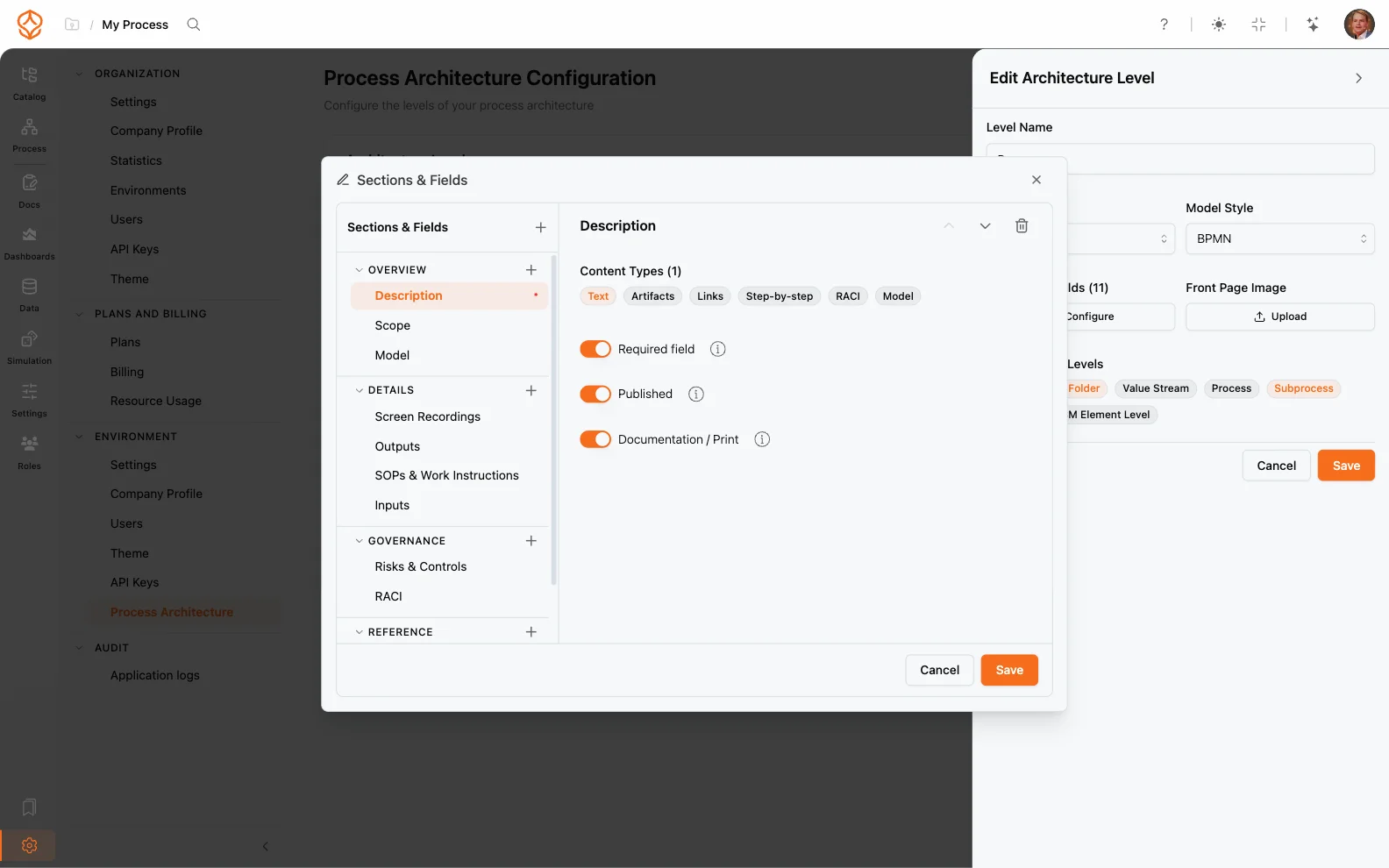
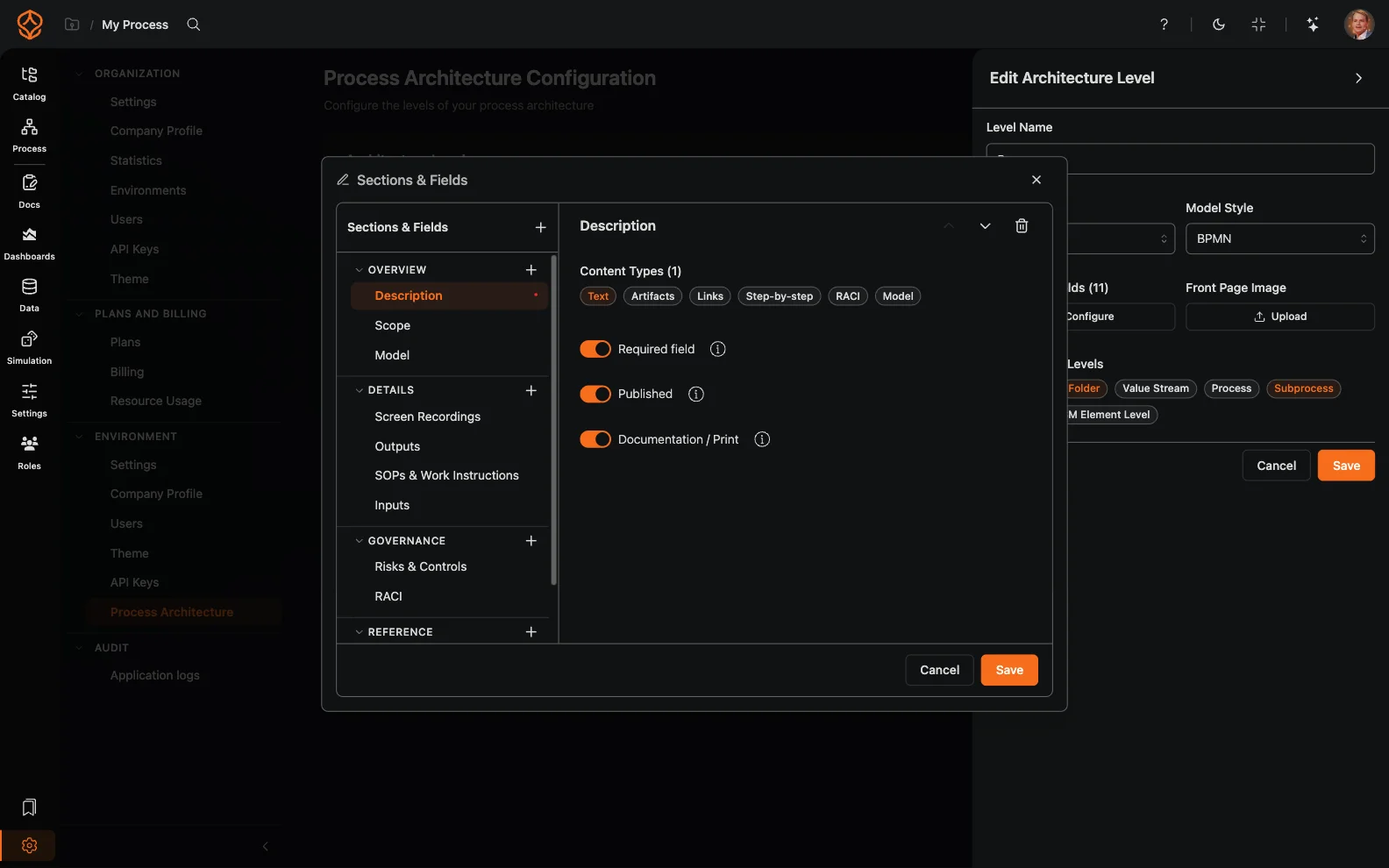
You can use process architecture documentation to see how process levels and relationships are represented. For the data side, read how to create a process mining event log.
Is value stream mapping the practical route into TOGAF?
TOGAF calls for a business architecture that includes value streams and capability maps. Value stream mapping is how we build that layer: you map the value stream, connect the processes underneath it, and keep the whole thing honest with measured work. We lead with value streams in the Process Architecture tier because they help people relate the architecture to how value moves through the organization. A full TOGAF programme adds the standards board and the governance calendar around that layer; the model itself starts here.
Why does ProcessMind approach architecture differently?
ProcessMind approaches architecture from the part that can be proven with data. That is a deliberate difference in approach, not a smaller version of what a repository does.
We have looked at TOGAF, but it is hard to keep it grounded in data. For now we decided to focus on the parts that can be measured and proven. That is also where the most value can be gained by optimizing the processes.
Portfolio management, application lifecycle and standards governance are the repository’s home ground, and ARIS, SAP LeanIX, Bizzdesign, MEGA HOPEX, Orbus and Sparx do that work well. The process layer has its own home here.
Our focus is the process layer: value streams, configurable process levels, RACI ownership, governance workflows and a viewer portal, connected to event data. That layer stands on its own for process questions, and it sits naturally beside a repository when an architecture programme needs one.
How should you choose an enterprise architecture tool?
Choose based on the questions your teams need answered and the architecture work you need to govern.
- You need portfolio management, standards, and roadmaps: Shortlist a full EA suite and plan for the people and processes needed to maintain the repository.
- You need a SaaS inventory of applications and capabilities: Evaluate an EA management platform such as SAP LeanIX against your inventory and governance requirements.
- You need answers about process behavior: Start with process models and operational data, then decide whether you also need a broader repository.
- You are still deciding: Identify the questions teams ask most often. That will help you choose whether to begin with a repository, process evidence, or both.
If you are comparing repository-first tools, see our ARIS alternative comparison. If you are evaluating how models and data work together, read how process modeling and process mining complement each other.
Start where you can get evidence. Add the repository when your architecture program needs its broader governance and portfolio capabilities.
Where does ProcessMind fit?
ProcessMind is a process and value-stream layer that connects the architecture to evidence about how work runs.
Where a repository holds the portfolio and the standards, ProcessMind holds the process layer and the evidence behind it. Teams that run both get an architecture whose process detail can be checked; teams that need only the process layer get that on its own.
You can organize processes into configurable levels, model them in BPMN 2.0, assign RACI ownership, and use governance workflows and a viewer portal. You can also connect process models to event data to compare documented processes with observed behavior. Process simulation lets you explore a change in the model before anyone changes the process in production.
For a closer look at the product’s process architecture capabilities, visit the enterprise process architecture page. You can also read about process governance and what process mining is.
Where to Go From Here
You need process architecture that reaches the level teams work at and can be checked against operational data.