Transformation/Role
Supply Chain Process Mining
Year
2022
Location
Global
Company Size
Any size
Disclaimer
The use cases in this library are practical guides based on typical process-improvement engagements. Figures and outcomes are typical expectations, not a specific customer's verified results, nor a promise of future results.
Supply Chain Process Mining
Supply chain process mining shows how orders move through procurement, production, inventory, and distribution. Trace an order across systems to see how long it waits at each handover, what drives cycle time, and where a change could improve flow. Simulate proposed changes before implementation, then compare predicted and actual performance using the same KPIs and baseline.
Why look at the supply chain end to end?
Each department can see its own work, but reports from individual systems rarely show the full end-to-end process. An order may appear open in an ERP system, pending in a Warehouse Management System (WMS), and unplanned in a Transportation Management System (TMS). These statuses don’t show how long the order waited between steps or how one delay affected the next handover.
ProcessMind brings event data from these systems into a shared process view. See the activity sequence, identify bottlenecks and rework, and compare how different orders move through the same flow.
For the system-by-system version, with the activities to look for and the tables and timestamp fields to extract, see the supply chain process guide.
What does one order look like across five systems?
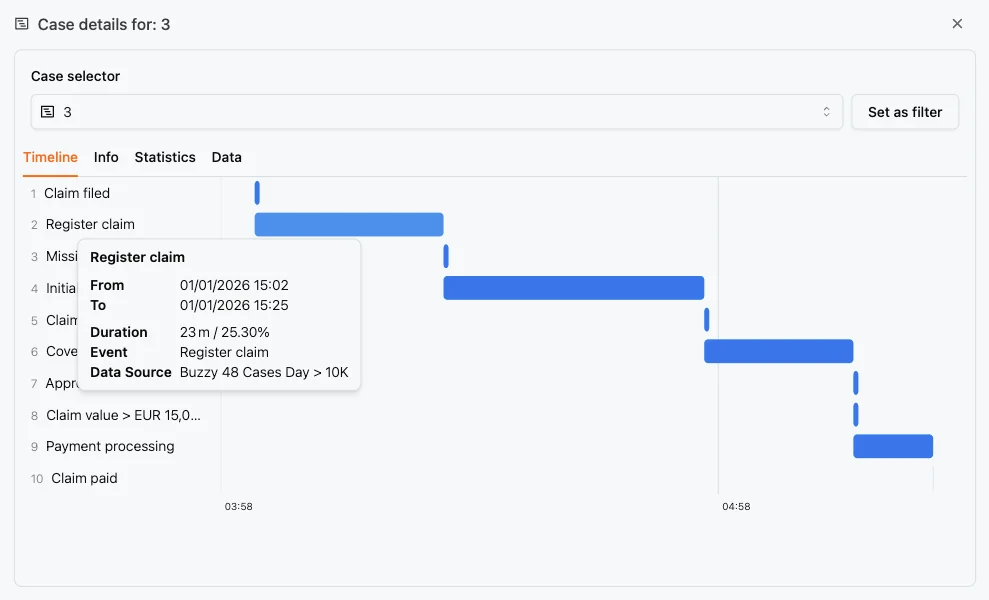
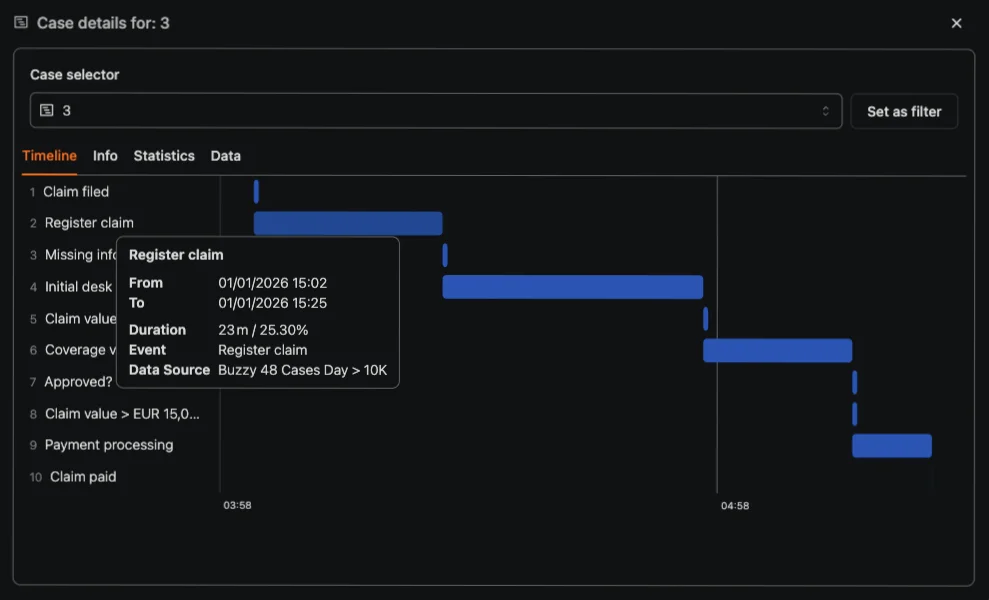
Take a customer order and follow it from entry through procurement, production, warehouse operations, and shipment. Each system records its own activities. A shared order number can link those events into one trace and show the time between handovers.
| Handover | What the next team or system is waiting for |
|---|---|
| Order entry to credit check | A credit decision or exception review |
| Credit check to planning | The next planning run or resolution of a shortage |
| Planning to procurement or production | Materials, capacity, or purchase order approval |
| Production or receipt to warehouse | Receipt, put-away, or the next picking wave |
| Warehouse to transport | Carrier booking, a dock slot, or a consolidated load |
This table suggests where to investigate; it doesn’t show measured results. Your event data reveals the actual wait at each handover. A trace can also show whether a delay caused the order to miss a later planning run or shipment.
To build this view, use the order number as the case ID and combine events from the systems that record the order’s progress. The case explorer shows an individual order’s steps and the time between them. Variant analysis compares the paths orders take, while conformance checking highlights where the actual process differs from the designed flow.
Where does supply chain waiting time build up?
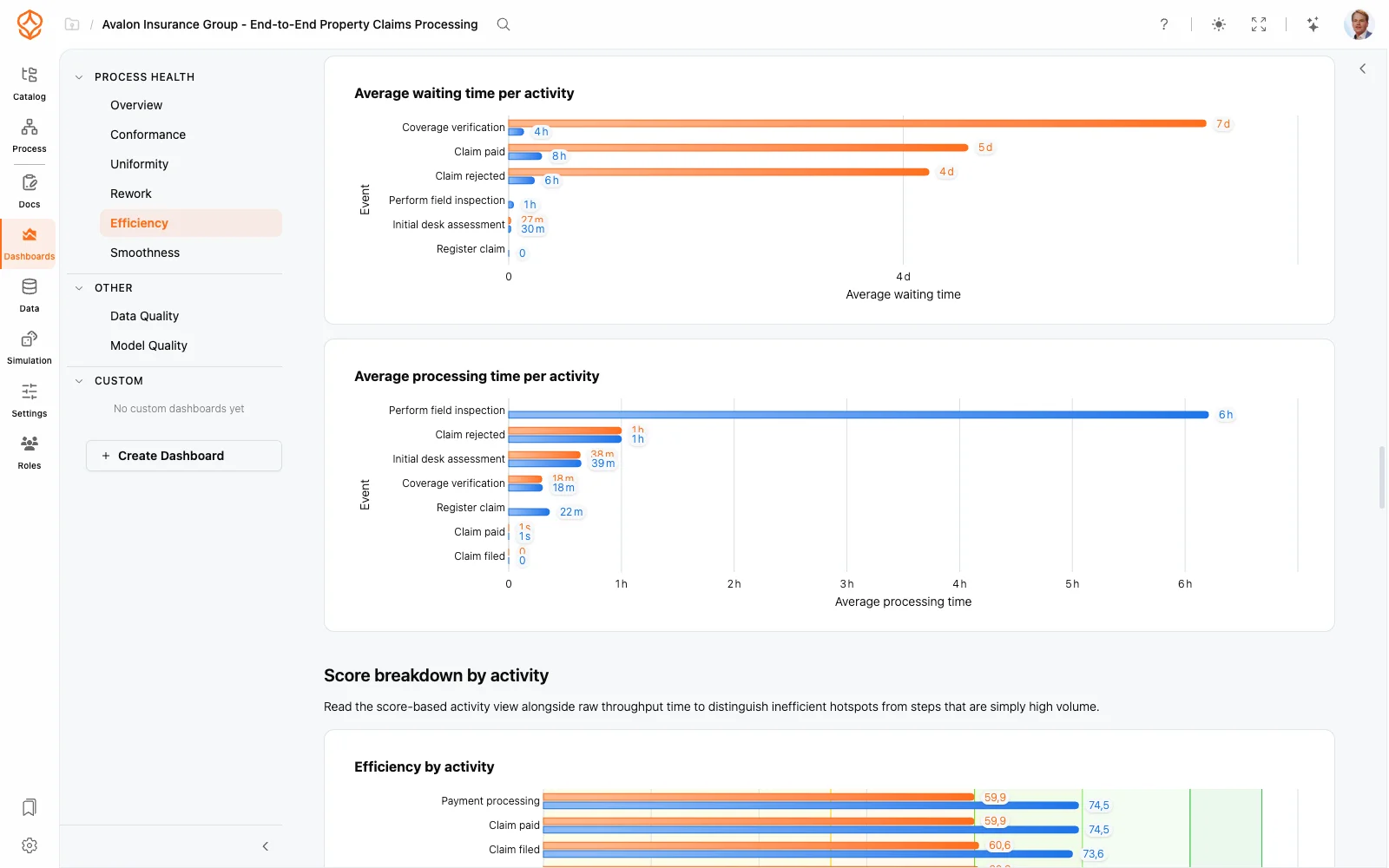
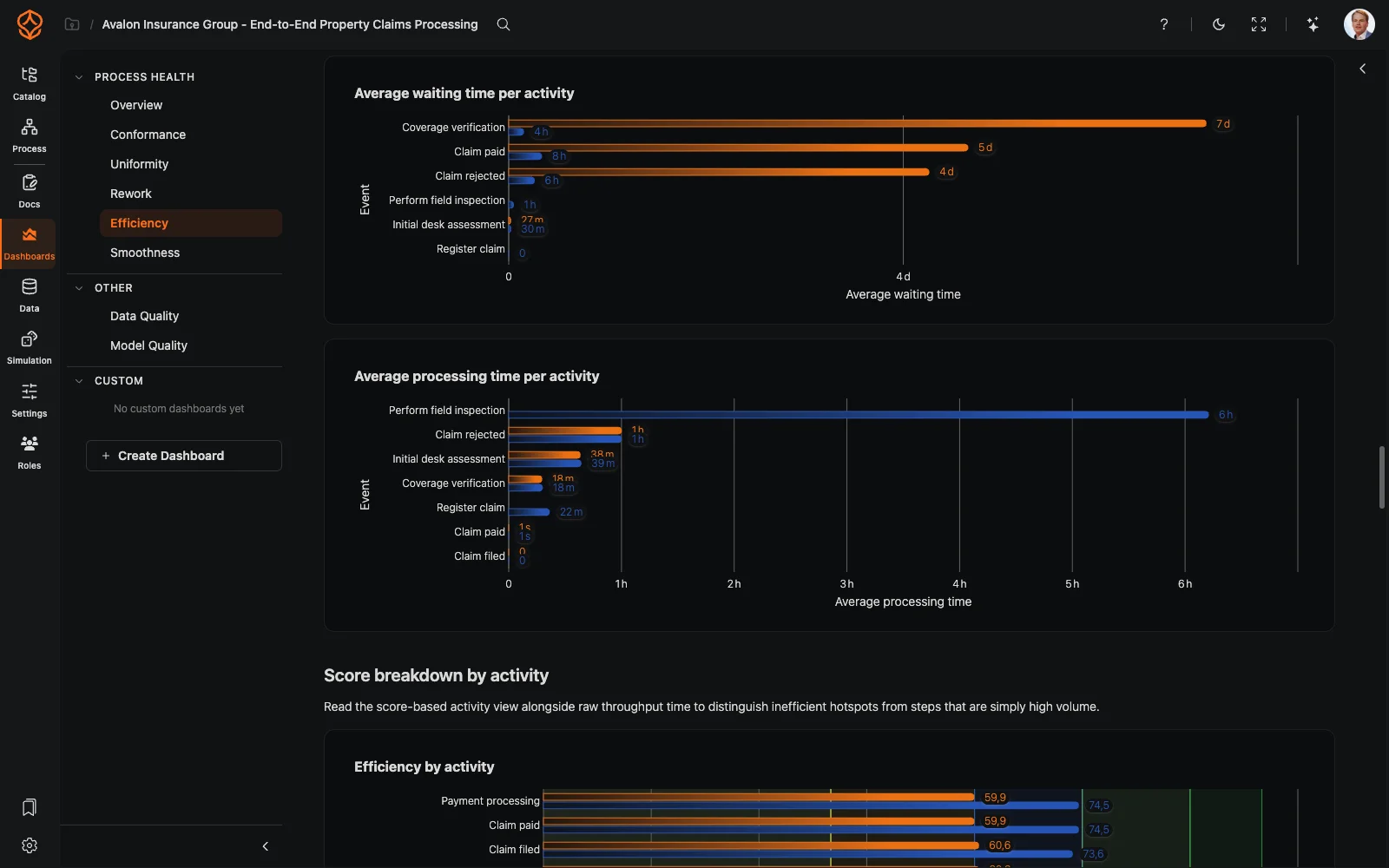
Once you can see the handovers, compare orders and look for recurring delays. Common areas to investigate include:
- Order intake and credit blocks: An order may wait for manual review after an automated check flags an exception.
- Planning exceptions: Shortages or demand changes can take orders out of the standard planning flow.
- Purchase order approvals: Procurement can stall while waiting for an unavailable approver.
- Goods receipt and put-away: Stock may sit at the dock while teams match paperwork or wait to record receipt.
- Picking and packing: Orders may wait for the next warehouse wave, even when staff are available.
- Transport booking and dock scheduling: A shipment may wait for a carrier, a slot, or a consolidated load.
- Returns and rework: Re-picks, damaged goods, and credit notes can add steps to an order.
- Master-data mismatches: Differences in unit conversions, material numbers, or plant codes can trigger manual corrections.
An end-to-end view helps you connect these events. For example, check whether a credit block delayed an order enough to miss a consolidated load, and whether the missed load affected transport cost per order.
What data do you need for supply chain process mining?
Start with event data already recorded across your supply chain systems. For each event, bring together:
- A case ID that identifies what you’re tracking, such as a sales order, purchase order, or shipment. Decide whether each case represents an order or an order line, and apply that definition consistently.
- Activity names that describe what happened, such as order created, credit check passed, goods receipt posted, pick confirmed, or shipment booked.
- Timestamps for each activity, in a consistent time zone and format.
- Attributes for comparing orders, such as plant, carrier, region, material group, customer segment, order value, and expedited status.
The data mapping guide explains how to combine your columns in ProcessMind. See where to get data for common source systems and exports.
Which KPIs help you track supply chain performance?
Connect the process view to measures your operations team already tracks. Depending on your data and goals, you can monitor:
- Order-to-delivery cycle time, split into touch time and waiting time.
- On-time in full (OTIF) or delivered in full and on time (DIFOT), including why orders are late.
- Perfect order rate, including completeness, on-time delivery, condition, and invoice accuracy.
- Expedite rate, or how often an order leaves the standard flow for manual intervention.
- Inventory days and stockout frequency by material group.
- Rework and return rates, including the time each loop adds.
- Transport cost per order or load compared with planned consolidation.
ProcessMind’s time metrics let you examine cycle time and waiting time by step, so you can investigate the figures behind a dashboard KPI.
How do you move from analysis to action?
-
Mine the process. Combine event data from procurement, inventory, logistics, and distribution. Map the actual flow and find where orders wait, loop back, or stray from the expected path. Focus on steps linked to cycle time, delays, stockouts, excess inventory, or transport costs.
-
Model the process. Use BPMN 2.0 to document the current flow, align operations, supply chain, and IT teams, and define the target process. Clarify decision points and handovers, then agree on the KPIs you’ll use to assess a change.
-
Simulate proposed changes. Compare scenarios such as different approval paths, staffing levels, warehouse rules, transport options, or inventory policies before committing resources. Use the baseline to assess predicted changes in cycle time and other KPIs. The guides to what-if analysis and running a simulation explain how to set up scenarios and generate predicted figures.
-
Compare predicted with actual results. Record the predicted impact before implementation. After the change, measure the same KPIs against the baseline. This gives you a consistent way to assess whether actual performance matches the prediction.
What can supply chain process mining help you find?
What you find depends on your event data, process complexity, and the changes you implement. Teams use supply chain process mining to identify handover delays, investigate rework, compare process variants, and test proposed changes before implementation.
Processes with substantial waiting, rework, or avoidable variation may have room to reduce cycle time by 20–40%. Treat that range as a planning reference, not a forecast or guarantee. Use your event data and KPIs to assess the potential, then compare predicted and actual performance after a change.
How should you get started?
Choose one supply chain process and a measurable problem, such as order fulfillment, purchase-to-pay, inventory replenishment, warehouse operations, or transportation planning. Define the case ID, activities, timestamps, and KPIs. Then trace a small set of orders end to end to see where they wait and which handovers need attention.
Review the traces with the people who run the process. They can explain exceptions that timestamps alone can’t. Once you agree on the main issue, model a practical change, simulate its expected effect, and record the prediction. After implementation, compare actual cycle time, service levels, inventory costs, and manual effort with the baseline.
Trace one end-to-end order
Follow an order across systems to see the waiting time between handovers. Start with one process and the event data you already have.
For a closer look at order-level flow, see the order management use case. To plan your analysis, read how to analyse your process. For a practical guide to reviewing individual order traces, see the case explorer documentation.
Trace one end-to-end order: /freetrial
Related Use Cases
Compliance Process Mining for Auditors

Business Process Improvement Consulting with ProcessMind
Teach Process Mining with Real Event Data
Enterprise Architecture for Process Teams

Design better processes. Build a connected architecture. Stay in control.
Get instant access with no credit card and no waiting. Turn the way your organization works into clear, connected process designs.
Build your process architecture, define ownership and controls, and align roles and responsibilities across every level.
Start your free trial and create one reliable foundation for governing, managing, and continuously improving your processes.